If you are feeling completely overwhelmed by terms like “pancake lenses,” “foveated rendering,” and “spatial computing,” take a deep breath. You are definitely not alone.
Buying your first VR headset in 2026 can feel like trying to decipher a foreign language. You probably just want to slash some blocks in Beat Saber, explore virtual worlds, or get a fun living room workout without feeling dizzy or emptying your savings account. But with so many options—from $299 budget headsets to $3,500 luxury mixed reality goggles—how do you avoid buying a glorified paperweight that just gathers dust on your shelf?
In this comprehensive guide, we are breaking down the best VR headsets for beginners in 2026. We have stripped away the technical jargon to give you honest, practical buying advice, real-world insights from everyday users, and a foolproof checklist to ensure you don’t waste your hard-earned money.
Let’s dive into the virtual world!
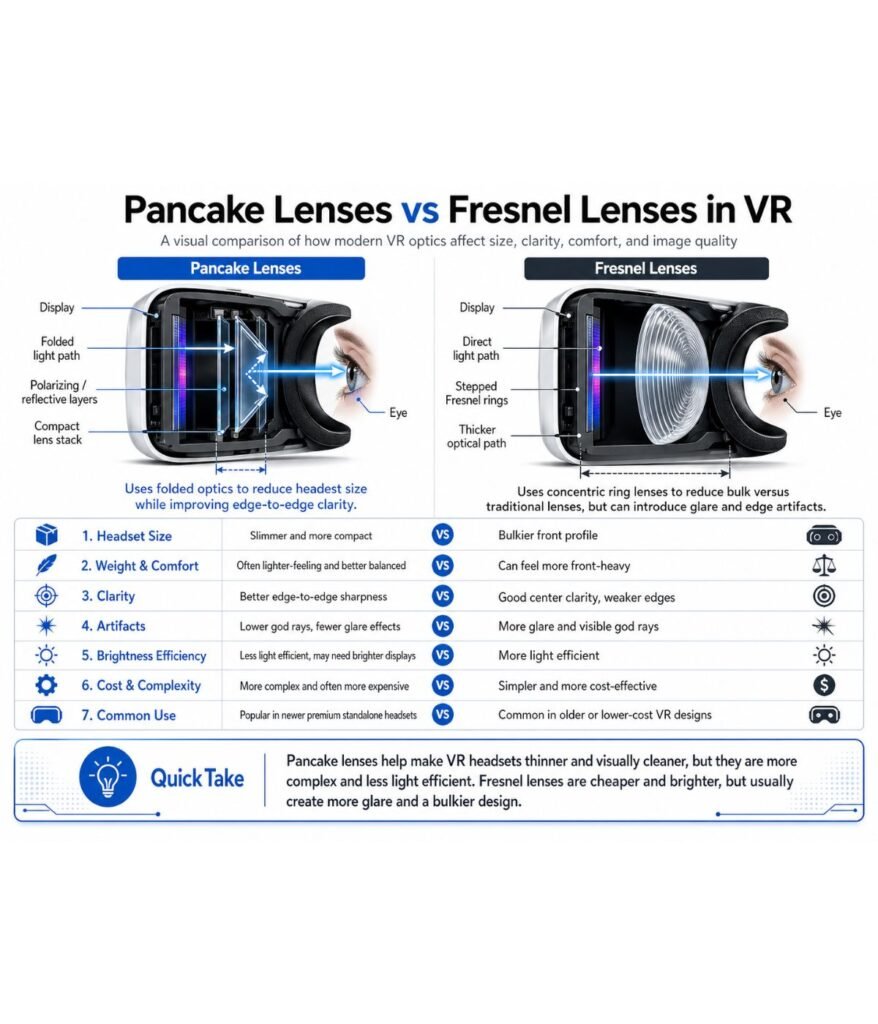
- Prioritize Pancake Optics: In 2026, Fresnel lenses are largely obsolete. They cause blurry edges and a narrow “sweet spot.” Unless you are buying the entry-level Quest 3S, do not accept anything less than Pancake lenses.
- Cut the Cord: Community consensus is clear: wires are immersion killers. While “Link Cables” are great for high-fidelity PC work, your primary experience should be wireless (WiFi 6E or 7).
- Buy for the Now: While the Meta Quest 4 is a frequent topic of rumors, internal shifts at Reality Labs mean it isn’t expected until 2027 or 2028. Don’t fall into the “wait forever” trap; today’s hardware is more than capable of handling the current generation of software.
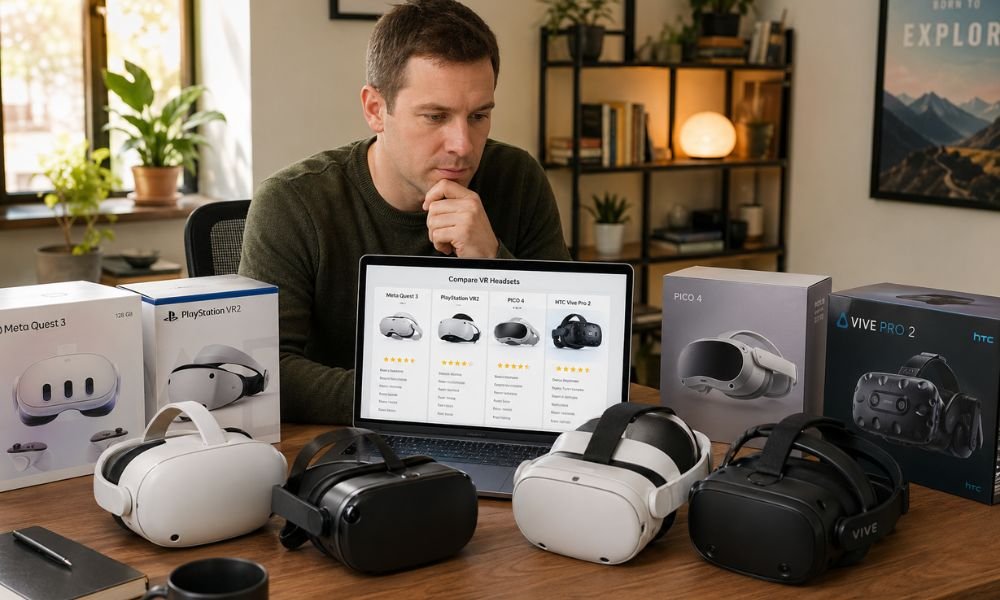
Best VR Headset for Beginners 2026 Leaderboard
Choosing the “best” headset is no longer about raw power—it’s about your existing digital ecosystem. Whether you own a high-end gaming PC, a PS5, or just a smartphone, here is how the class of 2026 stacks up.
The Value King: Meta Quest 3/3S
The Meta ecosystem remains the default choice for beginners because of its plug-and-play simplicity and the massive Horizon OS library.
- Quest 3 ($499): Still the gold standard for clarity. Its Pancake lenses provide edge-to-edge sharpness that the 3S simply can’t match.
- Quest 3S ($299): This is the market’s “entry-level gem.” It hits this price point by using older Fresnel lenses (the only exception to our Golden Rule), but it shares the same powerful processor as its big brother. The Insider Edge: Be warned that Meta’s controllers are prone to stick drift over time. If you choose the Quest, budget for the “official accessory tax”—you’ll eventually want a third-party strap like the BoboVR M3 for comfort. Check Current Price on Amazon
The PCVR Specialist: Valve Steam Frame
Released in early 2026, the Steam Frame is the spiritual successor to the Index. It is the top choice if you already own a gaming PC or a Steam Deck.
- Built for Comfort: Unlike front-heavy headsets, the Frame features a balanced weight design with the battery housed in the back of the strap.
- Value in the Box: Valve includes a dedicated wireless dongle in the box for lag-free PC streaming. Most importantly for beginners, it features replaceable thumbsticks (similar to the Steam Deck), meaning stick drift won’t require buying an entirely new $100 controller.
The Console Powerhouse: Sony PSVR2
For existing PS5 owners who value data privacy and hate the idea of a Meta account, the PSVR2 is the logical path.
- OLED Advantage: While the Quest 3 uses LCDs where blacks look “slightly gray,” the PSVR2 uses OLED panels with true blacks. For horror fans playing Resident Evil or Metro Awakening, this contrast is the difference between “gaming” and “immersion.”
- Haptic Immersion: It remains the only headset in this price bracket with headset-mounted haptics and advanced eye-tracking.
The Premium-But-Accessible Alternative: Samsung Galaxy XR
At $1,799, the Galaxy XR is a “spatial computer” designed to challenge the $3,499 Apple Vision Pro.
- The Weight Win: The Vision Pro is a heavy beast at 650g, often causing neck fatigue after 30 minutes. The Galaxy XR weighs just 545g, utilizing a plastic chassis and a dome-shaped forehead cushion for better distribution.
- Android XR Ecosystem: It offers “85% of the Vision Pro experience” for half the price, featuring Micro-OLED displays and Google Gemini —a camera-aware AI that can interpret your real-world surroundings in real-time.
The “No-Regret” Buying Guide: Avoiding Pitfalls
Spec-chasing is a beginner’s biggest mistake. A headset with 4K resolution is worthless if your home network makes the image stutter, causing instant nausea.
2026 Tech Standards: Obsolete vs. Modern
Feature, “2026 “”Obsolete”””, “2026 “”Standard”””
Lenses, Fresnel (Blurry/God Rays), Pancake Lenses (Crystal Clear)
Display, Standard LCD, Micro-OLED / Mini-LED
Networking, WiFi 5 / 6, WiFi 6E / WiFi 7
Rendering, Standard, Foveated Rendering (Eye-Tracked)
The Hidden Costs of a “Budget” Setup
If you buy a $299 Quest 3S, you aren’t done spending. To solve the audio latency issues inherent in Meta’s Bluetooth, you almost certainly need the PrismXR Vega T1 earbuds ($ 65), which are the only widely recognized solution for lag-free VR audio. Furthermore, for a “no-lag” wireless experience on PC, Reddit veterans insist on a dedicated WiFi 6E or 7 router used exclusively for your headset.
Reddit Insider Perspective: Street Knowledge
Marketing brochures lie; the community doesn’t. Here is the distilled wisdom from r/VRGaming:
- The “Tripping” Factor: As one user noted: “Imagine being immersed in a horror game and having to step over wires.” In 2026, if you are playing Arizona Sunshine 2, cables are a safety hazard.
- The Face Tracking Trap: Unless you are a hardcore VRChat user, don’t pay a premium for face tracking. For beginners, it’s a high-cost feature that adds weight for very little gameplay benefit.
- The Accessory Tax: Never buy the “Official Elite Strap” from Meta. They are overpriced and breakable. Third-party brands like KIWI Design or BoboVR offer better padding and integrated battery swaps for 40% less.
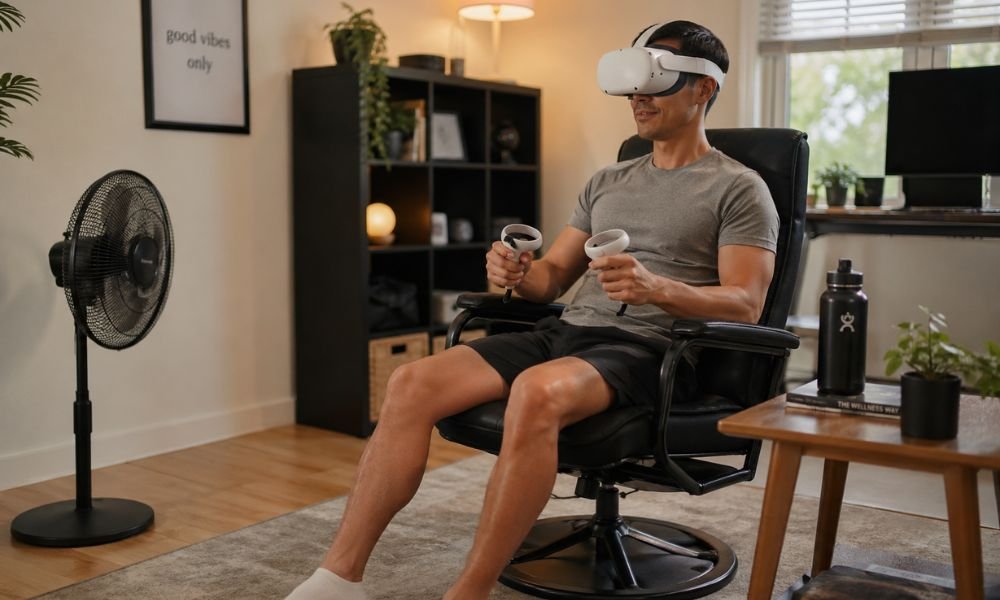
Overcoming the “Vomit Factor”
Motion sickness is the #1 reason new users quit. However, 2026 hardware utilizes Eye-Tracked Foveated Rendering. This technology only renders the tiny area where your eyes are focused at full resolution, allowing the headset to maintain a rock-solid 90+ FPS without lag—the primary cause of “the sweats.”Beginner’s Comfort Checklist:
- The Floor Mat Trick: Place a small rug or bath mat in the center of your play area. Feeling the edge with your feet provides a “physical anchor” to the real world, preventing you from punching a wall.
- The “20-Minute” Rule: Never try to “push through” nausea. If you feel dizzy, take the headset off immediately. It takes about two weeks to build your “VR Legs.”
- Start with Teleportation: Avoid “Smooth Locomotion” (using a thumbstick to walk) at first. Start with games like Arizona Sunshine 2 or Dungeons of Eternity, which support “Teleport” movement to minimize inner-ear confusion.
Final Verdict: Which Beginner Are You?
- If you want the lowest entry price… Get the Meta Quest 3S. It’s the $299 gateway to the Batman: Arkham Shadow bundle. Just be prepared to upgrade the headstrap.
- If you are a professional needing a multi-monitor workstation… The Samsung Galaxy XR is your move. It’s lighter than the Vision Pro and integrates perfectly with Google/Android workflows.
- If you have a high-end gaming PC… The Valve Steam Frame is the clear winner. Its native SteamVR integration and replaceable sticks make it the best long-term investment.
- If you are a PS5 owner who values privacy… The PSVR2 offers the best visual contrast and requires zero data-harvesting accounts from Meta. Suggested CTA: Check current Quest 3S holiday bundles —most currently include Batman: Arkham Shadow as a free digital download!
Frequently Asked Questions (FAQ)
1. Do I need a dedicated router for VR?
If you plan to play PC games wirelessly, yes. Standard home routers handling multiple phones and TVs cause the micro-stutters that lead to motion sickness. A dedicated WiFi 6E/7 router ensures a clean “pipe” for your data.
2. Can I use the Quest 3 for Steam games?
Absolutely. Using Virtual Desktop (the most essential app in the ecosystem) or Valve’s Steam Link, you can play your entire PC library on a Quest 3 over a fast WiFi connection.
3. Is face tracking worth the extra cost for a beginner?
No. It’s a niche feature for social VR (VRChat) to show your expressions on your avatar. For 95% of games, it’s unused weight.
4. What is the “Steam Frame Verified” label?
This is Valve’s performance guarantee. A “Verified” game is guaranteed to hit a stable 90 FPS on the Frame’s hardware, ensuring a smooth, nausea-free experience for newcomers.