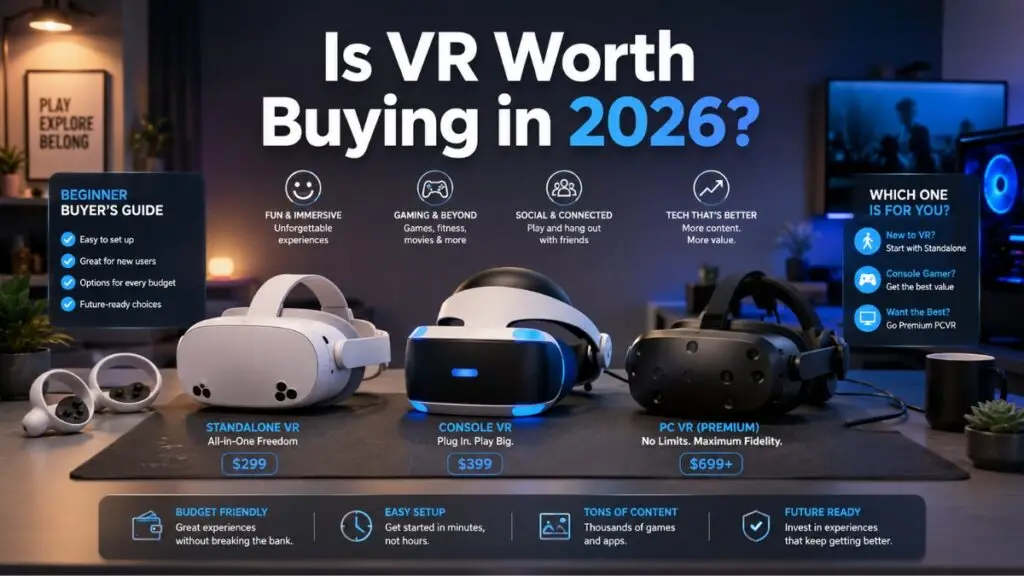
Is VR Worth Buying in 2026? The Honest Beginner Answer
Is VR worth buying in 2026 if you are a first-time buyer? Yes, for the right person and the right headset. No, if you expect it to fully replace your console, PC, phone, or TV.
That is the honest answer.
VR in 2026 is better than it has ever been for beginners. Standalone VR headsets are easier to set up. You no longer need wall sensors, giant cables, or a gaming PC to start. A headset like the Quest 3S gives you games, fitness apps, media watching, social spaces, and mixed reality in one device.
But VR still asks more from you than a regular console. You wear it on your face. You manage battery life. You need space. Some people feel nausea. Some headsets feel front-heavy without a better strap.
So the better question is not “is VR worth buying?” The better question is, “Which VR setup fits the way I will actually use it?”
This guide keeps the answer simple.
If you want the safest beginner buy, start with standalone VR. If you want the best clarity, look at the Meta Quest 3. If you want the lowest modern entry price, look at the Quest 3S. If you already own a PS5 or want OLED contrast on PC, consider PSVR2 with the PC adapter. If you are a PCVR enthusiast, keep your eye on Steam Frame.
Why Beginners Hesitate Before Buying VR
Most first-time buyers pause for three reasons: cost, comfort, and confusion.
VR looks exciting, but then you start seeing words like PCVR requirements, pancake lenses, Fresnel lenses, IPD, standalone VR, inside-out tracking, and mixed reality. That is enough to make anybody close the tab.
Here is what those concerns mean in plain English.
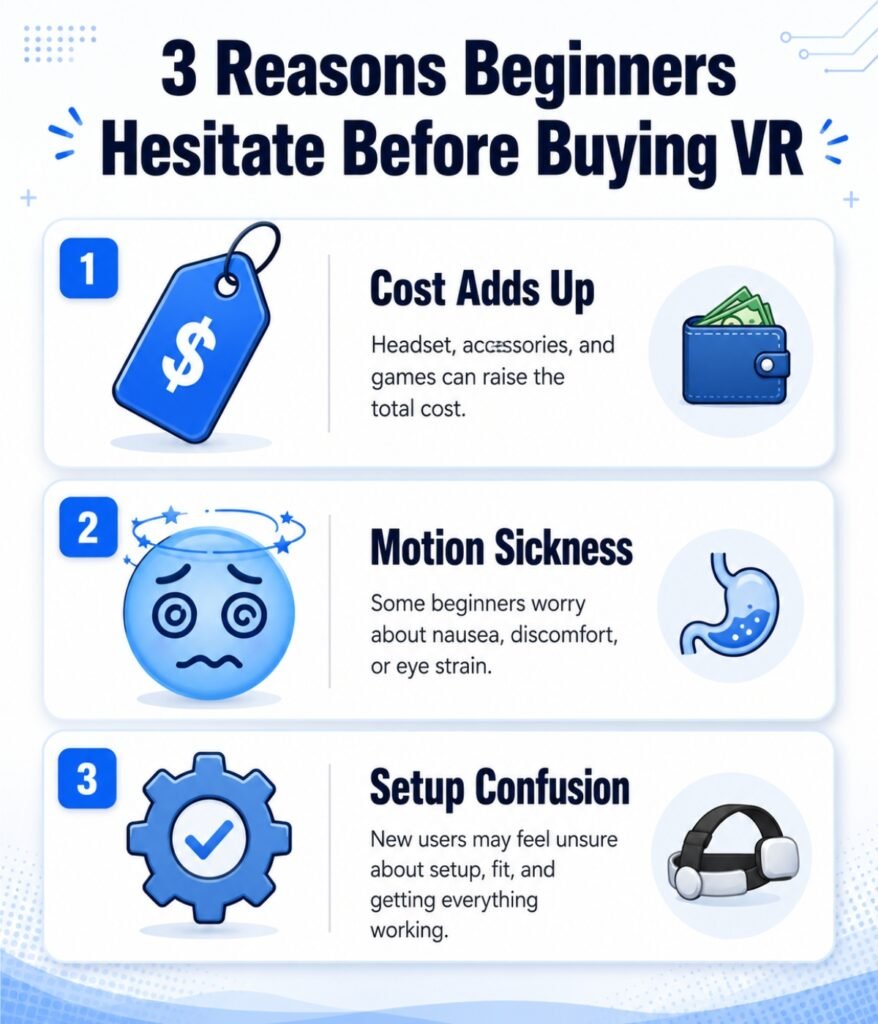
1. Cost Adds Up Fast
The price on the box is not always the full cost.
A beginner VR setup often needs:
- A better head strap
- A carrying case
- A few paid games
- Controller grips
- Prescription lens inserts if you wear glasses
- A silicone or wipeable facial cover
- A battery strap for longer sessions
A $299 Quest 3S is still a strong value, but your real first-year cost could rise once you add comfort accessories and games.
PCVR gets more expensive. A premium PCVR setup needs a strong gaming PC, a good router for wireless play, and sometimes extra adapters. In 2026, high-end PC parts are pricier, so PCVR has shifted closer to a luxury hobby.
2. VR Motion Sickness Is Real
VR motion sickness happens when your eyes see movement, but your body feels still. Your brain receives mixed signals. That mismatch can lead to nausea, dizziness, sweating, or headaches.
The good news: many beginners improve by starting slowly and choosing the right games.
Start with games where you stand in place, swing, point, paint, watch, or teleport. Avoid fast joystick movement on day one.
3. Setup Feels Intimidating
Standalone VR is much easier than older VR systems, but setup still matters.
You need:
- A clear play area
- Good lighting
- A charged headset
- A safe boundary
- A headset fit that does not pinch your face
- The right lens distance for your eyes
That sounds like a lot, but once you do it once, it becomes routine.
Beginner Comfort: What Matters Before You Buy
Comfort is the difference between “I use this every week” and “this headset sits in a drawer.”
Head Strap Comfort
Most stock straps are good enough for short tests, not ideal for long play.
A better strap helps balance the weight. Battery straps are even better because the rear battery acts like a counterweight. That reduces pressure on your cheeks and forehead.
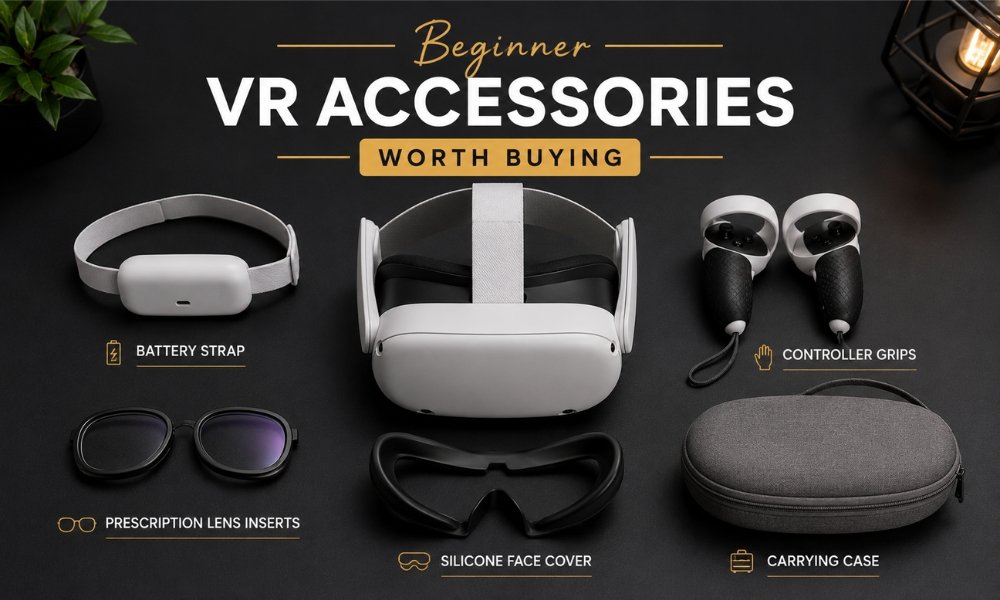
Good affiliate-friendly accessories to recommend:
- BOBOVR M3 Pro or S3 Pro battery strap
- KIWI design comfort strap
- Silicone face cover
- Controller grips
- Carrying case
Prescription Lens Inserts
If you wear glasses, do not rely on squeezing them inside the headset. Glasses can scratch headset lenses. That damage is permanent.
Prescription lens inserts snap over the headset lenses. They protect the headset and make the image clearer for users who need vision correction.
Good product angle: best prescription lens inserts for Quest 3.
Recommended affiliate categories:
- HonsVR prescription inserts
- Zenni VR prescription lenses
- VR-Rock lens inserts
- Lens protector rings
Battery Life
Most standalone VR headsets last around a couple hours per charge. That is enough for many beginners, but fitness users and media watchers often want more time.
A battery strap solves two issues:
- Longer sessions
- Better weight balance
That makes it one of the easiest accessory recommendations for beginner buyers.
How to Avoid VR Motion Sickness Fan Setup
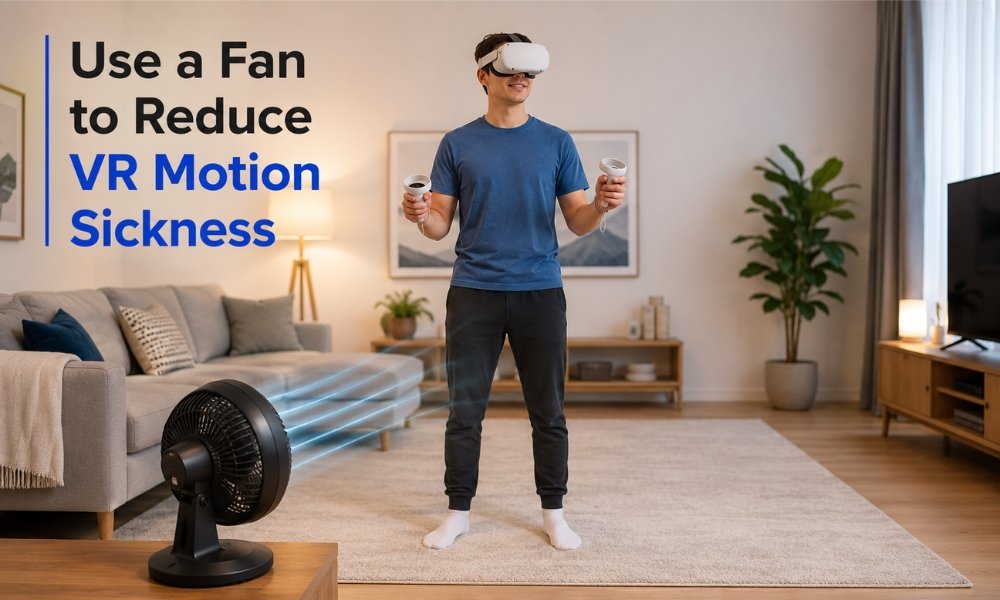
The fan trick is one of the simplest beginner comfort tips.
Place a room fan in front of your play area and aim the breeze at your chest, legs, or torso. Keep the fan outside your boundary so you do not hit it while playing.
Why it helps:
- The breeze gives your brain a real-world direction cue
- It keeps your body cool
- It helps you stay oriented
- It reduces the “floating” feeling some beginners experience
Use this starter plan:
- Day 1: Play seated or stationary games for 10 to 15 minutes
- Day 2: Try teleport movement, not smooth joystick walking
- Day 3: Add slow movement games with comfort settings turned on
- Stop immediately if nausea starts
- Drink water and try again later
Do not power through VR sickness. That trains your brain to associate VR with feeling bad. Stop early, recover, and build your VR comfort over time.
What to Look for in a VR Headset in 2026
Here are the buying factors that matter most for beginners.
| Buying Factor | Why It Matters | Beginner Advice |
| Lens Type | Controls clarity and comfort | Pancake lenses are easier on the eyes |
| Standalone Support | Works without a PC | Best for most beginners |
| IPD Adjustment | Matches lenses to your eyes | Continuous adjustment is better |
| Battery Life | Limits session length | Budget for a battery strap |
| Tracking | Tracks headset and controllers | Inside-out tracking is easiest |
| Game Library | Determines long-term value | Meta has the strongest standalone library |
| Comfort Accessories | Improves daily use | Plan for a strap and face cover |
Pancake vs Fresnel Lenses
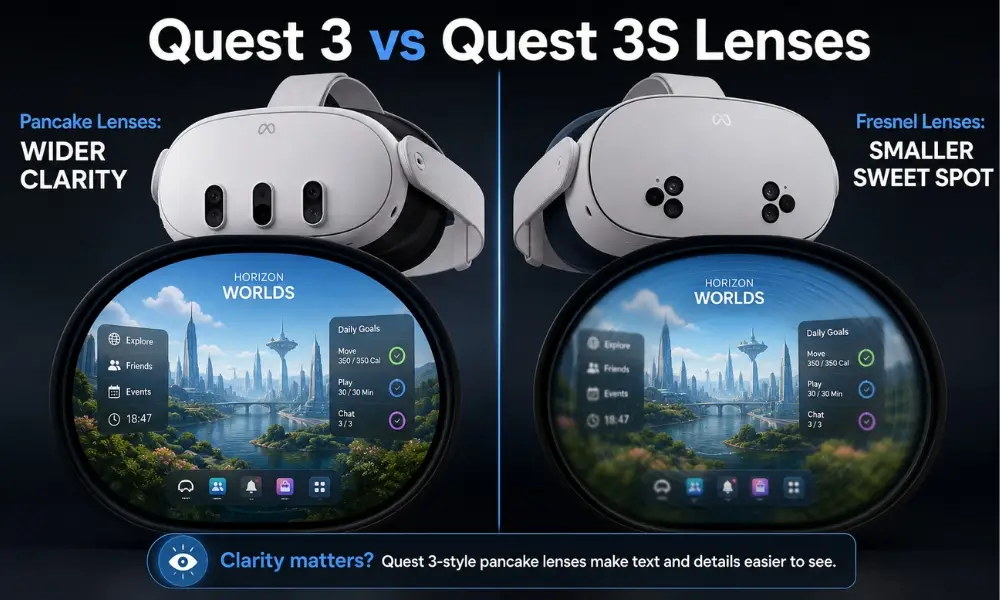
This is one of the biggest Quest 3 vs Quest 3S lenses differences.
Fresnel lenses use circular ridges. They cost less, but the clear viewing area is smaller. You need to keep your eyes centered and turn your head more often.
Pancake lenses are slimmer and clearer across more of the image. You get better edge-to-edge clarity, which helps with reading text, watching media, and long sessions.
Simple answer:
- Quest 3S uses Fresnel lenses
- Quest 3 uses pancake lenses
- Steam Frame is expected to use pancake lenses
- PSVR2 uses Fresnel lenses with OLED displays
IPD Adjustment
IPD means the distance between your pupils. If the headset lenses do not line up with your eyes, the image looks blurry and your eyes work harder.
Quest 3 has continuous IPD adjustment, which gives you finer control.
Quest 3S uses three preset positions, which works for many people, but not everyone.
Product Recommendations: Best VR Headsets for Beginners in 2026
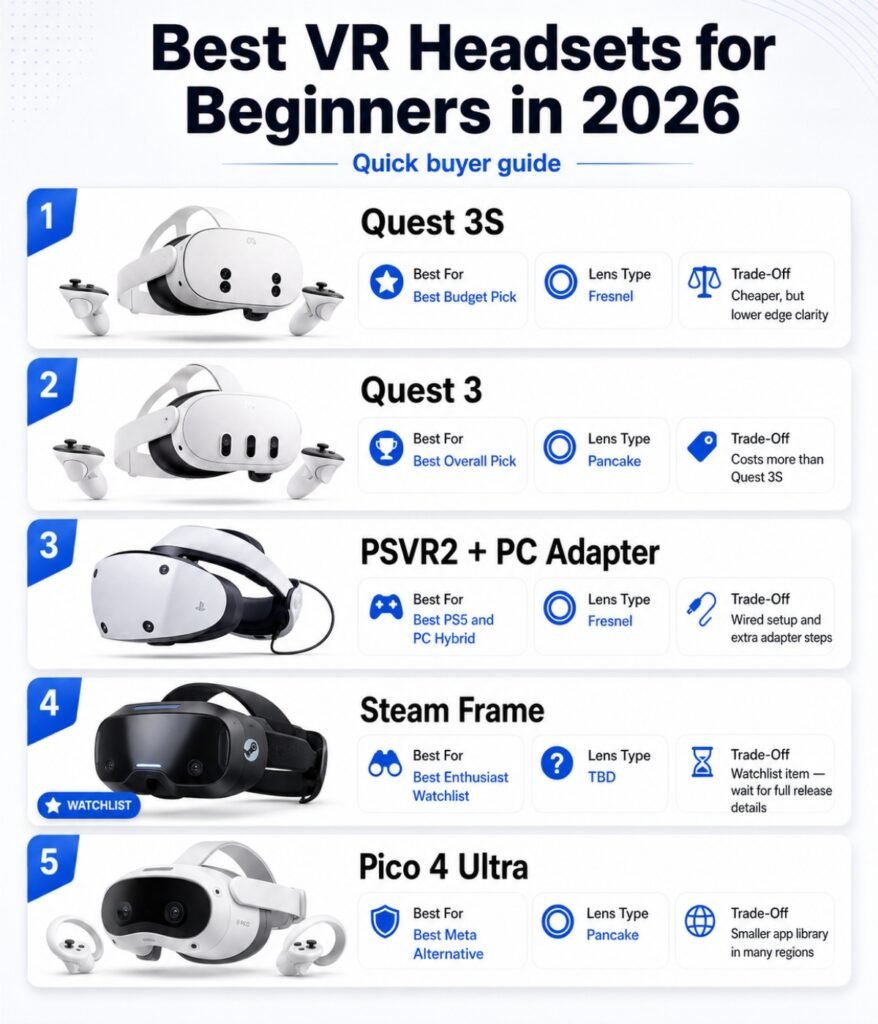
| Headset | Best For | Lens Type | Main Strength | Main Trade-Off |
| Meta Quest 3S | Budget beginners | Fresnel | Low price, strong performance | Smaller sweet spot |
| Meta Quest 3 | Best all-around standalone | Pancake | Clearer lenses, better comfort | Higher price |
| PSVR2 with PC Adapter | PS5 and PC players | Fresnel | OLED colour and contrast | Wired setup |
| Steam Frame | PCVR enthusiasts | Pancake | Steam focus, premium promise | Higher projected price |
| Pico 4 Ultra | Meta alternative | Pancake | Comfort and PCVR use | Smaller standalone store |
Best Budget Pick: Meta Quest 3S
The Quest 3S is the easiest recommendation for someone asking, “Is VR worth buying if I am on a budget?”
It uses the same modern Snapdragon XR2 Gen 2 processor family as the Quest 3, so it runs current standalone VR games well. The lower price comes from older Fresnel lenses and a lower-resolution display.
Buy this if:
- You are new to VR
- You want the lowest modern entry price
- You care more about games than perfect clarity
- You want standalone VR without a PC
Avoid it if:
- You are sensitive to blurry edges
- You plan to read text or watch long movies often
- You want the clearest visual experience
Best Overall Pick: Meta Quest 3
The Meta Quest 3 is the better long-term buy for most adults who plan to use VR often.
Its pancake lenses make a real difference. Text looks clearer. Menus are easier to read. You do not need to constantly adjust the headset to find the sweet spot.
Buy this if:
- You want the best standalone VR balance
- You care about lens clarity
- You want mixed reality features
- You plan to use VR for games, media, fitness, and productivity
The Quest 3 costs more, but the comfort and clarity make it easier to stick with.
Best Console and PC Hybrid: PSVR2 with PC Adapter
PSVR2 makes sense if you already own a PlayStation 5 or want rich OLED visuals. With the PSVR2 PC adapter, it also works with PCVR.
Its biggest strengths are colour, contrast, and atmosphere. Dark games look better on OLED. The trade-off is the cable and Fresnel lens sweet spot.
Buy this if:
- You already own a PS5
- You like seated games, racing, horror, or cinematic titles
- You want OLED contrast
- You do not mind a wire
Best Enthusiast Watchlist Pick: Steam Frame
Steam Frame is the big PCVR name to watch in 2026. The uploaded source material describes it as a standalone and wireless PCVR hybrid with SteamOS integration, pancake lenses, eye tracking, and a projected premium price range.
This is not the safest beginner buy unless you already love Steam and PC gaming.
Buy or wait for this if:
- You want a Steam-first headset
- You dislike being tied to Meta
- You already have a gaming PC
- You care about premium PCVR more than low price
Standalone VR vs PCVR Requirements
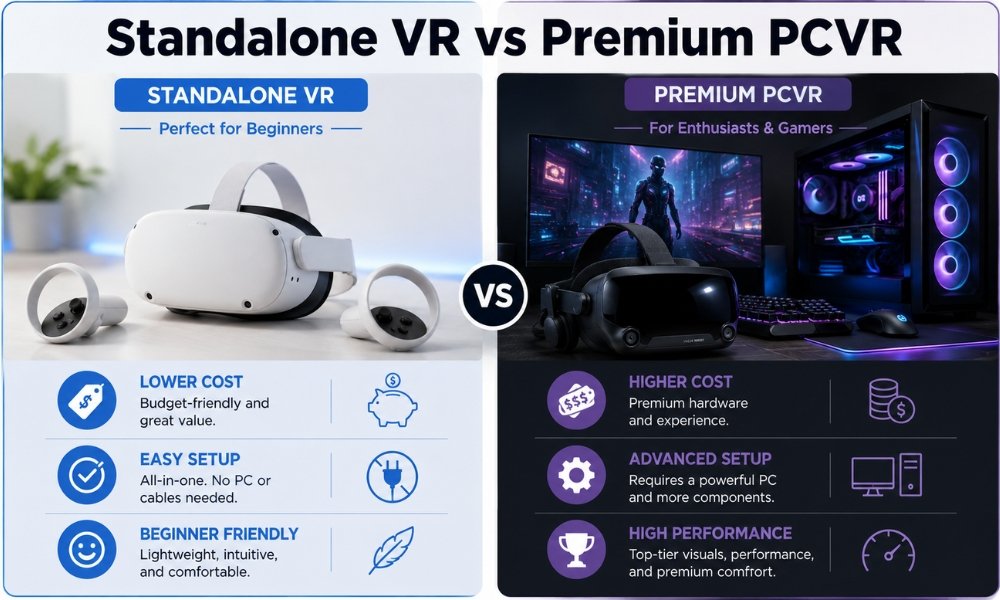
Standalone VR means the headset has its own processor, battery, storage, and display. You do not need a PC.
PCVR means your computer runs the game and sends the image to the headset. This gives you better graphics, but it costs more and needs more setup.
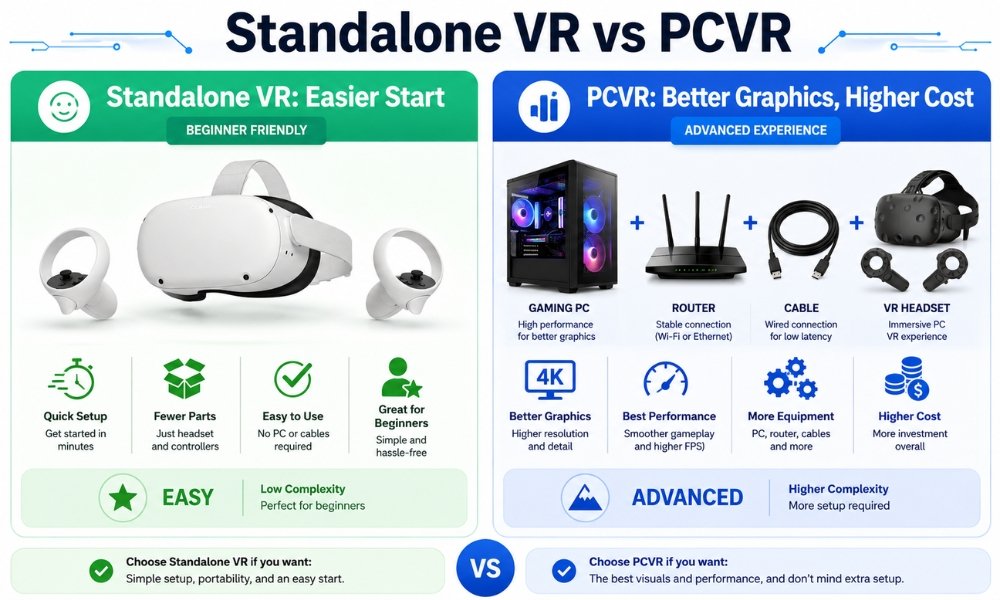
| Option | Best For | Difficulty | Cost Level |
| Standalone VR | Beginners, families, fitness users | Low | Low to medium |
| Wireless PCVR | PC gamers who want better graphics | Medium | High |
| Wired PCVR | Sim racing, flight sims, seated play | Medium | Medium to high |
| Premium PCVR | Enthusiasts | High | High |
For most beginners, standalone VR is the better first step.
Used VR Headset Inspection Checklist
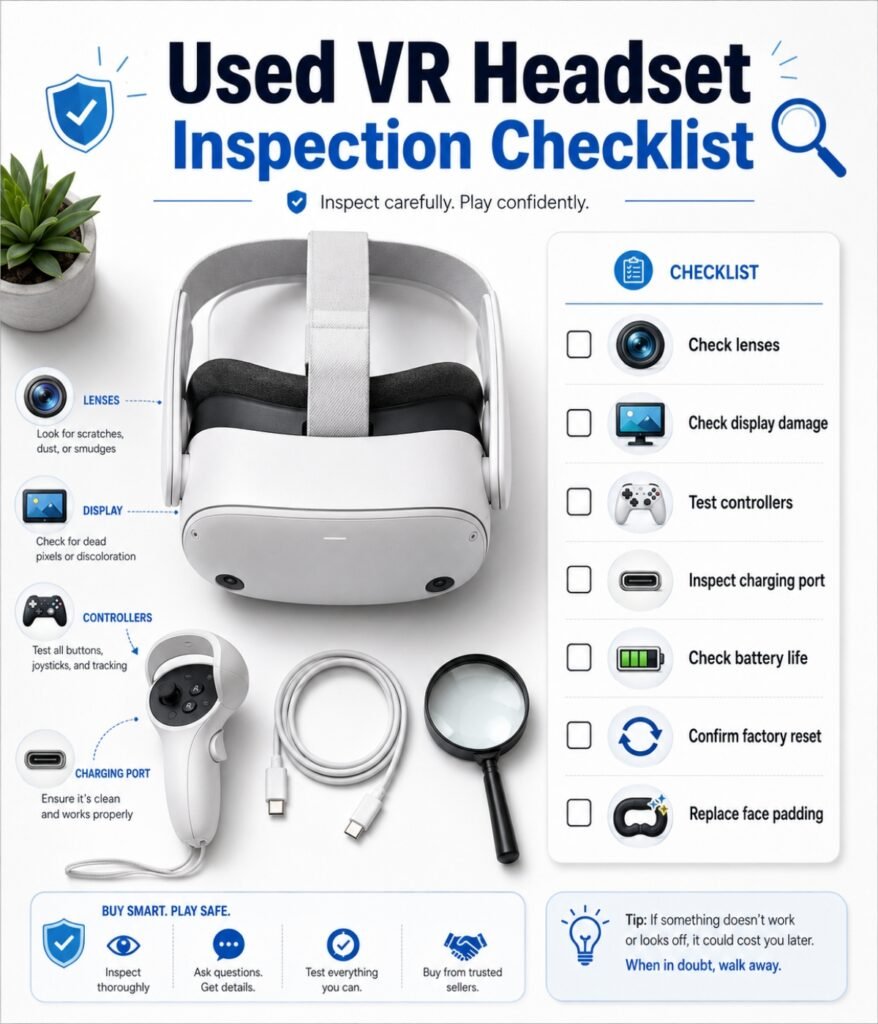
Buying used saves money, but you need to inspect the headset carefully.
Use this checklist before paying.
- Lens check: Hold the lenses under bright indirect light. Look for scratches, cloudiness, chips, or scuffs.
- Display check: Turn the headset on. Look for yellow spots, purple marks, dead pixels, or sun damage.
- Controller check: Press every button. Test triggers, grips, thumbsticks, and tracking.
- Stick drift check: Open a menu or game calibration screen. Watch for movement when you are not touching the stick.
- Charging port check: Inspect the USB-C port for bent pins, loose fit, melted plastic, dark marks, or debris.
- Speaker arm check: Gently inspect the side arms for cracks or stress marks.
- Battery check: Ask how long the headset lasts after a full charge.
- Hygiene check: Smell the facial foam. Smoke, sweat, or mildew means you need replacement padding.
- Account check: Make sure the owner factory resets it before you leave.
- Accessory check: Confirm the box includes controllers, charger, strap, and any promised extras.
Do not buy a used headset with sun damage on the display. That is not a small flaw. That is permanent damage.
FAQ: Is VR Worth Buying in 2026?
Is VR worth buying in 2026?
Yes, VR is worth buying in 2026 if you choose the right headset for your budget and comfort needs. Standalone VR gives beginners the easiest start, while PCVR is better for advanced players who already own strong gaming hardware.
What is the best VR headset 2026 beginners should buy?
The Quest 3S is the best budget beginner headset. The Quest 3 is the better long-term pick if you want clearer lenses, better comfort, and stronger mixed reality features.
Quest 3 vs Quest 3S lenses: which is better?
Quest 3 lenses are better. It uses pancake lenses with clearer edge-to-edge viewing. Quest 3S uses Fresnel lenses, which cost less but have a smaller sweet spot.
Is Steam Frame worth waiting for?
Steam Frame is worth watching if you are a PCVR fan or want a Steam-first headset. Beginners who want affordable VR should not wait if the Quest 3S or Quest 3 already fits their needs.
Is the PSVR2 PC adapter worth it?
The PSVR2 PC adapter is worth considering if you own a PSVR2 and want access to PCVR games. It gives the headset more flexibility, but the wired setup and Fresnel lenses still matter.
What are the best standalone VR games 2026 buyers should start with?
Start with beginner-friendly standalone games that avoid fast movement. Rhythm games, fitness apps, mini golf, puzzle games, and stationary action games are better first picks than intense joystick-based shooters.
How do I avoid VR motion sickness with a fan?
Place a fan in front of your play space, aim it at your body, and use teleport movement first. The breeze gives your brain a physical anchor and helps reduce nausea.
Do I need prescription lens inserts for Quest 3?
If you wear glasses, prescription lens inserts are strongly recommended. They protect the headset lenses from scratches and make the image clearer.
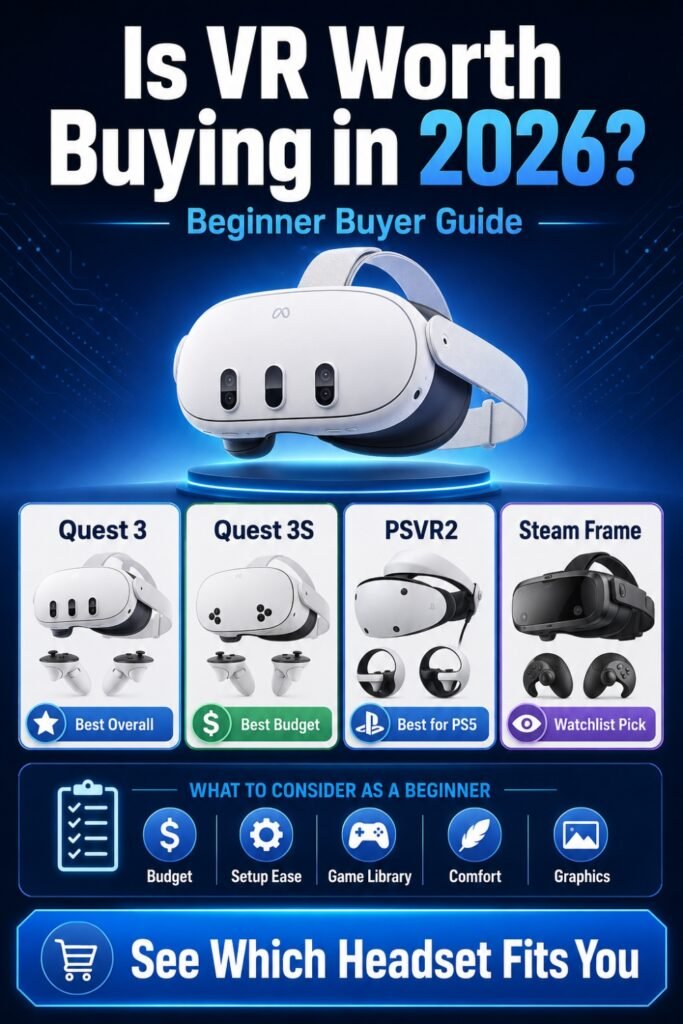
Final Verdict: Should You Buy VR in 2026?
Yes, VR is worth buying in 2026, but only if you buy based on your real habits.
Choose Quest 3S if you want the lowest modern entry point.
Choose Quest 3 if you want the best beginner-friendly standalone headset with clearer lenses.
Choose PSVR2 with PC adapter if you already own a PS5 or want OLED visuals for seated gaming.
Wait for Steam Frame if you are a PCVR enthusiast who wants a Steam-first headset.
For most first-time users, the smartest move is simple: buy a standalone headset, add a comfort strap, protect your lenses, start with easy games, and use a fan for motion comfort.
You deserve a VR setup that feels fun, not frustrating.
Ready to choose your first headset without wasting money? Check out our full beginner VR setup guide next, where we break down the exact accessories, comfort upgrades, and starter games worth buying first.