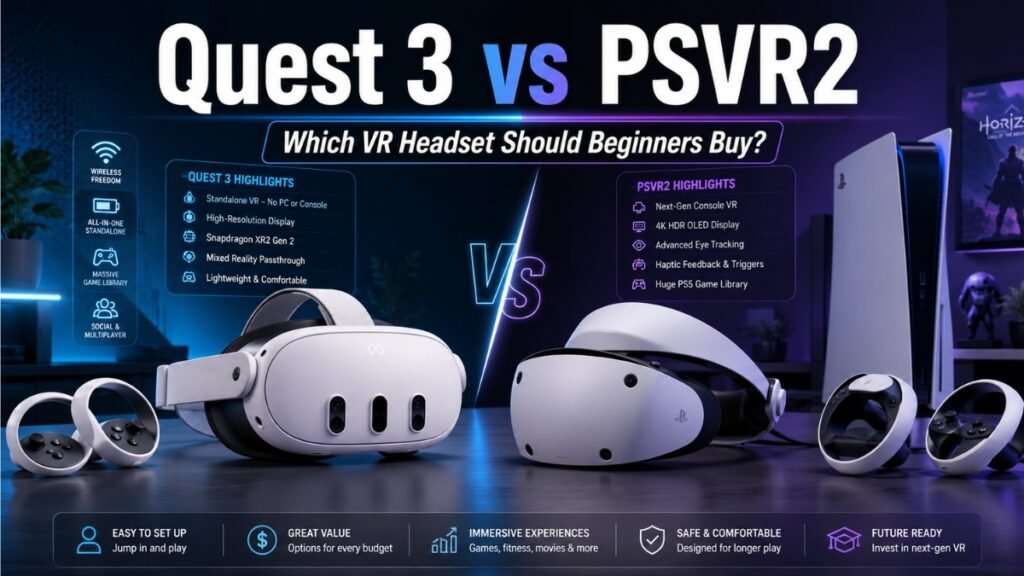
Meta Quest 3 vs PSVR2: The Ultimate Beginner’s Guide to VR
If you are comparing Quest 3 vs PSVR2 in 2026, you are stepping into one of the most interesting VR debates right now.
A few years ago, this comparison felt simple. Meta Quest was the cheaper, beginner-friendly option. PlayStation VR2 was the premium console headset that cost more and required a PS5.
That changed.
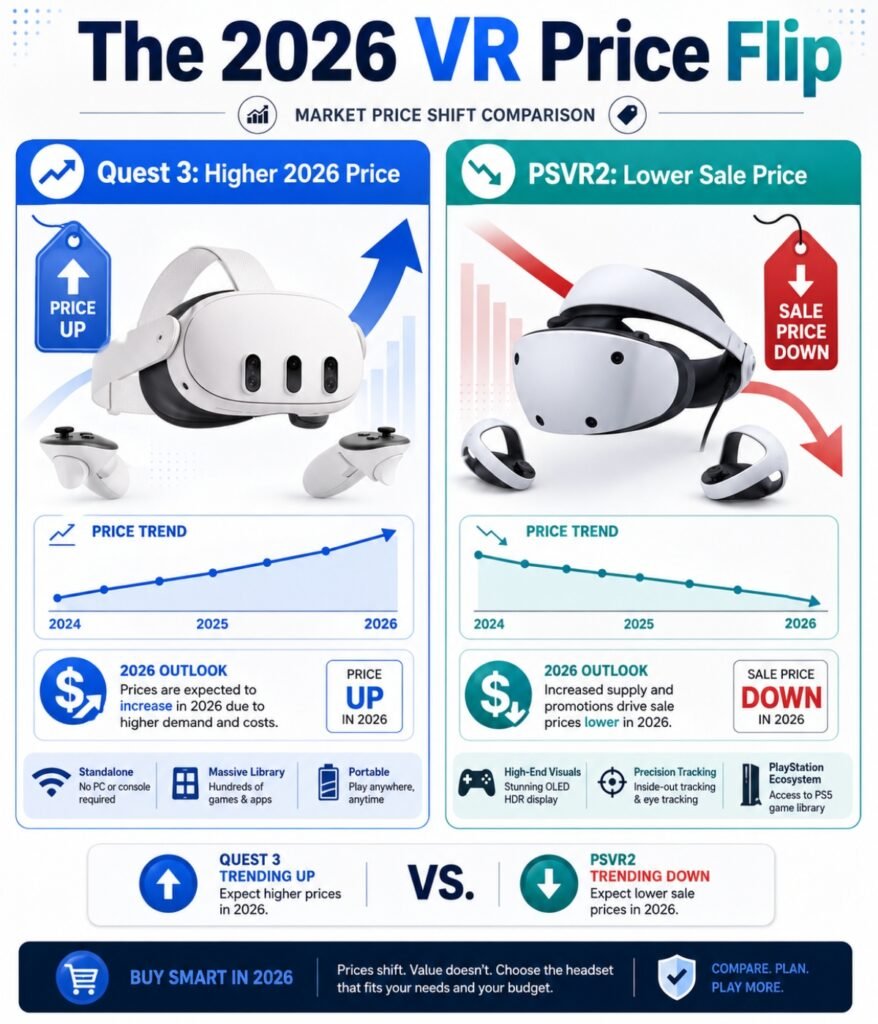
The 2026 VR market flipped the value equation. Meta Quest 3 became more expensive because of memory and component price pressure, with the 512GB Quest 3 moving to $599. Meanwhile, PSVR2 dropped to around $399, with sales pushing it as low as $299 during promotional windows.
That sounds like PSVR2 should win right away.
Not so fast.
The Meta Quest 3 is still the easier VR headset for absolute beginners because it is wireless, standalone, and uses pancake lenses that give you clear visuals without much adjustment. The PSVR2 is a better value if you already own a PS5 or gaming PC and want deeper contrast, OLED blacks, eye tracking, and high-end gaming performance.
This guide keeps the comparison practical.
No spec sheet confusion. No hype.
You will learn which VR headset is better for beginners, how the PSVR2 PC adapter changes the PCVR conversation, why pancake vs Fresnel lenses matter, and which headset fits your real-world setup.
Which Is Better for Beginners, Quest 3 or PSVR2?
For absolute beginners, the Meta Quest 3 is easier to start with because it is wireless, standalone, and uses pancake lenses with wide edge-to-edge clarity. PSVR2 is better for users who already own a PlayStation 5 or VR-ready PC because it offers OLED displays, eye tracking, headset haptics, and strong gaming performance at a lower headset price.
Key Differences Between Quest 3 and PSVR2
- Setup: Quest 3 is a wireless standalone headset. PSVR2 requires a wired connection to a PS5 or PC.
- Lenses: Quest 3 uses pancake lenses with a large sweet spot. PSVR2 uses Fresnel lenses with a tighter sweet spot.
- Display: Quest 3 uses LCD screens. PSVR2 uses OLED screens with deeper blacks and HDR.
- PCVR: Quest 3 uses compressed USB or wireless streaming. PSVR2 uses DisplayPort through the PC adapter.
- Comfort: PSVR2 is more comfortable out of the box. Quest 3 usually needs a better strap.
- Battery: Quest 3 has a built-in headset battery. PSVR2 is powered by cable.
- Best beginner choice: Quest 3.
- Best value for PS5 owners: PSVR2.
- Best for sim racing PCVR: PSVR2.
- Best for fitness and active games: Quest 3.
Comparison Overview: Two Very Different VR Headsets
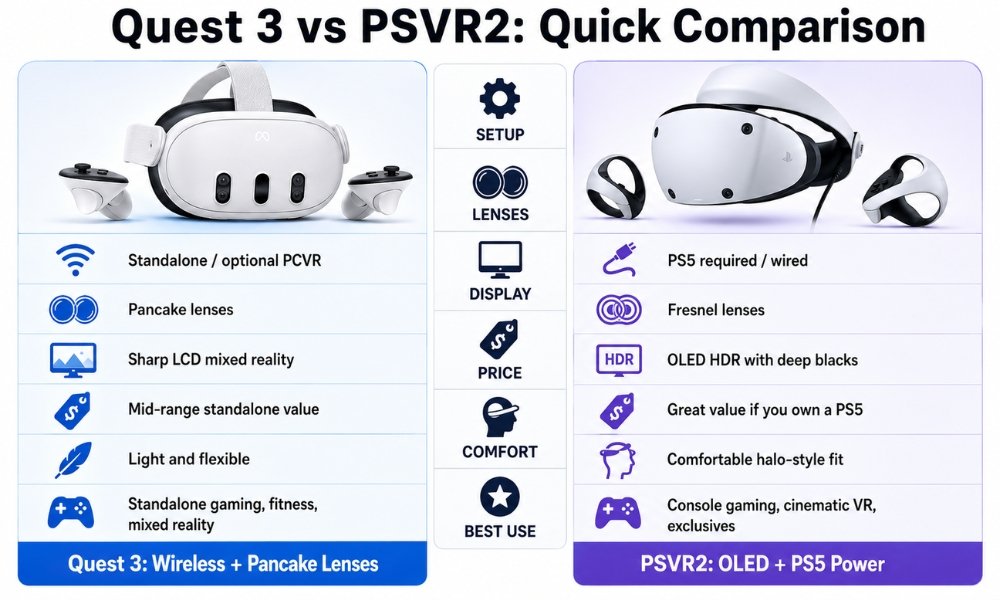
The Quest 3 and PSVR2 are not built around the same idea.
The Meta Quest 3 is a standalone VR headset. That means the processor, battery, storage, tracking, display, and software are built directly into the headset. You do not need a console or PC to start playing.
The PSVR2 is a tethered VR headset. It does not work on its own. It needs a PlayStation 5 or a compatible gaming PC with the official PSVR2 PC adapter.
That one difference changes everything.
The Quest 3 is about freedom, ease, mixed reality, fitness, social VR, media, and flexible play.
The PSVR2 is about high-fidelity gaming, OLED contrast, headset haptics, PlayStation exclusives, DisplayPort PCVR, and deep immersion.
A beginner should not ask, “Which headset has better specs?”
Ask this instead:
Do I want the easiest all-in-one VR system, or do I already own hardware that makes PSVR2 a better deal?
Specs Comparison Table
| Feature | Meta Quest 3 | PlayStation VR2 |
| System Type | Standalone / wireless PCVR | Wired PS5 / PCVR |
| Main Requirement | No PC or console required | Requires PS5 or PC |
| Processor | Snapdragon XR2 Gen 2, 8GB RAM | Powered by PS5 or PC |
| Display Type | Dual LCD | Dual OLED HDR |
| Resolution Per Eye | 2064 x 2208 | 2000 x 2040 |
| Lens Type | Pancake | Fresnel |
| Refresh Rate | Up to 120Hz | 90Hz / 120Hz |
| Passthrough | Full-colour mixed reality | Grayscale safety passthrough |
| Eye Tracking | No | Yes |
| Headset Haptics | No | Yes |
| PC Connection | USB-C or wireless streaming | DisplayPort through PC adapter |
| Headset Battery | Built-in, around 2.2 to 2.5 hours | None, powered by cable |
| Controller Battery | Swappable AA batteries | Built-in rechargeable batteries |
| Comfort Out of Box | Weak stock cloth strap | Stronger halo strap |
| Beginner Setup | Very easy | Easy on PS5, harder on PC |
| Best For | Beginners, fitness, wireless play, mixed reality | PS5 owners, OLED gaming, sim racing, PCVR |
Form Factor and Setup: Standalone vs Tethered
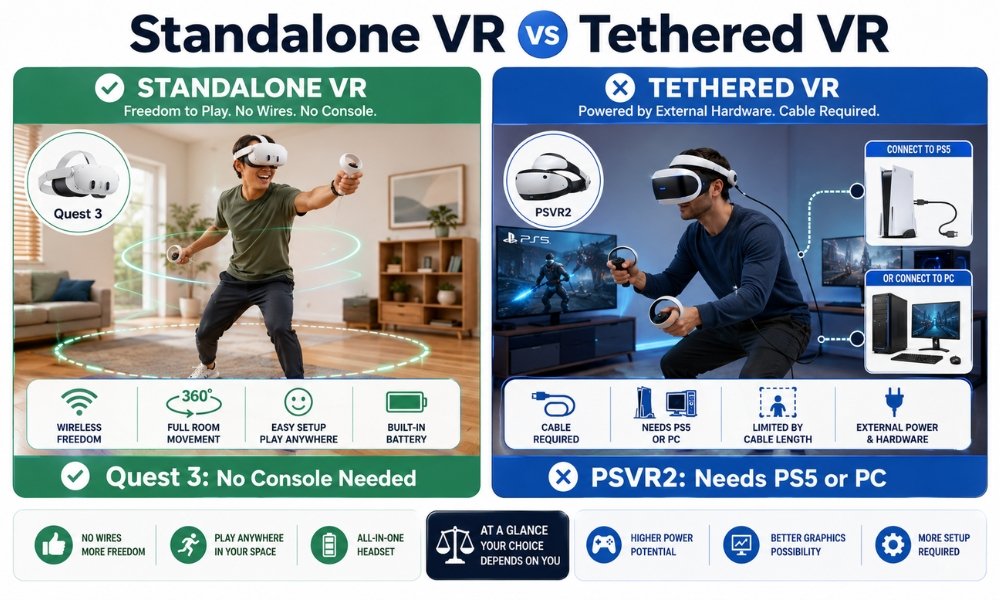
Meta Quest 3 Setup
The Quest 3 wins the setup category because it removes the biggest beginner barrier: extra hardware.
You put it on, connect to Wi-Fi, create your play boundary, install apps, and start playing.
No PS5.
No gaming PC.
No DisplayPort cable.
No adapter.
No Bluetooth troubleshooting.
The Quest 3 also supports full-colour mixed reality. This helps beginners because you can see your room, your furniture, your desk, and your controllers. That makes the headset feel less isolating.
For new users who are nervous about bumping into things, mixed reality is a big comfort feature.
PSVR2 Setup
The PSVR2 setup depends on what you are connecting it to.
On PS5, setup is simple. You plug one USB-C cable into the console and follow the setup steps.
On PC, the setup gets more technical. You need:
- Official PSVR2 PC adapter
- DisplayPort 1.4 cable
- Compatible gaming PC
- Bluetooth support for controllers
- Often an external Bluetooth adapter for better tracking
- SteamVR setup
This is where Reddit-style buyer complaints show up. Many PC users report frustration with controller Bluetooth dropouts, adapter issues, USB port confusion, and DisplayPort compatibility.
That does not mean PSVR2 on PC is bad. It means it is not as beginner-simple as Quest 3.
Setup Winner: Meta Quest 3
The Quest 3 wins because it works right out of the box without requiring another device.
Visuals and Optics: Pancake vs Fresnel Lenses VR
Lens type matters more than beginners realise.
The screen can have great specs, but if the lenses are annoying, blurry, or hard to align, the headset becomes frustrating.
Quest 3 Pancake Lenses
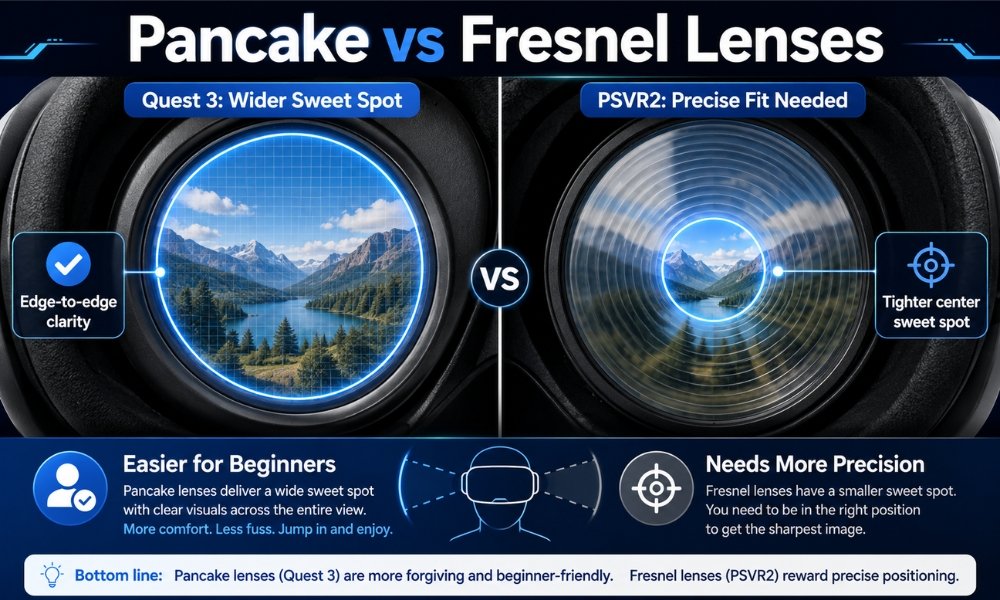
The Quest 3 uses pancake lenses. These lenses give you a large sweet spot.
The sweet spot is the area where the image looks sharp.
A large sweet spot means:
- You can put the headset on quickly
- You do not need perfect alignment
- Text is easier to read
- Edges stay clearer
- You can move your eyes around naturally
- The headset feels easier for beginners
This is one of the Quest 3’s strongest beginner advantages.
PSVR2 Fresnel Lenses
The PSVR2 uses Fresnel lenses.
Fresnel lenses are older and more sensitive to alignment. They can look excellent when placed perfectly, but the clear area is smaller. If the headset shifts up, down, or sideways, the image gets blurry.
Fresnel lenses can also create “god rays,” which are glare rings around bright objects on dark backgrounds.
For beginners, this can become annoying because you may spend more time adjusting the headset than enjoying the game.
Lens Winner: Meta Quest 3
Quest 3 wins because pancake lenses are easier, clearer, and more forgiving.
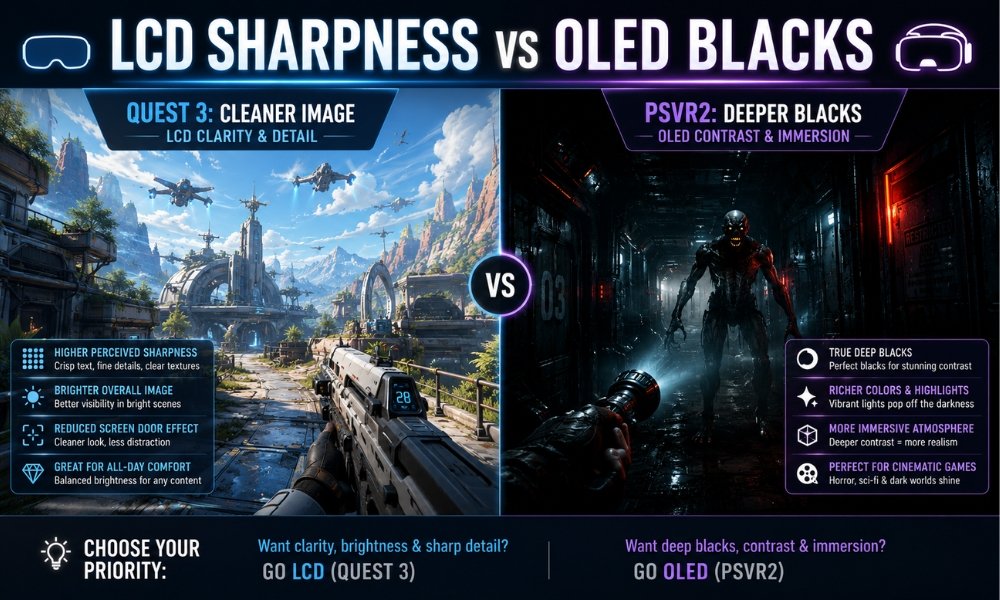
Display Comparison: LCD Sharpness vs OLED Immersion
The lens category goes to Quest 3.
The display category is more complicated.
Quest 3 LCD Display
The Quest 3 uses LCD panels.
LCD gives you a clean and sharp image, especially paired with pancake lenses and an RGB-style subpixel layout. Menus, text, and general clarity look strong.
The downside is black level.
Dark scenes on Quest 3 can look grey instead of deep black. If you play horror games, dark sci-fi games, or night racing, this can reduce immersion.
PSVR2 OLED Display
The PSVR2 uses OLED panels.
OLED can turn pixels off completely, creating true blacks. This makes dark games feel much more intense. Resident Evil-style horror, night driving, caves, space scenes, and cinematic games benefit from OLED.
PSVR2 also supports HDR, which can make bright highlights and colours feel more dramatic.
The downside is that OLED on PSVR2 may show mura, which looks like a faint grain pattern over the image. Some users ignore it quickly. Others notice it every time.
Display Winner: PSVR2
PSVR2 wins for colour, contrast, HDR, and true blacks.
Quest 3 wins for clean sharpness, but PSVR2 is more visually dramatic.
Comfort Comparison: Which Headset Feels Better?
Comfort is where spec sheets mislead people.
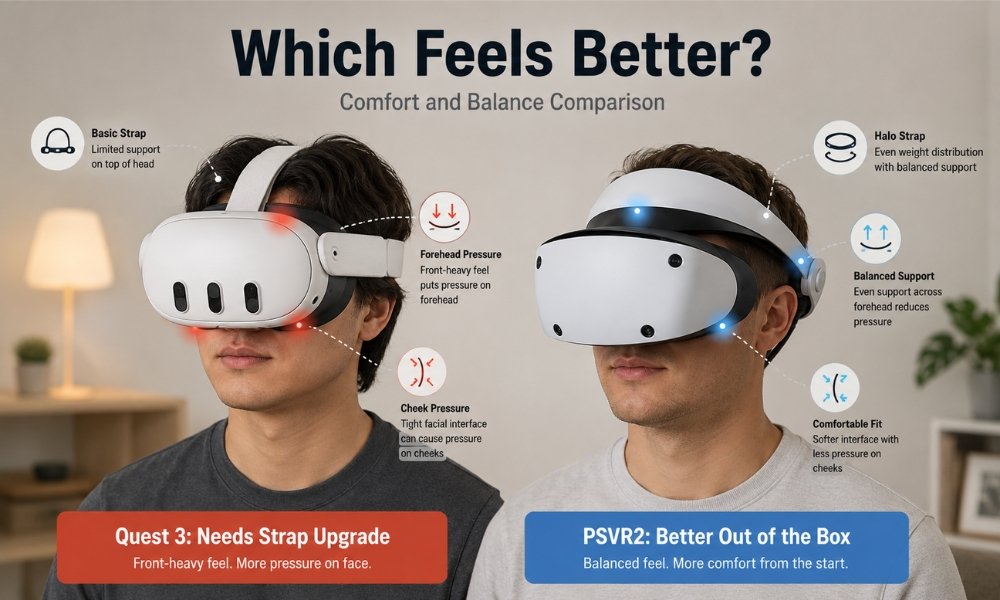
The Quest 3 is lighter on paper, but weight distribution matters more than raw weight.
Quest 3 Comfort
The Quest 3 weighs around 515 grams, but most of that weight sits in the front visor. The stock cloth strap does not balance it well, so pressure can build on your cheeks, forehead, and nose.
Many owners upgrade quickly to a better strap, such as a BOBOVR or Elite-style strap.
Real-world concern:
If you buy a Quest 3, budget extra for a comfort strap. Without one, long sessions can feel rough.
PSVR2 Comfort
The PSVR2 is heavier, usually around 560 to 600 grams, but it uses a halo-style headband.
That halo strap rests around your head and lets the visor sit in front of your face instead of pressing hard against it.
The PSVR2 also uses a soft silicone light shield, which blocks outside light well and wipes clean more easily than fabric foam. Its built-in airflow helps reduce fogging.
Some users still upgrade with a Globular Cluster-style comfort mod because the Fresnel sweet spot needs stable alignment.
Comfort Winner: PSVR2 Out of the Box
PSVR2 wins out of the box.
Quest 3 can become very comfortable, but most users need an accessory upgrade.
Most Comfortable VR Headset for Glasses
For glasses wearers, neither headset is perfect.
The safest answer is: buy prescription lens inserts.
Glasses inside VR headsets can scratch both your glasses and the headset lenses. This matters even more with PSVR2 because the lens coating can be delicate.
Quest 3 With Glasses
Quest 3 is generally easier for glasses users because the pancake lenses and headset design are more forgiving. Still, prescription inserts are strongly recommended.
PSVR2 With Glasses
PSVR2 allows you to move the visor closer or farther from your face, which helps. But the Fresnel lens sweet spot and lens coating make scratches a bigger concern.
Glasses Winner: Quest 3 Slightly
Quest 3 wins slightly for ease and forgiveness.
Best move for both: use prescription inserts.
Battery Comparison
Battery life is a practical buying concern.
Quest 3 Battery
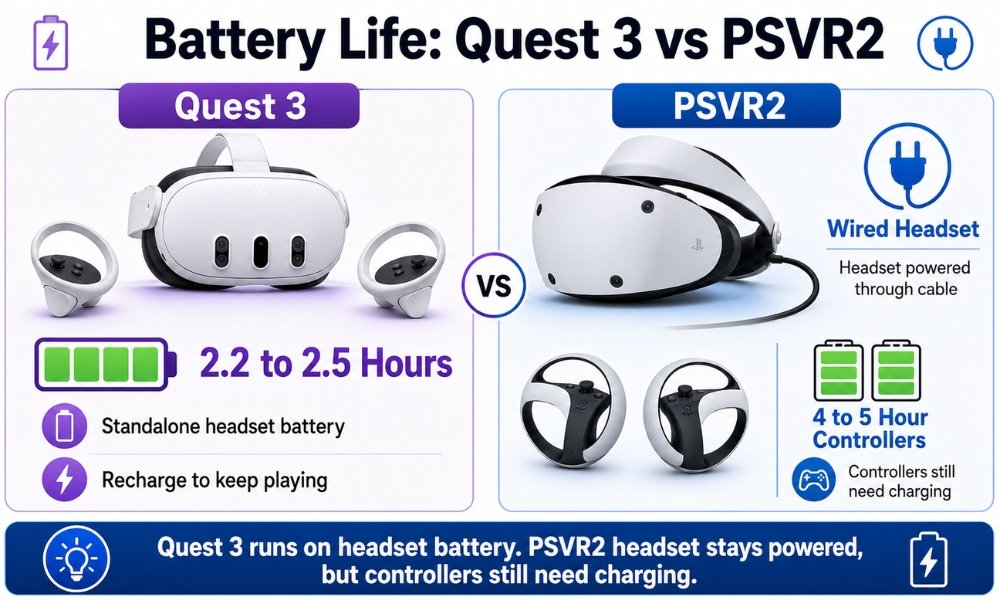
The Quest 3 has an internal headset battery. Average playtime is around 2.2 to 2.5 hours.
That is enough for many beginners, but fitness users, movie watchers, and long-session players may need a battery strap.
Quest 3 controllers use swappable AA batteries. This is a quiet win because you can replace them instantly.
PSVR2 Battery
The PSVR2 headset has no battery because it gets power from the PS5 or PC through the cable.
That means no headset battery anxiety and no headset battery degradation.
But the PSVR2 Sense controllers use built-in rechargeable batteries. They last around 4 to 5 hours and need to be plugged in when dead.
Battery Winner: Tie
Quest 3 wins for controller convenience.
PSVR2 wins for unlimited headset power.
Gaming Performance: Standalone vs Console vs PC
Quest 3 Gaming Performance
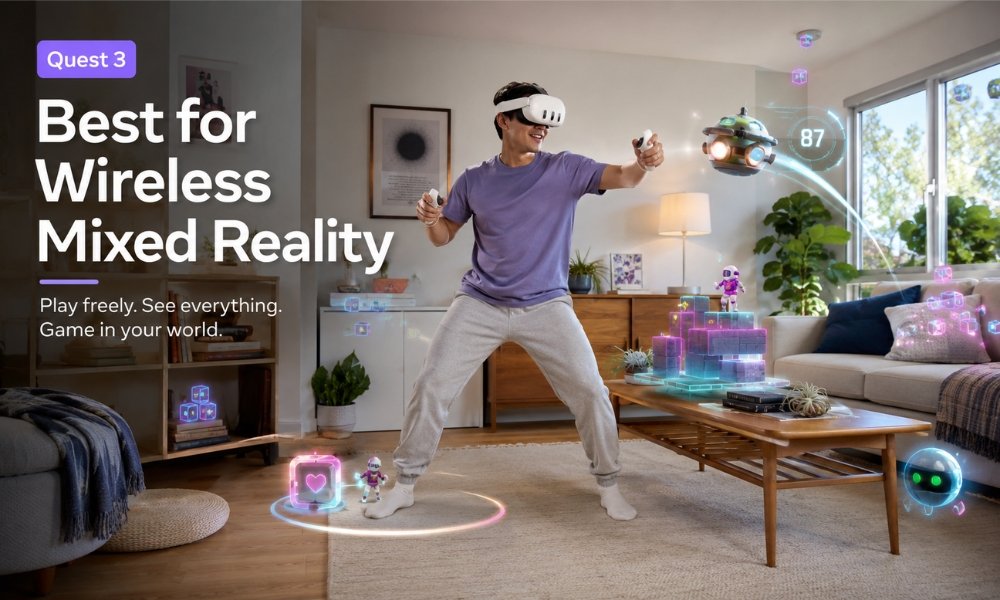
Quest 3 is powered by mobile hardware. It is impressive for a standalone headset, but it cannot match a PS5 or gaming PC in raw graphics.
Its strength is not maximum graphics. Its strength is access and flexibility.
Quest 3 is great for:
- Fitness apps
- Rhythm games
- Social VR
- Mixed reality apps
- Standalone games
- Casual multiplayer
- Wireless PCVR streaming
- Travel-friendly VR
The game library is large, mature, and beginner-friendly.
PSVR2 Gaming Performance
The PSVR2 is powered by a PS5 or PC.
That gives it stronger graphics, lighting, physics, and production value in supported games.
PSVR2 shines in:
- Gran Turismo 7
- Resident Evil Village VR
- Resident Evil 4 Remake VR
- Horizon Call of the Mountain
- Synapse
- Seated cinematic games
- Horror
- Racing
- Flight and sim-style PCVR
The headset also has advanced haptics. That means headset rumble and adaptive triggers add a physical feeling to gameplay.
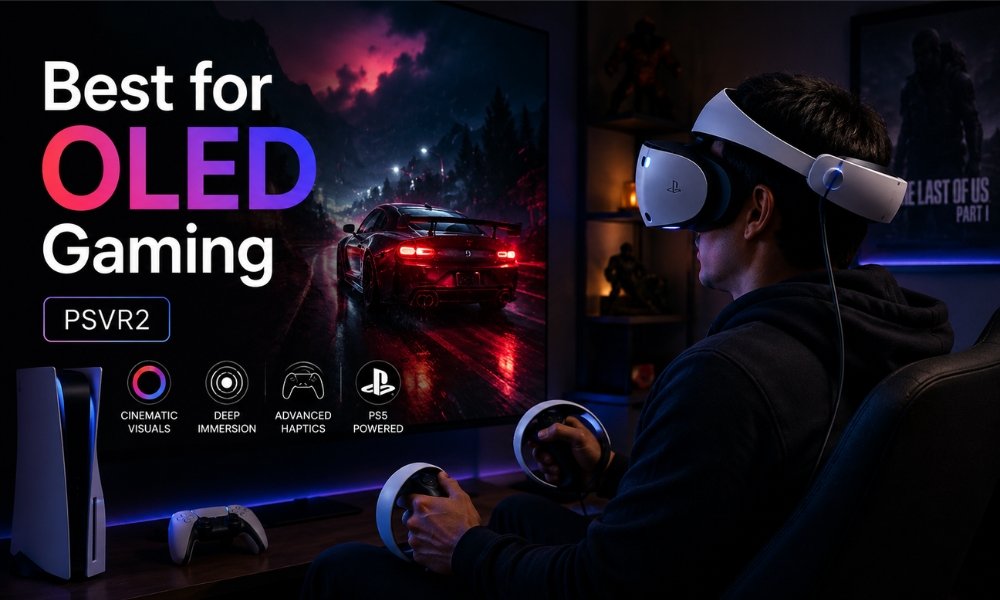
Gaming Winner
Quest 3 wins for variety, fitness, and casual beginner use.
PSVR2 wins for high-end gaming and immersion.
PCVR Comparison: Quest 3 Wireless Streaming vs PSVR2 DisplayPort Latency
This is one of the most important 2026 differences.
Quest 3 PCVR
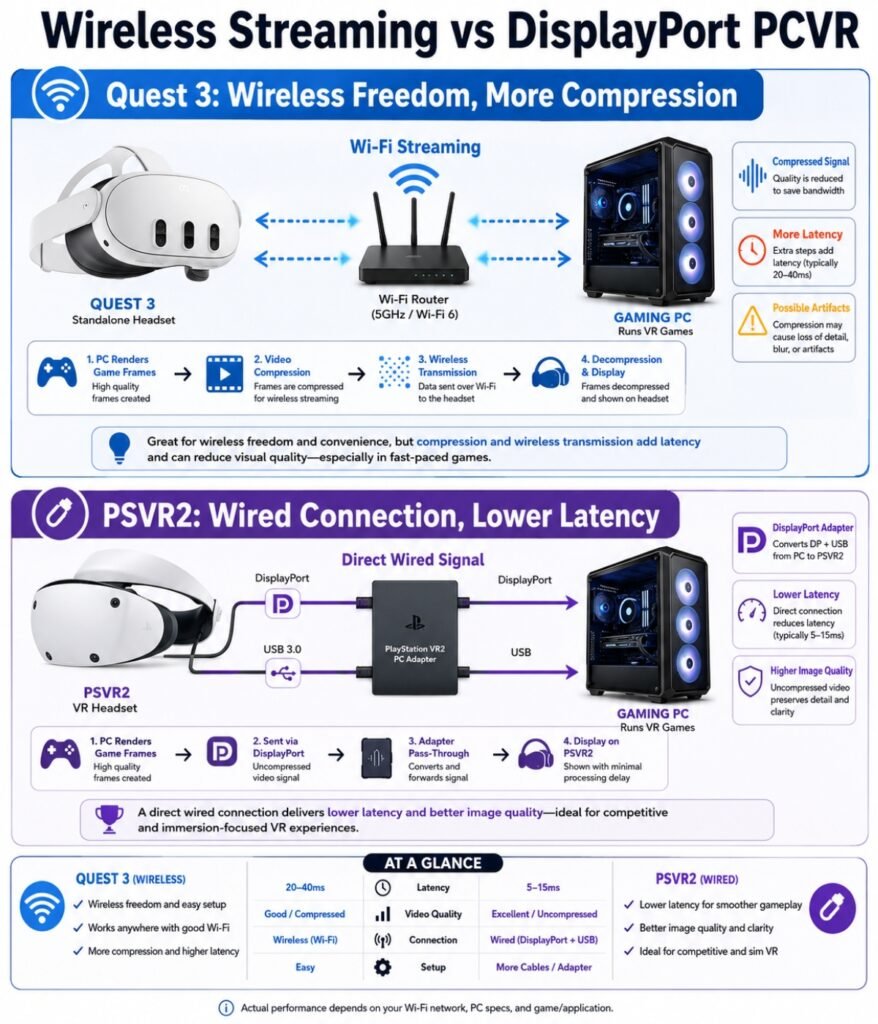
Quest 3 connects to PCVR through USB-C or wireless streaming using options like Air Link, Steam Link, or Virtual Desktop.
The upside is freedom. You can play wirelessly.
The downside is compression.
Your PC renders the game, compresses the video, sends it to the headset, and the headset decodes it. This can create:
- Compression artifacts
- Slight latency
- Colour banding
- GPU overhead
- Blurry detail in fast scenes
For casual PCVR, this can be fine. For sim racing, flight sims, and fast reactions, some users notice the difference.
PSVR2 PCVR
The PSVR2 connects through the official PSVR2 PC adapter using DisplayPort.
That means the video signal is not compressed like Quest 3 streaming. The source material highlights the PSVR2’s low-latency direct connection as a major advantage for PC simulation use.
This matters for:
- Sim racing
- Flight sims
- Fast head movement
- Competitive timing
- Reading distant gauges
- Avoiding streaming artifacts
The tradeoff is setup.
The PSVR2 PC adapter requires more hardware setup and Bluetooth care for the controllers.
PCVR Winner: PSVR2 for Serious PCVR, Quest 3 for Wireless Convenience
PSVR2 wins for low-latency wired PCVR.
Quest 3 wins for wireless freedom.
PSVR2 PC Adapter: What Beginners Need to Know
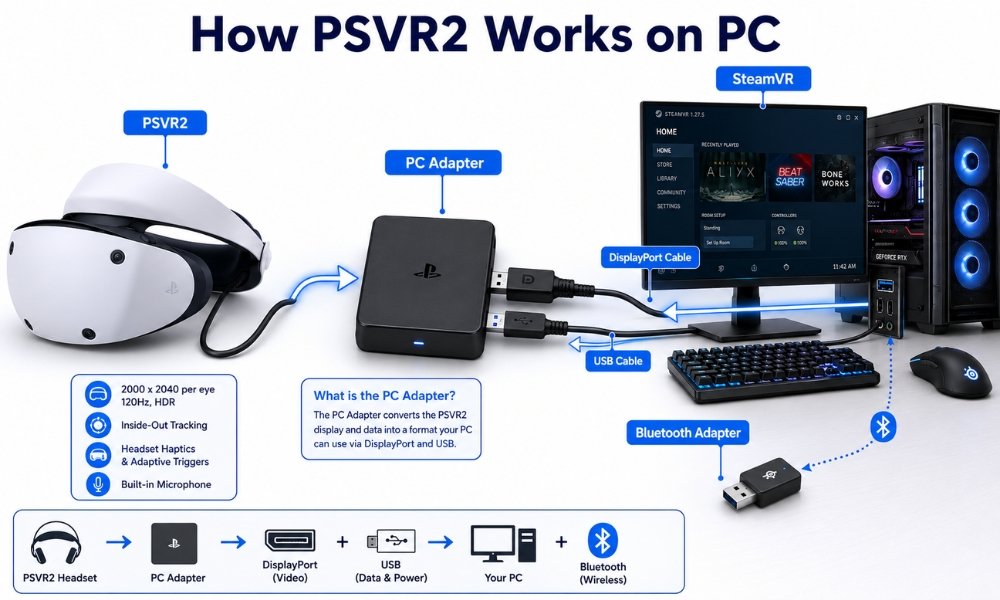
The PSVR2 PC adapter lets you use PSVR2 with a compatible gaming PC.
You need:
- PSVR2 headset
- Official PSVR2 PC adapter
- DisplayPort 1.4 cable
- Compatible PC
- Bluetooth connection for controllers
- SteamVR
The official PC experience may not support every PS5-specific feature. Some advanced features like HDR, adaptive triggers, and full haptics may not work the same way on PC through official support.
The uploaded research also notes 2026 community progress around PSVR2 PC feature unlocking through custom tools, including eye tracking and haptics. That is exciting for enthusiasts, but beginners should treat it as advanced tinkering, not a normal setup path.
Beginner advice:
Use PSVR2 on PS5 if you want simple setup.
Use PSVR2 on PC if you are comfortable troubleshooting.
Motion Sickness Friendliness
Motion sickness can ruin VR for beginners if the headset setup creates friction.
Quest 3 Motion Sickness Advantages
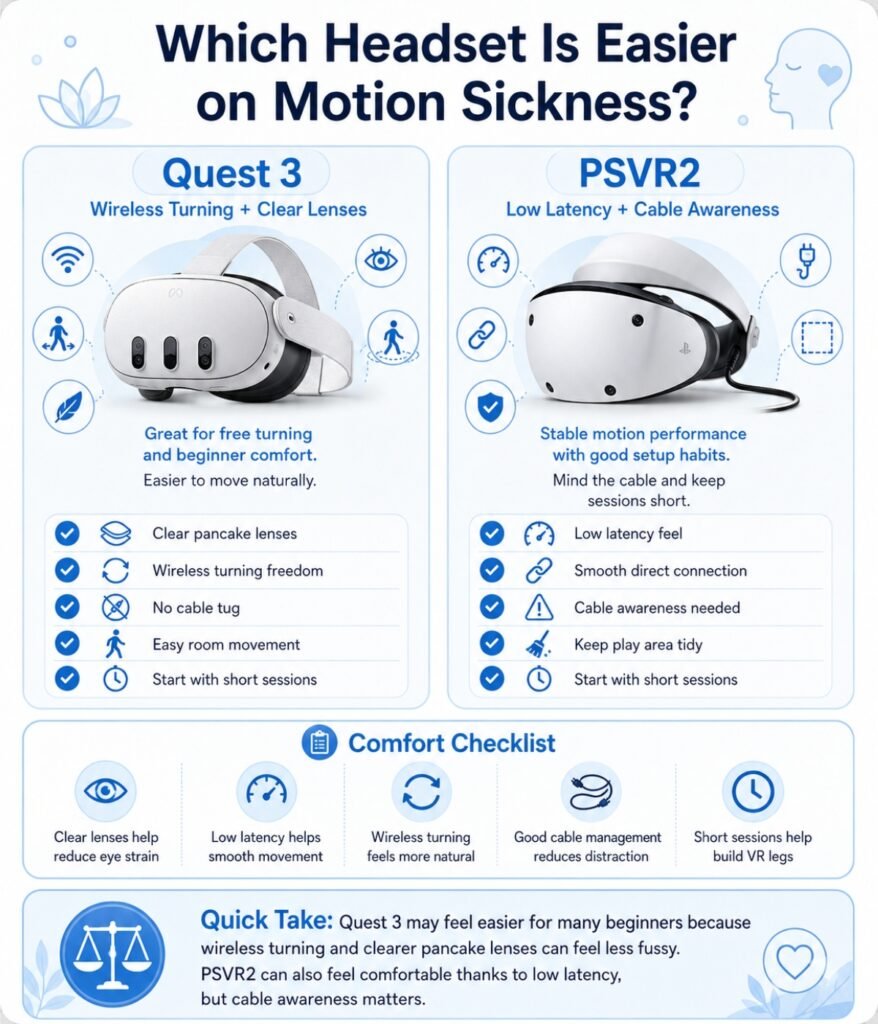
Quest 3 has several beginner-friendly advantages:
- Wireless movement
- Pancake lenses
- Clear sweet spot
- Full-colour passthrough
- Easy room setup
- Comfortable hand tracking
- No cable around your legs
Because you can physically turn your body instead of using a joystick, some beginners feel more comfortable.
PSVR2 Motion Sickness Advantages
PSVR2 has a strong low-latency wired connection, especially for PCVR through DisplayPort. Low latency can help reduce discomfort.
Its OLED contrast and high immersion can also help games feel more convincing.
But there are beginner risks:
- Cable management
- Fresnel lens blur if misaligned
- Some PS5 games use reprojection, which can create ghosting
- Tight sweet spot may cause eye strain if the headset shifts
Motion Sickness Winner: Quest 3 for Beginners
Quest 3 is friendlier for most beginners because it is wireless, visually forgiving, and easier to keep aligned.
Budget Value: The 2026 Price Flip
This is the part older Quest 3 vs PSVR2 articles often miss.
In 2026, Meta Quest 3 pricing shifted upward. The 512GB Quest 3 moved to $599 because of memory cost pressure. PSVR2, on the other hand, dropped to $399, with sales sometimes reaching $299.
That creates a very different buying conversation.
Quest 3 Value
Quest 3 is expensive, but it includes everything you need to start. You do not need a PS5 or PC.
So if you own no gaming hardware, Quest 3 may still be the cheaper total entry point.
PSVR2 Value
PSVR2 is a better value if you already own a PS5 or gaming PC.
At $399 or less on sale, you get:
- OLED display
- Eye tracking
- Haptics
- PS5-powered graphics
- PCVR adapter support
- No headset battery wear
But if you need to buy a PS5 too, the total cost jumps.
Budget Winner
- Already own a PS5: PSVR2 wins.
- Already own a VR-ready PC: PSVR2 is very competitive.
- Starting from scratch: Quest 3 wins.
- Want all-in-one flexibility: Quest 3 wins.
Which Headset Is Easier for Beginners?
The Meta Quest 3 is easier for beginners.
It is the better first VR headset for people who want to explore VR without needing to understand adapters, cables, console limits, or PC settings.
Quest 3 gives beginners:
- Wireless setup
- Standalone games
- Mixed reality
- Large sweet spot
- Hand tracking
- Travel-friendly use
- Fitness and media flexibility
PSVR2 gives beginners:
- Better OLED contrast
- Strong PS5 gaming
- Better out-of-box comfort
- Lower price if they already own PS5
- Better wired PCVR signal
- Strong immersive haptics
But it asks more from the user. You must manage the cable, own the host hardware, and accept the Fresnel sweet spot.
Beginner ease winner: Quest 3.
Pros and Cons: Meta Quest 3
Quest 3 Pros
- Fully standalone
- No PC or console required
- Wireless freedom
- Pancake lenses with large sweet spot
- Clearer edge-to-edge image
- Full-colour mixed reality
- Strong fitness and social VR library
- Good for media and productivity
- Controllers use swappable batteries
- Works with PCVR wirelessly
Quest 3 Cons
- Higher 2026 price
- LCD blacks look grey
- Built-in battery limits playtime
- Stock strap is weak
- Comfort upgrades add cost
- PCVR streaming uses compression
- No eye tracking
- No OLED HDR
Pros and Cons: PSVR2
PSVR2 Pros
- OLED displays with deep blacks
- HDR support
- Eye tracking
- Headset haptics
- Adaptive trigger support on PS5
- Strong PS5 graphics
- Comfortable halo strap out of the box
- No headset battery to degrade
- DisplayPort PC adapter support
- Excellent for sim racing and cinematic games
PSVR2 Cons
- Requires PS5 or PC
- Wired cable limits movement
- Fresnel lenses have a small sweet spot
- Grayscale passthrough only
- No standalone mode
- PC setup can be frustrating
- Controller batteries are built-in
- Official PC support may not unlock all PS5 features
Which Headset Wins by Category?
| Category | Winner | Why |
| Best for absolute beginners | Quest 3 | Standalone, wireless, simple setup |
| Best visual clarity | Quest 3 | Pancake lenses and wide sweet spot |
| Best colours and blacks | PSVR2 | OLED and HDR |
| Best comfort out of box | PSVR2 | Halo strap and balanced fit |
| Best for glasses | Quest 3 | More forgiving optics, still use inserts |
| Best for fitness | Quest 3 | Wireless movement |
| Best for PS5 owners | PSVR2 | Lower cost if you already own PS5 |
| Best for PC sim racing | PSVR2 | DisplayPort latency advantage |
| Best for mixed reality | Quest 3 | Full-colour passthrough and depth sensor |
| Best for movie watching | Quest 3 for clarity, PSVR2 for contrast | Depends on preference |
| Best budget value from scratch | Quest 3 | No external hardware required |
| Best budget value with PS5 | PSVR2 | Lower headset price |
Real-World Buying Concerns
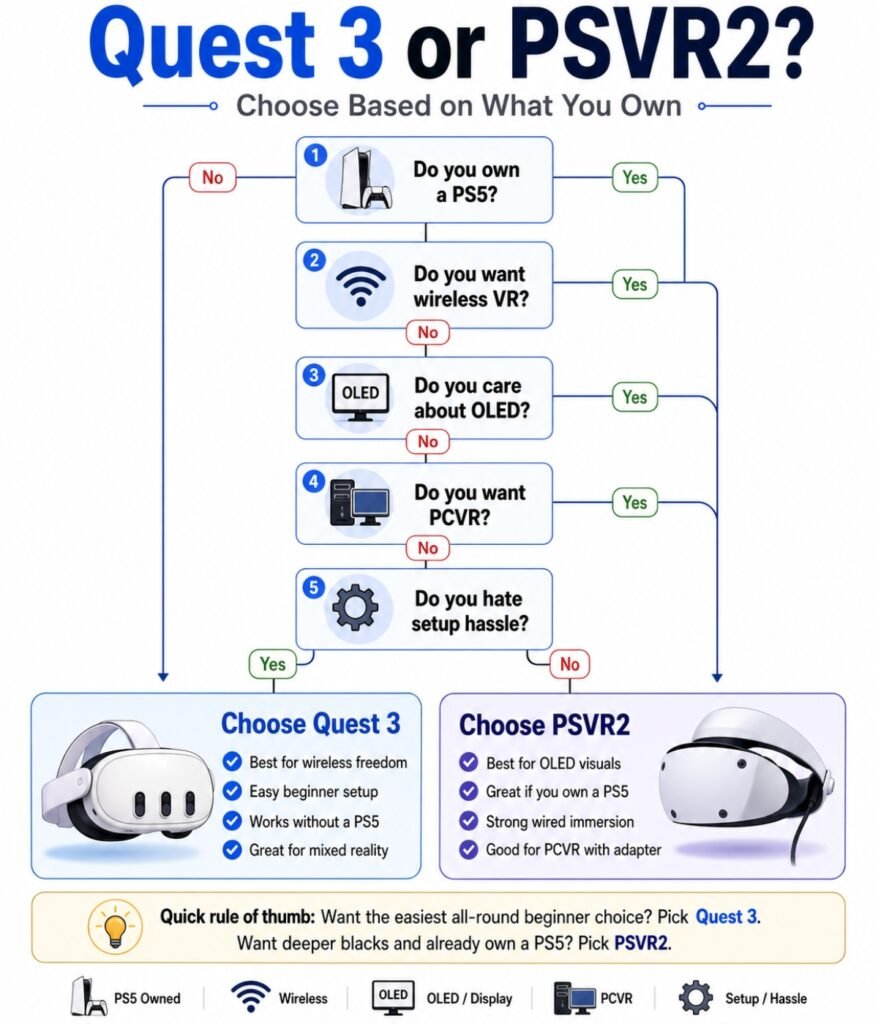
“I don’t want cables.”
Buy Quest 3.
Cable management is the biggest PSVR2 drawback. If you plan to play fitness games, boxing games, rhythm games, or active room-scale games, wireless freedom matters.
“I already own a PS5.”
Strongly consider PSVR2.
At 2026 sale prices, PSVR2 becomes a strong value because you already own the required hardware.
“I mostly want PCVR.”
If you want wireless PCVR, Quest 3 is more flexible.
If you want low-latency wired PCVR, PSVR2 has the stronger signal path.
“I get motion sick.”
Start with Quest 3 unless you are buying PSVR2 for seated PS5 games. Quest 3’s wireless setup and forgiving lenses make it easier for most beginners.
“I wear glasses.”
Plan for prescription inserts either way.
Do not risk scratching headset lenses.
“I want the best graphics.”
PSVR2 with PS5 or PC wins over standalone Quest 3 graphics.
“I want the most flexible headset.”
Quest 3 wins.
It does more things in more places with fewer requirements.
Final Verdict: Quest 3 vs PSVR2
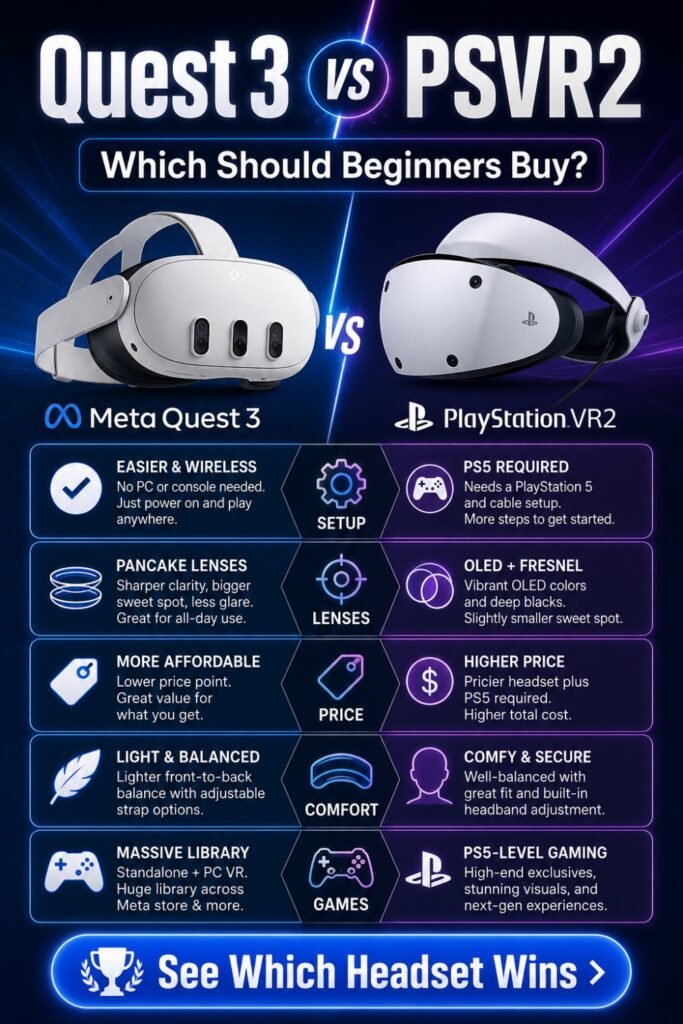
The Meta Quest 3 is the better VR headset for most beginners.
It is wireless, standalone, easy to set up, and visually forgiving thanks to pancake lenses. You can play games, work out, watch videos, use mixed reality, browse the web, and connect to PCVR without being locked to one room.
Choose the Meta Quest 3 if:
- You are new to VR
- You want the easiest setup
- You do not own a PS5
- You want wireless play
- You care about lens clarity
- You want fitness and mixed reality
- You want one headset for many uses
The PSVR2 is the better buy for PS5 owners and serious VR gamers.
It gives you OLED contrast, eye tracking, headset haptics, better out-of-box comfort, and stronger high-end gaming when powered by a PS5 or PC. The 2026 price drop makes it one of the best hardware values in VR if you already own the required system.
Choose PSVR2 if:
- You already own a PS5
- You want OLED blacks
- You play racing, horror, or cinematic games
- You want eye tracking
- You care about haptics
- You want low-latency wired PCVR
- You do not mind a cable
Simple answer:
Quest 3 is the better beginner headset.
PSVR2 is the better gamer headset if you already own the hardware.
FAQ Section
Which VR headset is better for beginners, Quest 3 or PSVR2?
Quest 3 is better for most beginners because it is standalone, wireless, and easier to use. PSVR2 is better for beginners who already own a PS5 and want high-end gaming.
Do I need a PC or console to use the Meta Quest 3?
No. The Quest 3 is standalone. You can play VR games directly on the headset without a PC or console.
Can I use PSVR2 without a PS5?
You can use PSVR2 on a compatible gaming PC with the official PSVR2 PC adapter, but it does not work as a standalone headset.
How do I use PSVR2 on PC with adapter?
You need the official PSVR2 PC adapter, a DisplayPort 1.4 cable, a compatible PC, Bluetooth support for controllers, and SteamVR. Connect the headset through the adapter, pair the controllers, and follow Sony’s PC setup process.
Which has better lenses, Quest 3 or PSVR2?
Quest 3 has better lenses for beginners. Its pancake lenses offer a wider sweet spot and better edge-to-edge clarity. PSVR2’s Fresnel lenses can look good when perfectly aligned, but they are more sensitive to fit.
Which has better colours, Quest 3 or PSVR2?
PSVR2 has better colours and contrast because it uses OLED HDR panels. Quest 3 is sharper and cleaner, but its LCD blacks look more grey.
Which is more comfortable out of the box?
PSVR2 is usually more comfortable out of the box because of its halo strap. Quest 3 usually needs a third-party strap upgrade.
Which is better for glasses?
Quest 3 is slightly better for glasses because its optics are more forgiving. Still, both headsets should use prescription lens inserts to avoid scratches.
Which is better for PCVR, Quest 3 or PSVR2?
PSVR2 is better for low-latency wired PCVR because of DisplayPort through the PC adapter. Quest 3 is better if you want wireless PCVR convenience.
Why did Quest 3 get more expensive in 2026?
Quest 3 pricing rose because standalone headsets rely on internal memory, storage, processors, and batteries. The uploaded research notes that memory cost pressure affected Meta’s 2026 pricing.
Is PSVR2 worth it in 2026?
Yes, PSVR2 is worth it if you already own a PS5 or VR-ready PC. It is less ideal if you need to buy the console too.
Which headset is better for motion sickness?
Quest 3 is friendlier for most beginners because it is wireless, has pancake lenses, and is easier to keep visually aligned.