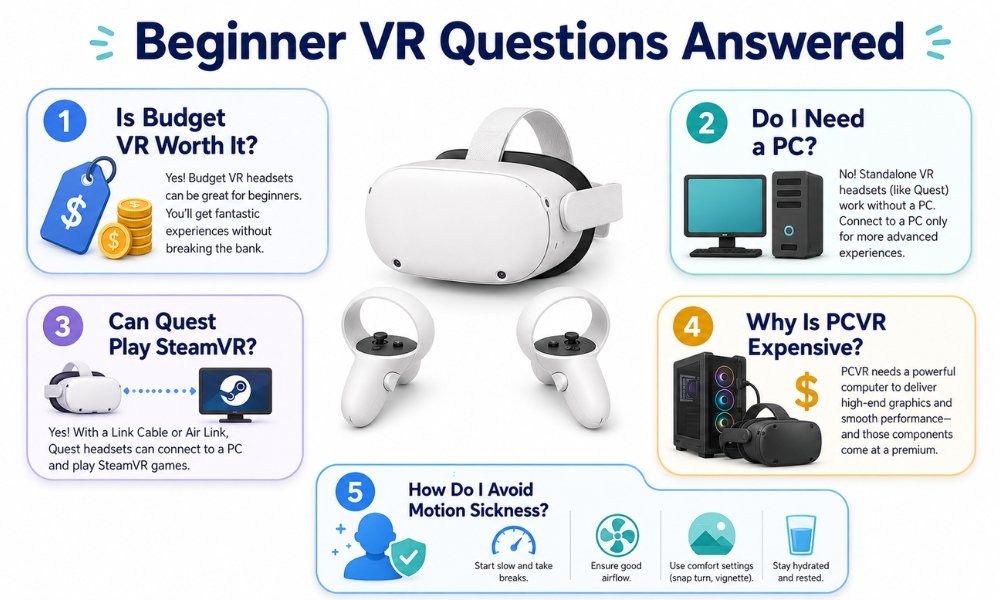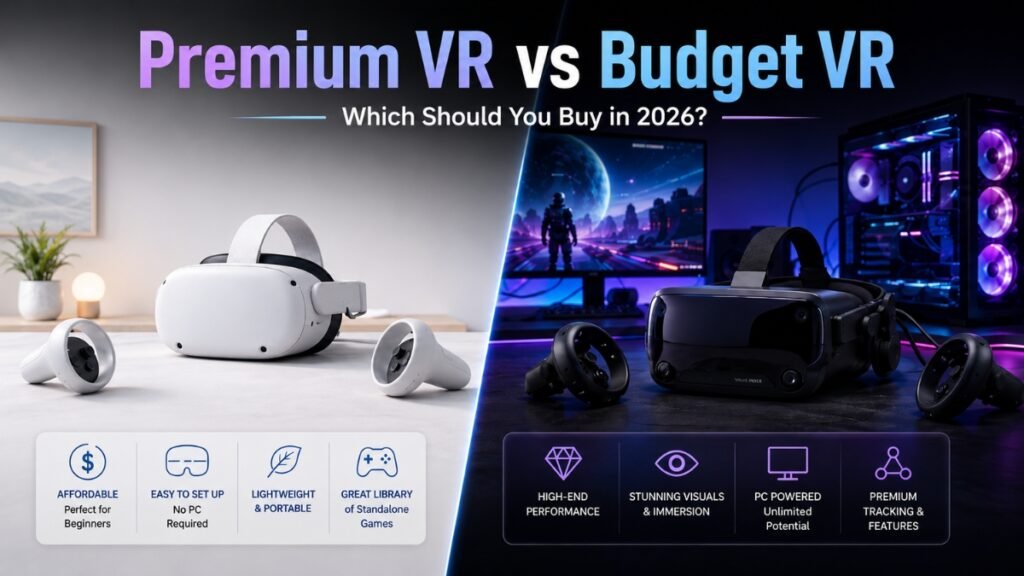
If you are buying your first headset, the premium VR vs budget VR debate can feel confusing fast.
A Meta Quest 3S costs around $349. A Meta Quest 3 costs around $599. Then you see premium PCVR headsets like the Bigscreen Beyond 2, Pimax Crystal Light, Pimax Crystal Super, Apple Vision Pro, or other high-end systems costing $1,000 to $3,500 or more.
That raises a fair question:
Why does one VR headset cost less than a mid-range phone, while another costs as much as a used car down payment?
The simple answer is this:
Budget VR is usually built for accessibility, convenience, and mass adoption. Premium VR is built for visual clarity, comfort, simulation accuracy, or professional use.
For most beginner VR buyers, budget VR is the better starting point. A headset like the Meta Quest 3S or Meta Quest 3 gives you a complete VR system without needing a gaming PC. You can play games, use fitness apps, watch immersive video, and explore mixed reality right out of the box.
Premium VR is better if you already know exactly why you need it. That usually means sim racing, flight simulation, professional spatial work, social VR marathons, or high-end PCVR gaming.
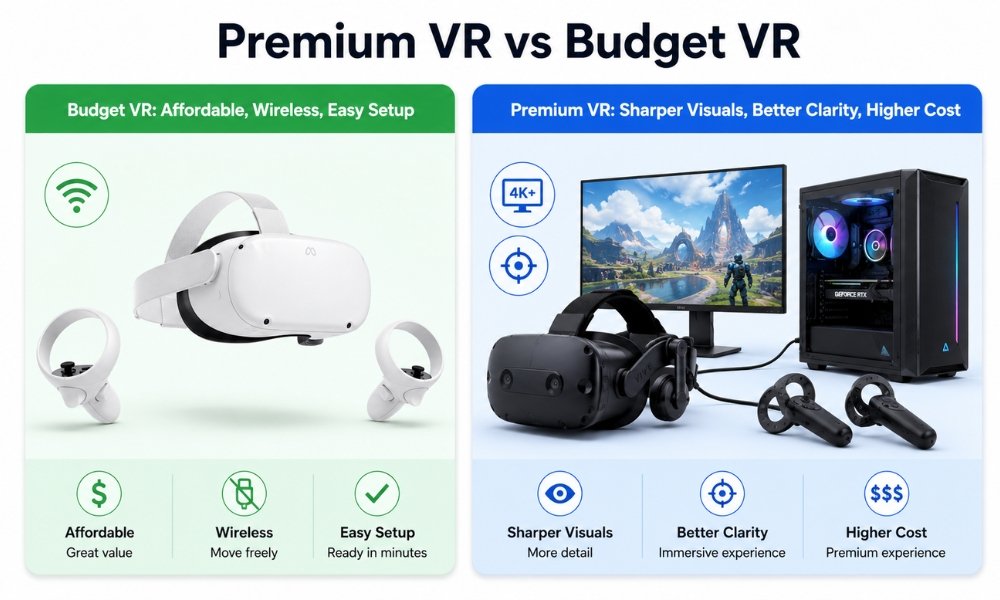
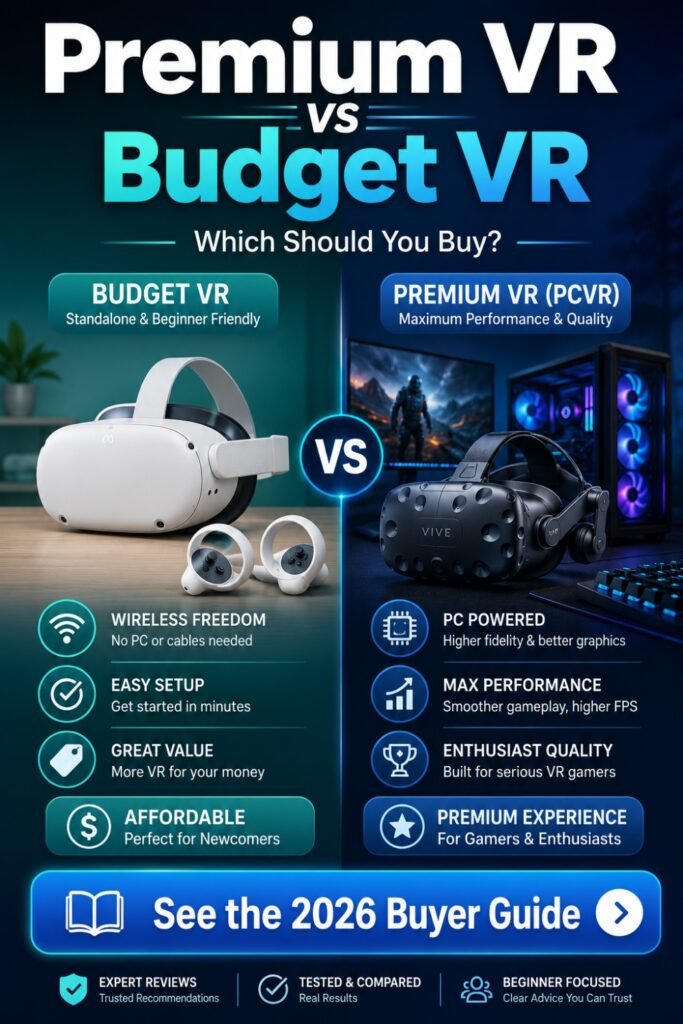
Premium VR vs budget VR comes down to use case. Budget VR headsets like the Meta Quest 3S and Quest 3 are better for beginners because they are affordable, wireless, and easy to set up. Premium VR headsets are better for sim racing, flight sims, professional use, and buyers who need the sharpest visuals, better optics, or direct DisplayPort PCVR.
The 2026 VR Market Divide: Subsidies vs Enthusiast Margins
The biggest hidden truth in premium VR vs budget VR is pricing strategy.
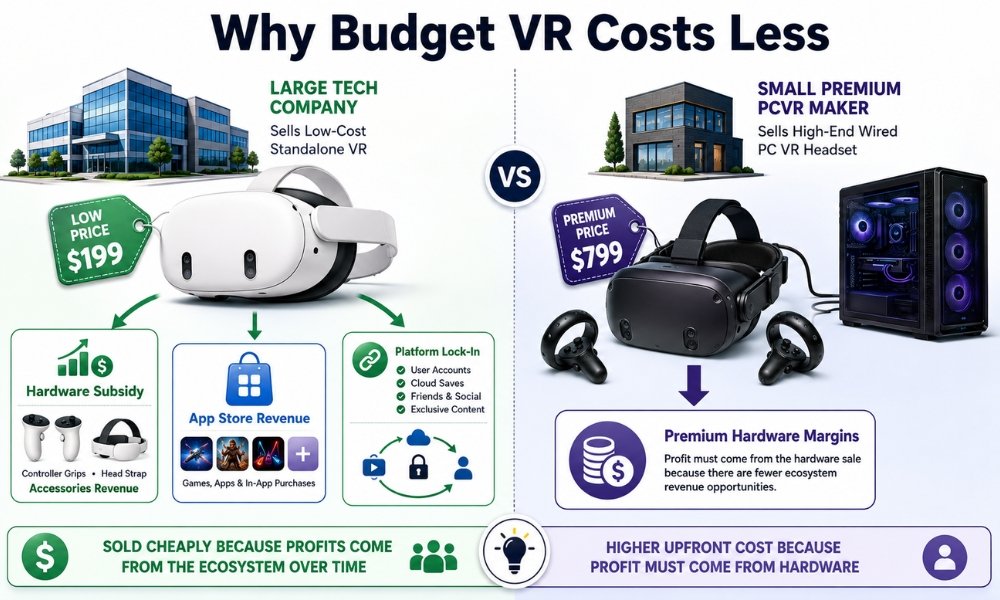
Budget headsets are not cheap only because the parts are cheap. In many cases, large tech companies can sell hardware at aggressive prices because they make money later through app stores, platform fees, accessories, data, subscriptions, and ecosystem control.
That is why a Meta Quest 3S can be so powerful for around $349.
Meta can afford to sell hardware at low margins because the real goal is to bring more people into the Meta Horizon ecosystem. Once users buy games, fitness apps, accessories, and software, Meta earns long-term platform revenue.
Premium PCVR companies usually do not have that advantage.
Brands like Pimax, Bigscreen, Somnium, and other enthusiast-focused companies rely more heavily on hardware margins. They sell to a smaller audience, use expensive components, and do not have the same mass-market software store advantage.
That is why premium VR costs more.
You are not always paying for “better gaming.” You are often paying for:
- Higher-resolution displays
- Better lens systems
- Lower latency
- Direct DisplayPort connections
- Lighter chassis designs
- Custom face cushions
- Eye tracking
- Wider field of view
- More precise tracking options
- Smaller production runs
- Less corporate subsidy
This is the corporate subsidy angle most comparison articles skip.
Budget VR looks almost unfairly good because big companies can eat some of the hardware cost. Premium VR reflects more of the true cost of specialized hardware.
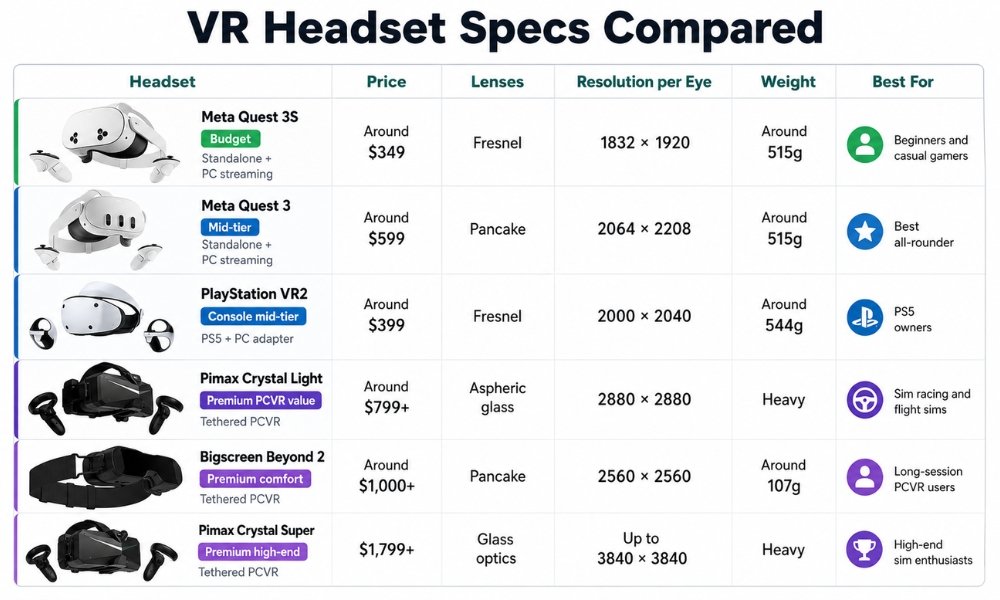
Specs Comparison Table
| Headset | Tier | Price Range | Type | Lenses | Resolution Per Eye | Weight | Best For |
| Meta Quest 3S | Budget | Around $349 | Standalone and PC streaming | Fresnel | 1832 x 1920 | Around 515g | Beginners and casual gamers |
| Meta Quest 3 | Mid-tier budget/premium hybrid | Around $599 | Standalone and PC streaming | Pancake | 2064 x 2208 | Around 515g | Best all-rounder |
| PlayStation VR2 | Console mid-tier | Around $399 | PS5 and PC adapter | Fresnel | 2000 x 2040 | Around 544g | PS5 owners |
| Pimax Crystal Light | Premium PCVR value | Around $799+ | Tethered PCVR | Aspheric glass | 2880 x 2880 | Heavy | Sim racing and flight sims |
| Bigscreen Beyond 2 | Premium comfort | Around $1,000+ | Tethered PCVR | Pancake | 2560 x 2560 | Around 107g chassis | Long-session PCVR users |
| Pimax Crystal Super | Premium high-end | $1,799+ | Tethered PCVR | Glass optics | Up to 3840 x 3840 | Heavy | High-end sim enthusiasts |
| Apple Vision Pro | Luxury spatial computer | $3,499 | Standalone spatial computer | Pancake | Very high-res Micro-OLED | Heavy for long wear | Productivity and media |
Technical Trade-Offs: What Are You Paying For?
The premium VR vs budget VR decision is not only about specs. It is about what those specs do in real life.
A beginner does not need to chase every number. You need to understand which numbers matter for your use case.
Budget VR Usually Prioritizes Convenience
Budget VR headsets focus on:
- Low entry price
- Wireless play
- Fast setup
- Built-in tracking
- Standalone apps
- Easy room scanning
- Simple beginner experience
The Meta Quest 3S is the clearest example. It runs modern Quest games, supports mixed reality, works without a PC, and can still stream SteamVR games from a computer later.
For most beginners, that is powerful enough.
Premium VR Usually Prioritizes Clarity and Specialization
Premium VR focuses on:
- Higher pixel density
- More advanced optics
- Better black levels
- Wider field of view
- Direct PC connection
- More precise tracking
- Better comfort for long sessions
- Specialized sim or productivity use
This matters most if you need to read small cockpit gauges, see distant braking points in sim racing, spend hours in VRChat, or use VR as a professional spatial workspace.
Comfort Comparison
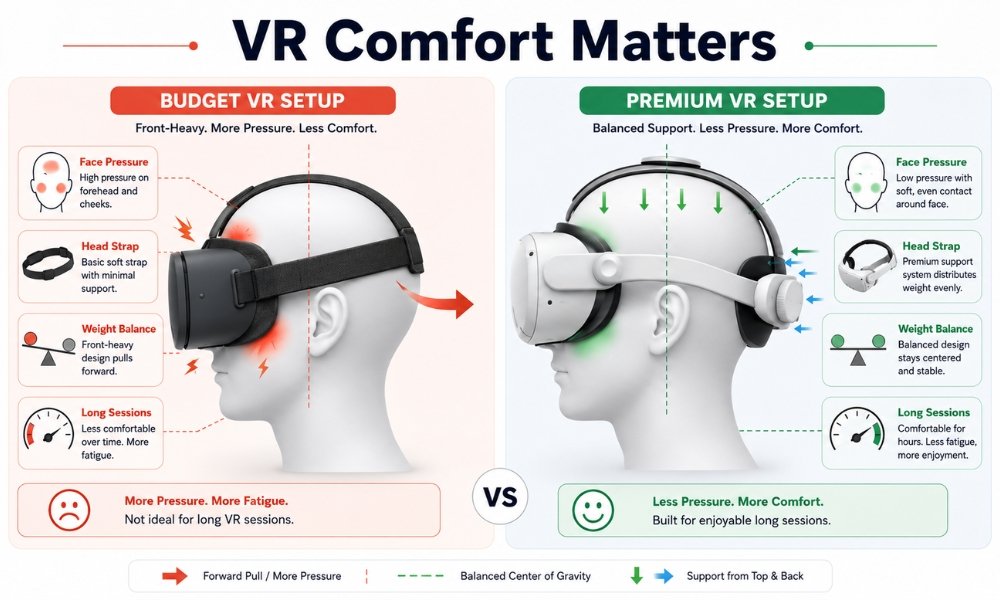
Comfort can decide whether you use your headset every week or leave it on a shelf.
Budget VR often needs help here.
The Quest 3S and Quest 3 are both front-heavy because the processor, battery, cameras, and display are inside the front visor. The stock strap works, but it is not ideal for long play sessions.
Many beginners discover this after 30 minutes.
Common budget VR comfort issues:
- Face pressure
- Cheekbone pressure
- Forehead pressure
- Neck fatigue
- Slipping during movement
- Sweat buildup
- Short battery life
The fix is simple but important: budget for accessories.
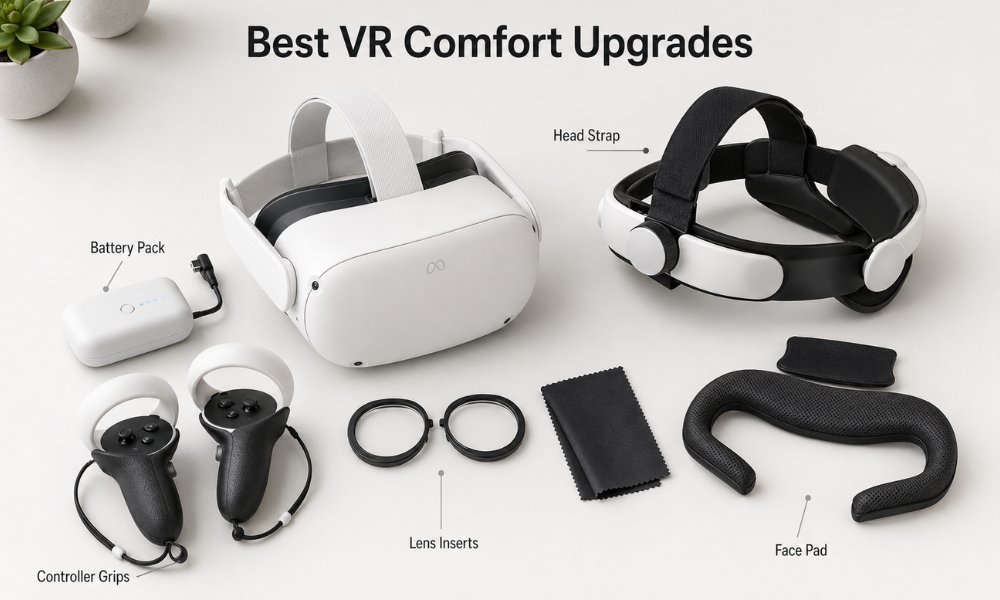
A BOBOVR S3 Pro, BOBOVR M3 Pro, Kiwi Design strap, or similar comfort strap can make a Quest headset feel much better. This is why Reddit users often say the best value setup is not just the headset. It is the headset plus the right strap.
Premium VR comfort depends on the headset.
The Bigscreen Beyond 2 is extremely light and built for comfort, but it requires a custom facial fit and SteamVR tracking equipment. The Pimax Crystal line gives high-end clarity but is physically large and heavy. The Apple Vision Pro has excellent displays, but many users still find its weight difficult for long sessions.
Winner for beginners:
Budget VR with a good comfort strap.
Winner for long PCVR sessions:
Bigscreen Beyond 2.
Winner for seated simulation:
Pimax Crystal Light or Pimax Crystal Super, if you can handle the weight and setup.
Lens Comparison: Pancake vs Fresnel
Lens type is one of the most important parts of the premium VR vs budget VR conversation.
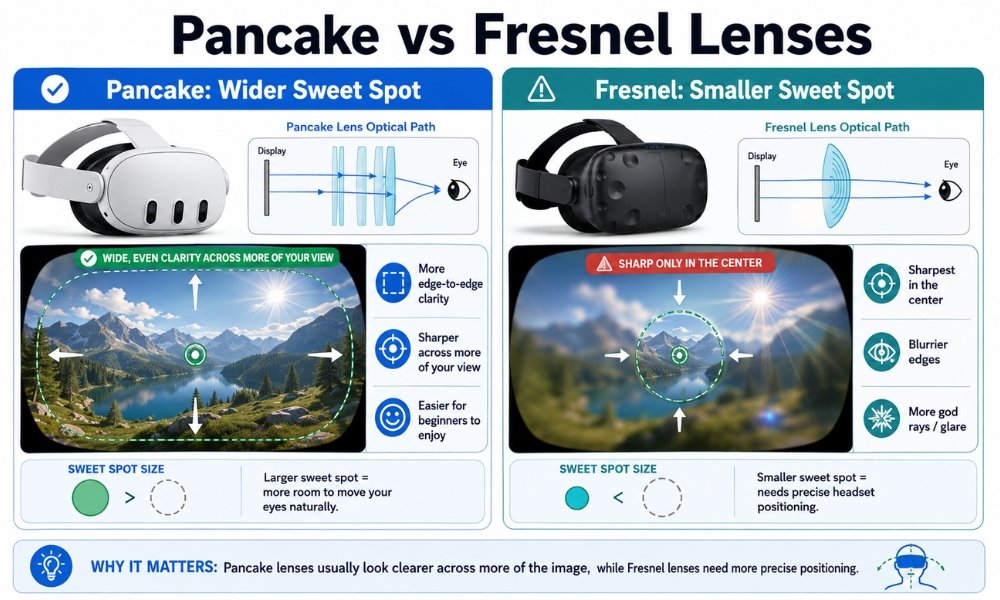
What Are Fresnel Lenses?
Fresnel lenses use circular ridges to focus the image. They are cheaper, lighter, and common in budget or older headsets.
They work, but they have a smaller sweet spot.
That means the image is clearest in the center. If your eyes look toward the edges, things can blur. Bright text on dark backgrounds can also create glare or “god rays.”
Fresnel lens examples:
- Meta Quest 3S
- PlayStation VR2
- Older Quest 2
- Some enterprise headsets
What Are Pancake Lenses?
Pancake lenses fold light through a slimmer optical path. They usually create a thinner headset design and much better edge-to-edge clarity.
This means you can move your eyes naturally instead of turning your entire head to read text or scan a menu.
Pancake lens examples:
- Meta Quest 3
- Bigscreen Beyond 2
- Apple Vision Pro
- Samsung Galaxy XR
- Many upcoming premium or hybrid systems
Pancake vs Fresnel Lenses: Which Is Better?
Pancake lenses are better for clarity, reading text, menus, media, and long sessions. Fresnel lenses are better for keeping costs low.
This is the biggest real-world difference in the Quest 3 vs Quest 3S debate.
Both headsets run the same core game library. The Quest 3S is cheaper. The Quest 3 looks clearer and feels more premium because of the pancake lenses.
Winner:
Meta Quest 3 for most buyers who can afford the upgrade.
Budget winner:
Meta Quest 3S if price matters more than lens clarity.
Battery Comparison
Budget standalone VR has one major limit: battery life.
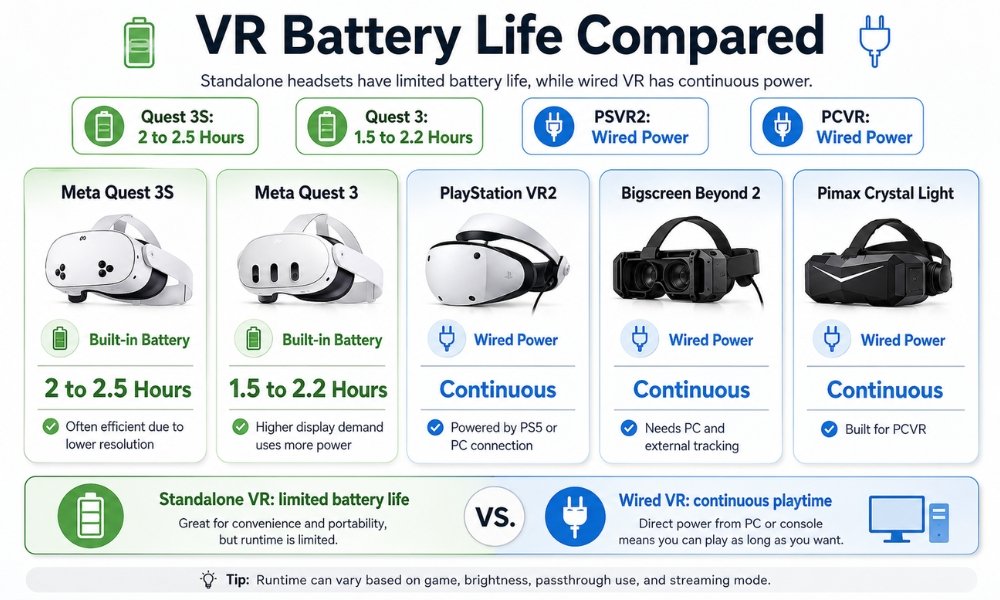
Most standalone headsets run for around 1.5 to 2.5 hours depending on the game, brightness, passthrough use, and streaming mode.
| Headset | Battery Type | Typical Runtime | Notes |
| Meta Quest 3S | Built-in | Around 2 to 2.5 hours | Often efficient due to lower resolution |
| Meta Quest 3 | Built-in | Around 1.5 to 2.2 hours | Pancake lenses and higher display demand use more power |
| PlayStation VR2 | Wired | Continuous | Powered by PS5 or PC connection |
| Bigscreen Beyond 2 | Wired | Continuous | Needs PC and external tracking setup |
| Pimax Crystal Light | Wired | Continuous | Built for PCVR |
| Apple Vision Pro | External battery | Around 2 hours | More productivity-focused than gaming-focused |
The weird part is that cheaper VR can sometimes last longer.
The Quest 3S has a lower-resolution display than the Quest 3. That means it has less rendering work and can use power more efficiently. The Quest 3 has better lenses and clearer visuals, but those optics and displays demand more power.
Winner for wireless battery value:
Meta Quest 3S.
Winner for unlimited play:
Wired PCVR or PSVR2.
Practical advice:
Buy a battery strap or external power bank if you plan to play longer than two hours.
Setup Difficulty
Setup ease is where budget VR crushes premium VR.
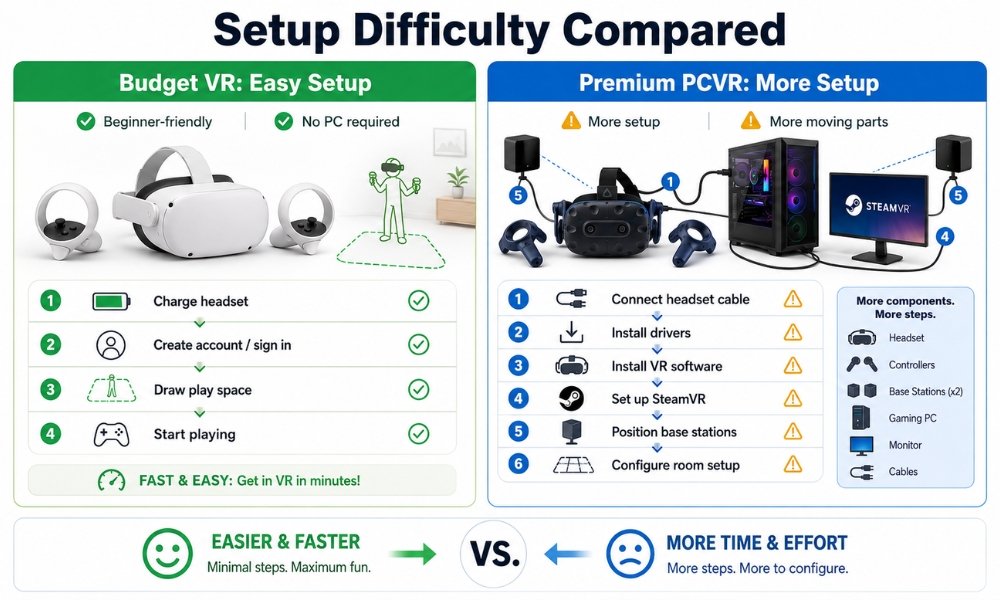
A beginner can set up a Meta Quest 3S or Quest 3 in minutes. The headset scans your room, creates a boundary, and lets you start playing without external sensors.
Budget VR setup:
- Turn on headset
- Connect Wi-Fi
- Sign in
- Draw room boundary
- Install games
- Play
Premium PCVR setup can involve more work:
- Install PC software
- Connect headset cables
- Update drivers
- Adjust SteamVR settings
- Set up OpenXR
- Mount base stations if needed
- Pair controllers
- Tune resolution
- Fix connection errors
- Manage cable routing
This does not mean premium VR is bad. It means premium VR expects more patience.
Winner for beginners:
Budget VR.
Winner for advanced users:
Premium VR, only if you are comfortable troubleshooting.
Beginner Friendliness
For beginner VR buyers, the best headset is not always the most powerful. It is the one you will understand, use, and enjoy.
A good beginner headset should be:
- Easy to set up
- Comfortable enough after basic upgrades
- Wireless
- Affordable
- Supported by a strong app store
- Flexible enough for games, fitness, media, and PC streaming
- Not dependent on a $2,000 gaming PC
That is why the Meta Quest 3S and Meta Quest 3 dominate beginner recommendations.
Beginner-friendly ranking:
- Meta Quest 3S, best low-cost start
- Meta Quest 3, best overall beginner headset
- PlayStation VR2, best if you already own PS5
- Apple Vision Pro, easy software but too expensive for VR gaming beginners
- Bigscreen Beyond 2, comfortable but needs PCVR tracking setup
- Pimax Crystal Light, great for sim users but not ideal for total beginners
Winner:
Meta Quest 3S for lowest risk.
Meta Quest 3 for best long-term beginner choice.
Gaming Performance
Gaming performance depends on what kind of games you play.
Casual Games and Fitness
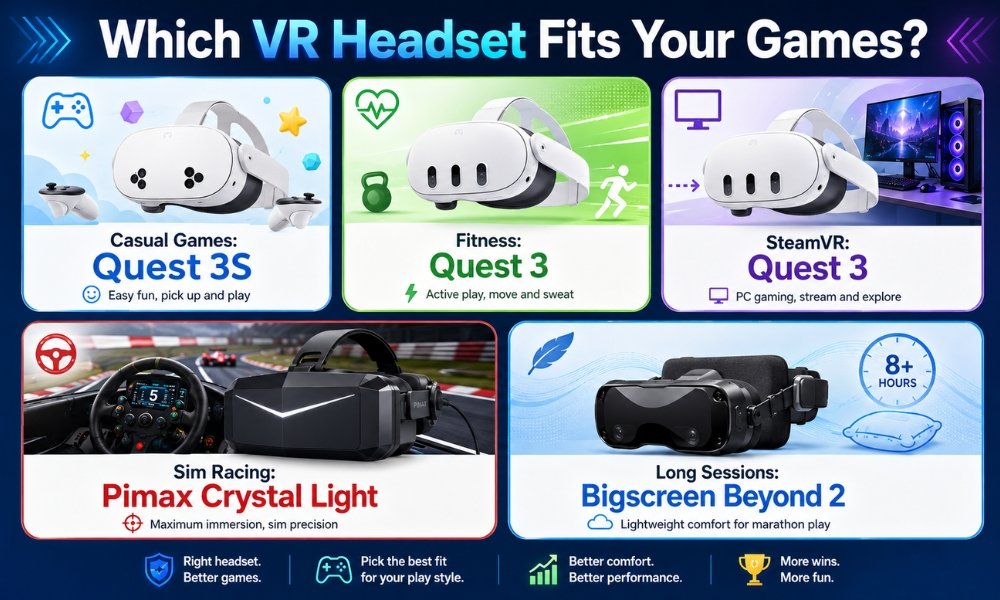
For Beat Saber, Walkabout Mini Golf, Supernatural, FitXR, Population: One, and casual mixed reality games, budget VR is more than enough.
The Quest 3S and Quest 3 both run the modern Quest library well. The Quest 3 looks clearer. The Quest 3S gives stronger value.
Winner:
Budget VR.
PCVR and Steam Games
If you want Half-Life: Alyx, heavily modded games, SteamVR, or wireless PCVR, the Quest 3 becomes the better bridge headset.
You can stream PCVR using Virtual Desktop, Steam Link, Air Link, or a USB-C cable. There may be compression, but many players find the experience good enough.
Winner:
Quest 3 for hybrid users.
Sim Racing and Flight Sims
This is where premium VR wins.
VR for sim racing and flight simulation demands:
- High resolution
- Clear cockpit text
- Low latency
- Stable tracking
- Wide field of view
- Direct DisplayPort when possible
A Pimax Crystal Light, Pimax Crystal Super, or similar PCVR headset can deliver clarity that a streamed standalone headset may struggle to match.
Winner:
Premium PCVR.
Motion Sickness Friendliness
Motion sickness is a huge beginner concern.
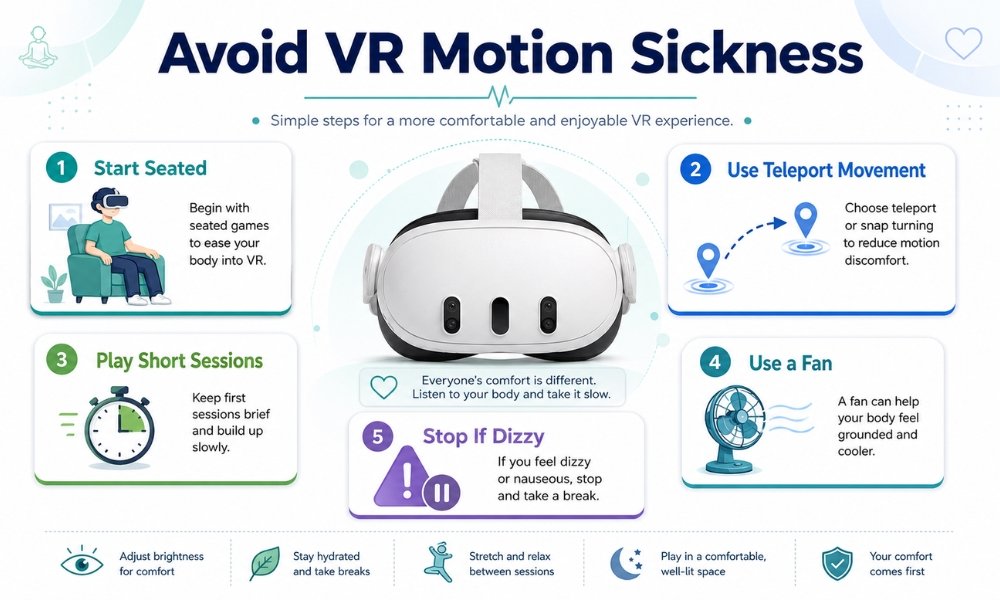
VR sickness happens when your eyes see movement, but your inner ear does not feel matching physical motion.
Budget VR can be friendlier because it encourages simpler games, room-scale movement, and quick sessions. Standalone apps are often optimized for comfort because they target mainstream users.
Premium VR can also be comfortable, but high-end PCVR users often jump into sim racing, flight sims, and smooth-locomotion games too soon. Those are more likely to cause nausea for beginners.
Beginner motion sickness tips:
- Start with stationary games
- Use teleport movement first
- Play 15 to 20 minutes at a time
- Stop immediately if you feel warm or dizzy
- Use a floor fan
- Avoid racing and flight sims at first
- Keep frame rates smooth
- Adjust headset fit carefully
Winner:
Budget VR for first-time comfort.
Budget Value Assessment
If the question is “Which gives me more for my money?” budget VR wins.
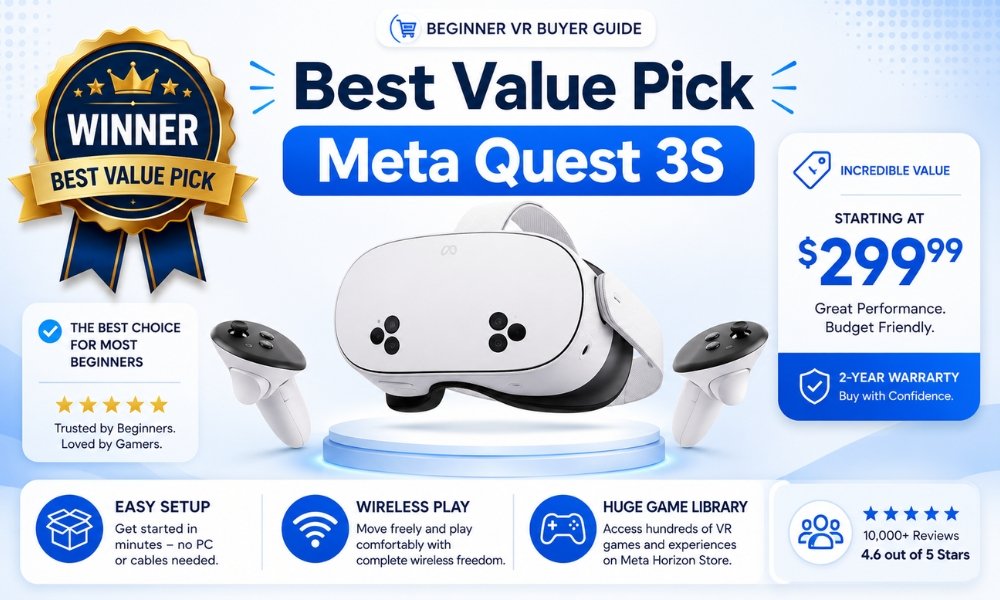
The Meta Quest 3S is the best budget VR headset because it gives you:
- Standalone play
- Modern Quest games
- Mixed reality support
- Wireless freedom
- No PC requirement
- PCVR streaming option
- Low entry price
The Meta Quest 3 gives better value if you can afford more because the pancake lenses make a daily difference.
Premium VR can be worth it, but only when your use case demands it.
Premium VR is worth paying for if you:
- Already own a high-end gaming PC
- Play sim racing or flight sims
- Need direct DisplayPort
- Spend hours in VR
- Want extreme visual clarity
- Care about cockpit readability
- Are comfortable troubleshooting
- Understand PCVR software friction
Premium VR is not worth it if you:
- Are buying your first headset
- Mainly want Beat Saber or fitness apps
- Do not own a gaming PC
- Hate technical troubleshooting
- Want a family-friendly device
- Want the easiest setup
Best value winner:
Meta Quest 3S.
Best long-term value winner:
Meta Quest 3.
Best premium value for PCVR:
Pimax Crystal Light.
Pros and Cons of Budget VR
Pros
- Lower price
- Beginner-friendly setup
- No gaming PC required
- Wireless freedom
- Strong standalone game library
- Good for fitness
- Good for families
- Great entry point into VR
- Can stream PCVR games if you later buy a PC
- Large accessory ecosystem
Cons
- Lower graphics than PCVR
- Short battery life
- Often needs better strap
- Fresnel lenses on cheaper models
- Less ideal for reading small text
- Video compression when streaming PCVR
- Platform lock-in concerns
- Privacy concerns on corporate platforms
Pros and Cons of Premium VR
Pros
- Sharper visuals
- Better displays
- Higher pixel density
- Better cockpit readability
- Direct DisplayPort options
- Lower latency for PCVR
- Better for sim racing and flight sims
- Some models offer extreme comfort
- Better suited for advanced users
- More specialized hardware choices
Cons
- Expensive
- Often requires a powerful gaming PC
- Setup can be complicated
- Software can be buggier
- More cables
- Base stations may be required
- Less beginner-friendly
- Some headsets are heavy
- Smaller companies may have slower support
- More risk if you do not know your use case
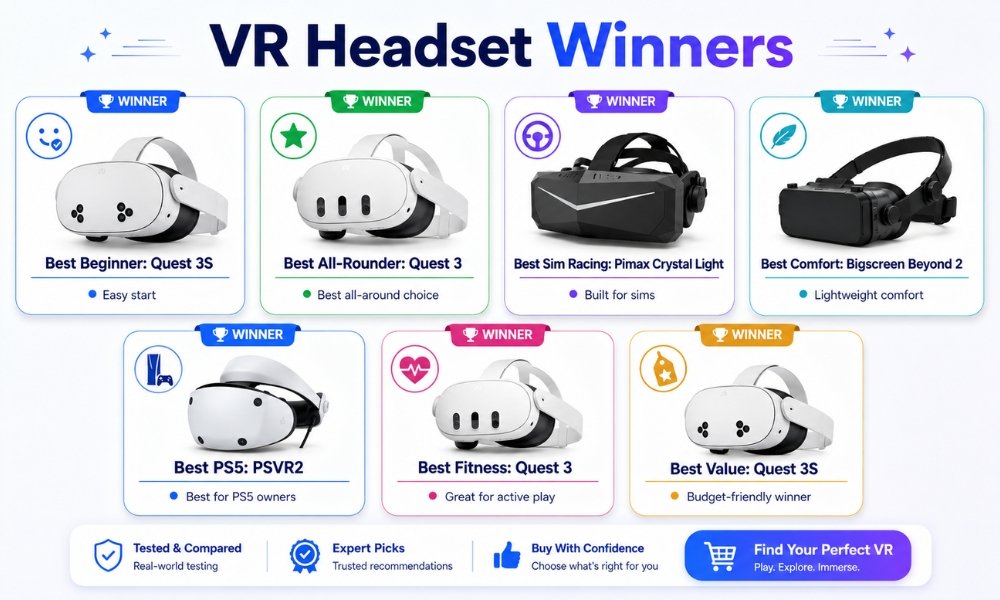
Which Headset Wins by Category?
| Category | Winner | Why |
| Best for beginners | Meta Quest 3S | Lowest cost, easy setup, no PC required |
| Best all-rounder | Meta Quest 3 | Better lenses, standalone and PCVR streaming |
| Best budget value | Meta Quest 3S | Strong modern VR for low entry price |
| Best visual clarity | Pimax Crystal Super | High-end resolution and PCVR focus |
| Best PCVR value | Pimax Crystal Light | Direct DisplayPort and high clarity for less than ultra-premium systems |
| Best comfort | Bigscreen Beyond 2 | Extremely light custom-fit design |
| Best PS5 option | PlayStation VR2 | Strong console integration and OLED contrast |
| Best for sim racing | Pimax Crystal Light or Crystal Super | Clear cockpit details and uncompressed PCVR |
| Best for fitness | Meta Quest 3 or Quest 3S | Wireless movement and strong fitness app library |
| Best for media | Meta Quest 3 | Pancake lenses make movies and text clearer |
| Easiest setup | Meta Quest 3S | Beginner-friendly standalone setup |
| Best long-term beginner pick | Meta Quest 3 | Better clarity and more future-proof comfort |
Who Should Buy Budget VR?
Buy budget VR if you are:
- New to VR
- Buying for casual gaming
- Buying for family use
- Interested in fitness apps
- On a tight budget
- Unsure how often you will use VR
- Avoiding gaming PC costs
- Looking for wireless freedom
- Planning to try SteamVR later through streaming
Best picks:
- Meta Quest 3S for lowest cost
- Meta Quest 3 for better optics and long-term value
- PlayStation VR2 if you already own a PS5 and prefer console VR
Who Should Buy Premium VR?
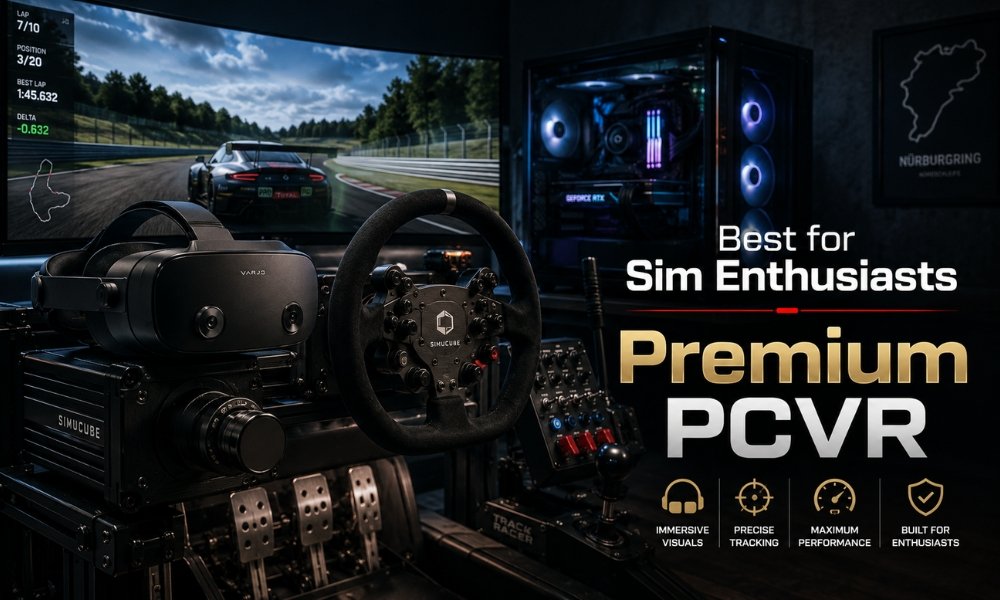
Buy premium VR if you are:
- A serious sim racer
- A flight sim enthusiast
- A PCVR power user
- A VRChat long-session user
- A spatial productivity user
- A professional creator
- Someone with a strong gaming PC
- Willing to troubleshoot software
- Focused on clarity over convenience
Best picks:
- Pimax Crystal Light for PCVR value
- Pimax Crystal Super for high-end sim clarity
- Bigscreen Beyond 2 for long-session comfort
- Apple Vision Pro for productivity and media, not gaming-first value
Common Reddit Opinions and Real-World Buyer Concerns
This is where spec sheets miss the truth.
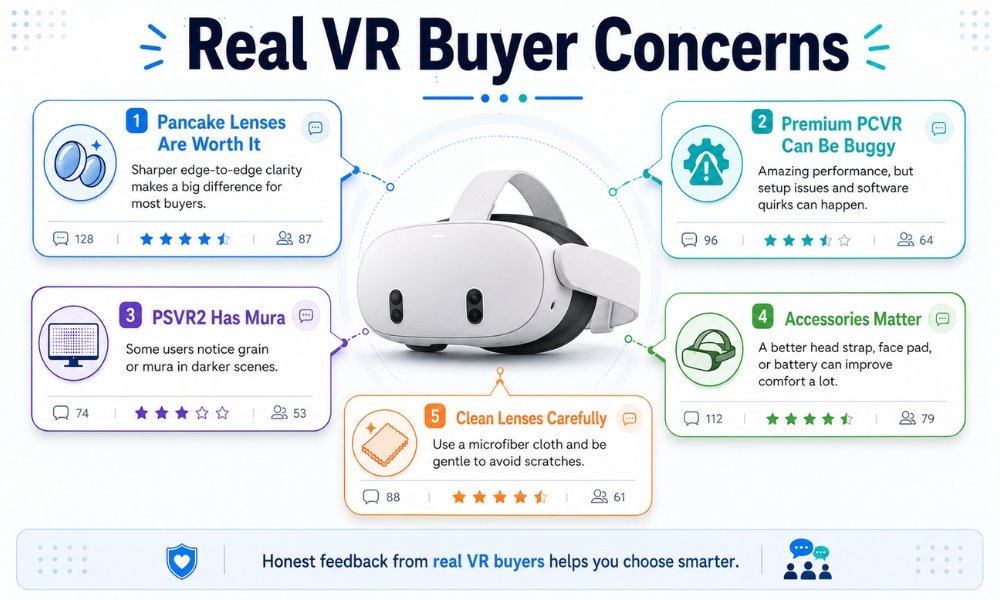
Reddit-style feedback often gives you the real buyer concerns.
“Pancake lenses are worth it.”
Many users say once you try pancake lenses, Fresnel lenses feel dated. That is why Quest 3 owners often defend the extra cost over Quest 3S.
The difference is not just resolution. It is how clear the image stays when your eyes move.
“Premium PCVR can be buggy.”
High-end headsets can look amazing, but many users complain about software friction.
Common issues include:
- Driver updates
- SteamVR glitches
- Tracking bugs
- Headset detection issues
- Firmware problems
- Long support wait times
- Manual setup headaches
This is a key competitor content gap. Many reviews praise premium hardware but do not warn beginners about the software work involved.
“PSVR2 OLED looks great, but mura bothers some people.”
The PlayStation VR2 has vibrant OLED screens and strong contrast. But users often mention mura, a grainy texture caused by slight brightness variation across pixels.
Some users stop noticing it. Others find it distracting in dark scenes.
If you are sensitive to visual noise, this matters.
“Accessories change everything.”
A budget headset with the right strap can feel dramatically better.
Many buyers recommend saving money on the headset and spending on:
- BOBOVR S3 Pro
- Kiwi Design strap
- Controller grips
- Prescription lens inserts
- Silicone or wipeable face pad
- Lens cover
- Microfiber cloth
- External battery pack
This is why a Quest 3S plus great accessories can beat a more expensive headset with poor comfort for many beginners.
“Why do my hands feel weird after VR?”
Some beginners feel strange after their first VR sessions. Their hands may feel slightly unreal or disconnected for a while.
This is a temporary adjustment effect. It usually fades as your brain gets used to VR.
Start with short sessions and take breaks.
“How to clean VR lenses without scratching?”
Use a clean, dry microfiber cloth. Do not use paper towels. Do not use glass cleaner. Do not use alcohol unless the manufacturer says it is safe.
Also, keep sunlight away from VR lenses. Direct sunlight can damage internal displays.
The True Use-Case Decision
The best way to answer premium VR vs budget VR is not to say one is always better.
The real answer is this:
Budget VR is better for most beginners because it is subsidized, accessible, wireless, and easy to use. Premium VR is better for buyers with specific needs, such as sim racing, flight simulation, professional spatial work, or long-session PCVR.
That is the true use-case angle.
Do not buy premium VR because you assume expensive means better for everyone.
Buy premium VR because your use case demands what it offers.
Final Verdict
For most beginner VR buyers, budget VR is better.
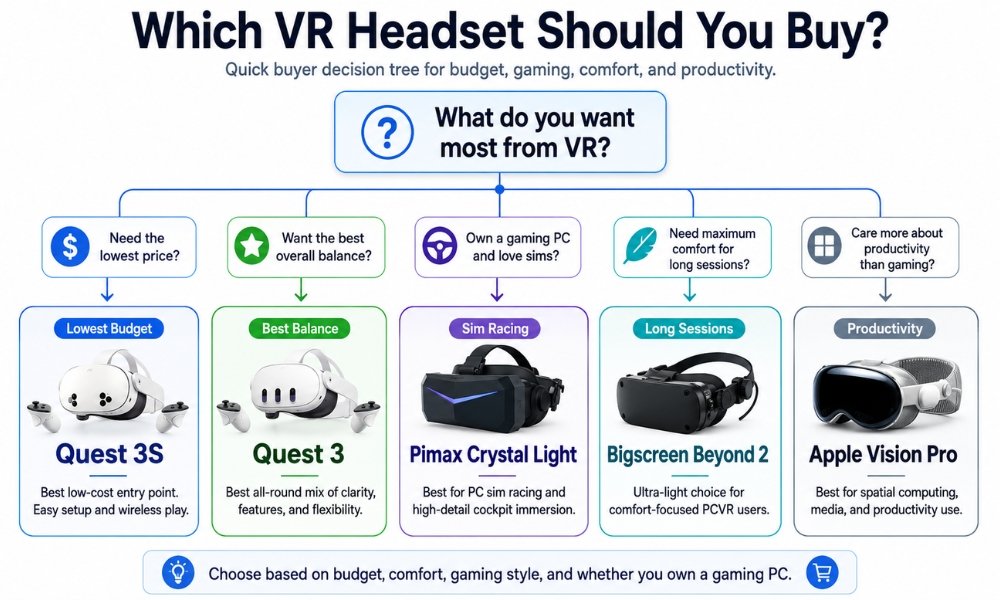
The Meta Quest 3S is the best low-risk starting point. It gives you a complete standalone headset, modern VR games, mixed reality features, and PCVR streaming potential at a beginner-friendly price.
The Meta Quest 3 is the better long-term buy if you can afford it. The pancake lenses make a real difference for clarity, comfort, media, and general use.
Premium VR only wins if your needs are specific.
If you play flight simulators, sim racing, or high-end PCVR, a Pimax Crystal Light or Pimax Crystal Super makes more sense because direct DisplayPort clarity matters. If you want extreme comfort for long PCVR sessions, Bigscreen Beyond 2 makes sense. If you want productivity and premium media, Apple Vision Pro fits a different category.
For 90% of beginners, start with budget VR.
For serious sim enthusiasts, go premium.
For the best balance, buy the Meta Quest 3.
FAQ Section
Is budget VR actually worth buying, or should I wait and save for premium VR?
Yes, budget VR is worth buying for most beginners. A headset like the Meta Quest 3S runs modern standalone games, works without a PC, and gives you a low-risk way to enter VR. Save for premium VR only if you already know you need high-end PCVR clarity.
Do standalone headsets require a gaming computer?
No. Standalone headsets like the Meta Quest 3 and Quest 3S have their own processor, battery, operating system, and app store. You do not need a gaming computer to use them.
Can I use a budget VR headset to play Steam games?
Yes. A standalone headset like the Quest 3S or Quest 3 can stream SteamVR games from a gaming PC using a USB-C cable, Steam Link, Air Link, or Virtual Desktop.
Why are some PCVR headsets so much more expensive than standalone ones?
PCVR headsets are more expensive because they often use specialized optics, high-resolution displays, direct DisplayPort connections, smaller production runs, and hardware-focused business models. Standalone headsets from large tech companies are often subsidized to grow software platforms.
Does standalone VR look as good as premium PCVR?
No. Standalone VR is convenient and impressive, but premium PCVR can look sharper because it uses a powerful gaming PC and direct video connections. The difference matters most in sim racing, flight sims, and text-heavy environments.
What is the best budget VR headset in 2026?
The Meta Quest 3S is the best budget VR headset for beginners because it is affordable, standalone, and runs the modern Quest library.
Quest 3 vs Quest 3S: Which should beginners buy?
Buy the Quest 3S if price matters most. Buy the Quest 3 if you want better pancake lenses, clearer text, better media viewing, and stronger long-term value.
What is the cheapest VR headset with direct DisplayPort?
The Pimax Crystal Light is one of the strongest lower-cost options for buyers who want direct DisplayPort PCVR clarity for sim racing and flight sims.
Does Steam Frame work without base stations?
The Steam Frame is expected to focus on standalone and inside-out tracking features, meaning it should not depend on external base stations the way older SteamVR Lighthouse headsets do. Final details depend on official launch specifications.
Why do my hands feel weird after VR?
Some beginners feel a short-term adjustment effect after VR. Your brain is adapting from virtual hand presence back to real-world movement. It usually fades with breaks and shorter sessions.
How do I clean VR lenses without scratching?
Use a dry microfiber cloth and gentle circular motions. Avoid paper towels, shirts, household glass cleaners, alcohol, and abrasive wipes unless your headset maker specifically approves them.
How can I prevent motion sickness when using VR for the first time?
Start with stationary or teleport-based games. Play for 15 to 20 minutes. Use a fan. Stop immediately if you feel warm, dizzy, or nauseous. Build your VR legs slowly.