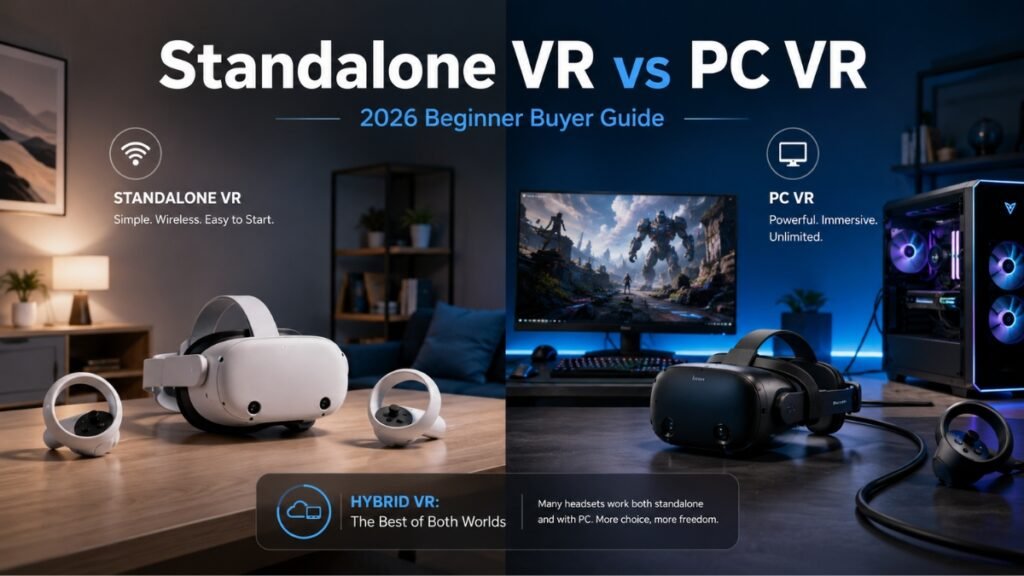
Standalone VR vs. PC VR: The Ultimate 2026 Buyer’s Guide for Beginners
If you are trying to understand Standalone VR vs PC VR, here is the simple answer:
Standalone VR headsets run games directly on the headset. PC VR uses a powerful gaming computer to create better graphics, deeper worlds, and stronger performance. Hybrid standalone headsets, like the Meta Quest 3 and Meta Quest 3S, give beginners the best starting point because they work alone today and connect to a PC later.
That is the part most beginners miss.
You do not have to choose between easy VR and powerful VR on day one.
A few years ago, buying into VR felt like picking a side. You either bought a standalone headset for convenience, or you built an expensive PC VR setup for power. One was simple. The other was serious.
In 2026, that line is not as strict.
Modern standalone headsets now act like a bridge. You can use them like a VR game console for quick sessions, fitness apps, social VR, and beginner games. Then, when you are ready, you can stream PC VR games from a gaming computer using Air Link, Steam Link, Virtual Desktop, or a Link cable.
That is why hybrid standalone headsets are the smartest low-risk entry point for most beginners.
You can start small. You can learn the basics. You can play without wires. And if you later want high-end SteamVR games, sim racing, flight simulators, or better graphics, the same headset can still grow with you.
This guide breaks everything down in plain English, including:
- What standalone VR means
- What PC VR means
- Why hybrid headsets matter
- The real costs beginners miss
- Which headset you should buy in 2026
- Whether you need a PC for VR
- How to avoid spending too much too early
By the end, you will know which path fits your budget, comfort level, and gaming goals.
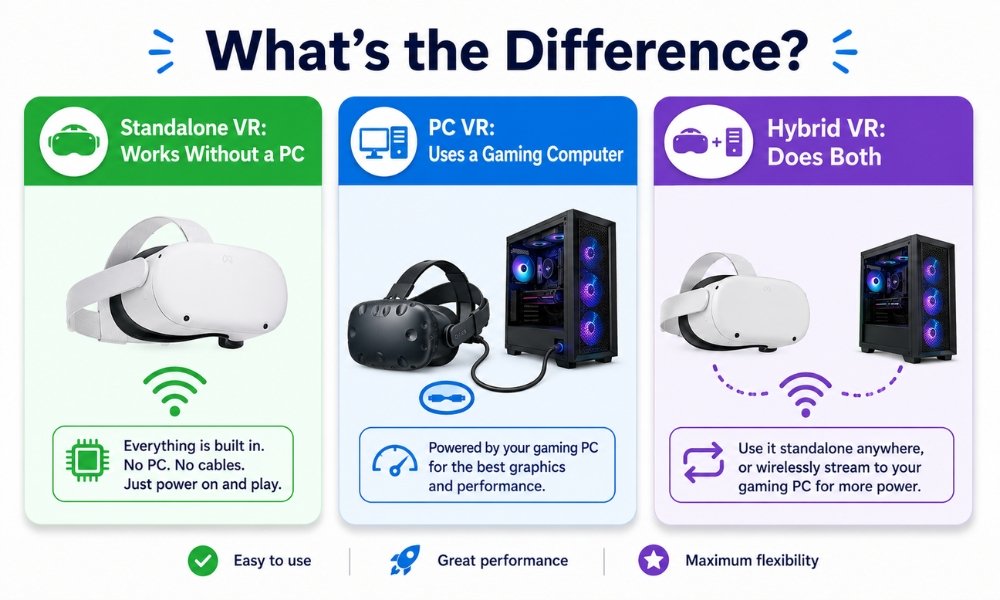
What Is Standalone VR? The Console Experience
Standalone VR is the easiest way to start.
A standalone VR headset has the processor, battery, tracking cameras, display, storage, speakers, and software built into the headset itself. You do not need a gaming PC. You do not need a console. You do not need wall sensors.
You put on the headset, draw your play boundary, open the store, and start playing.
Think of standalone VR like a Nintendo Switch for virtual reality. It is self-contained, portable, and beginner-friendly.
Popular standalone VR headsets include:
- Meta Quest 3S
- Meta Quest 3
- Pico 4 Ultra
- Apple Vision Pro, though this is more of a spatial computer than a gaming-first headset
For most beginners, the Meta Quest 3S and Meta Quest 3 are the two most practical choices because they have strong app libraries, simple setup, and hybrid PC VR support.
The Pros of Standalone VR
Wireless Freedom
The biggest benefit of standalone VR is freedom.
No cable means you can turn around, duck, punch, dance, swing, and move without worrying about tripping over a wire. This makes standalone headsets great for:
- Beat Saber
- Supernatural
- FitXR
- Les Mills Bodycombat
- Walkabout Mini Golf
- Population: One
- Social VR
- Beginner fitness apps
If you want a VR headset for beginners, wireless freedom matters more than raw graphics.
A headset that gets used is better than a headset that sits in a box because setup feels like a job.
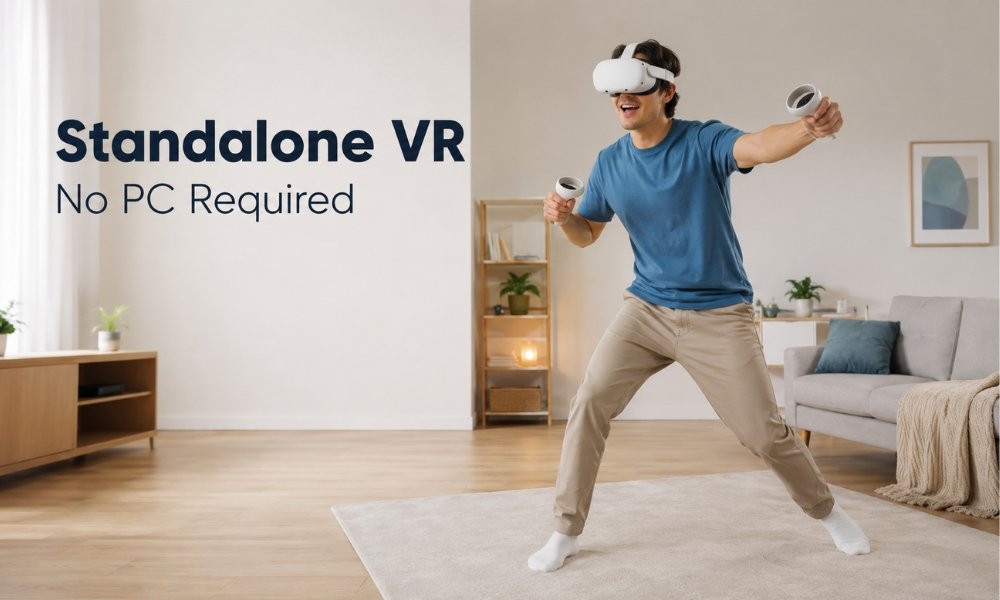
No PC Required
This answers one of the biggest beginner questions: Do you need a PC for VR?
No, you do not need a PC if you buy a standalone VR headset.
The Meta Quest 3S and Quest 3 both run games directly on the headset. You can download games from the Meta Horizon Store and play right away.
That makes standalone VR the lowest-friction entry point.
Low Barrier to Entry
Standalone headsets are cheaper than full PC VR setups.
A Meta Quest 3S gives you a complete VR system for around $349. A Meta Quest 3 costs around $599. That is still much cheaper than buying a headset, a gaming PC, base stations, controllers, cables, and accessories.
For beginners, this matters.
You can test whether you actually enjoy VR before spending thousands.
Pick-Up-and-Play Simplicity
Standalone VR feels more like a console than a PC gaming setup.
You do not have to update graphics drivers, troubleshoot SteamVR runtime errors, mount tracking stations, or figure out why a headset shows a black screen.
You turn it on and play.
That simplicity is a major reason standalone VR became popular with beginners, families, fitness users, and casual gamers.
The Cons of Standalone VR
Standalone VR is easy, but it is not perfect.
The trade-offs are real.
Mobile Processor Limits
Standalone headsets use mobile chips, not full desktop graphics cards.
The Meta Quest 3 and Quest 3S use strong mobile hardware, but they still cannot match a gaming PC with an RTX 4070, RTX 4080, or RTX 4090.
That means standalone games often have:
- Simpler shadows
- Lower texture quality
- Less detailed environments
- Fewer background effects
- Lower draw distance
- Less advanced lighting
- Reduced physics effects
The games still look good. They simply do not look like high-end PC VR.
Downgraded Graphics
A standalone game has to run inside the headset without overheating or draining the battery too fast.
Developers have to make smart cuts.
For example, a standalone version of a game may remove complex reflections, reduce particle effects, simplify character models, or lower background detail. The PC VR version may look richer because a desktop GPU has more power.
This is not a dealbreaker for beginners. Most first-time users are still impressed.
But if you expect PC-level graphics from a mobile headset, you may feel disappointed.
Short Battery Life
Standalone VR headsets run on internal batteries.
Most beginners should expect around 1.5 to 2.5 hours of use depending on the mode, headset, and game.
Battery life often looks like this:
| Usage Type | Typical Battery Life |
| Mixed reality mode | Around 1.5 hours |
| Native standalone gaming | Around 2 hours |
| Wireless PC VR streaming | Around 2 to 2.5 hours |
That is enough for many casual sessions, but longer users should plan for an external battery strap or power bank.
Front-Heavy Design
Most standalone headsets hold the battery and processor in the front visor. That makes them front-heavy.
The Meta Quest 3 and Quest 3S are much better with an aftermarket strap.
The stock strap works for short sessions, but it can press against your face during longer play. After 30 to 45 minutes, beginners often notice pressure on the cheeks, forehead, nose, or neck.
A good strap fixes much of this.
Helpful comfort upgrades include:
- BOBOVR S3 Pro
- BOBOVR M3 Pro
- Kiwi Design comfort strap
- Elite-style battery straps
- External power banks
- Softer facial interfaces
This is one of the hidden costs of standalone VR. Budget an extra $40 to $80 for comfort if you want longer sessions.
What Is PC VR? The Enthusiast Experience
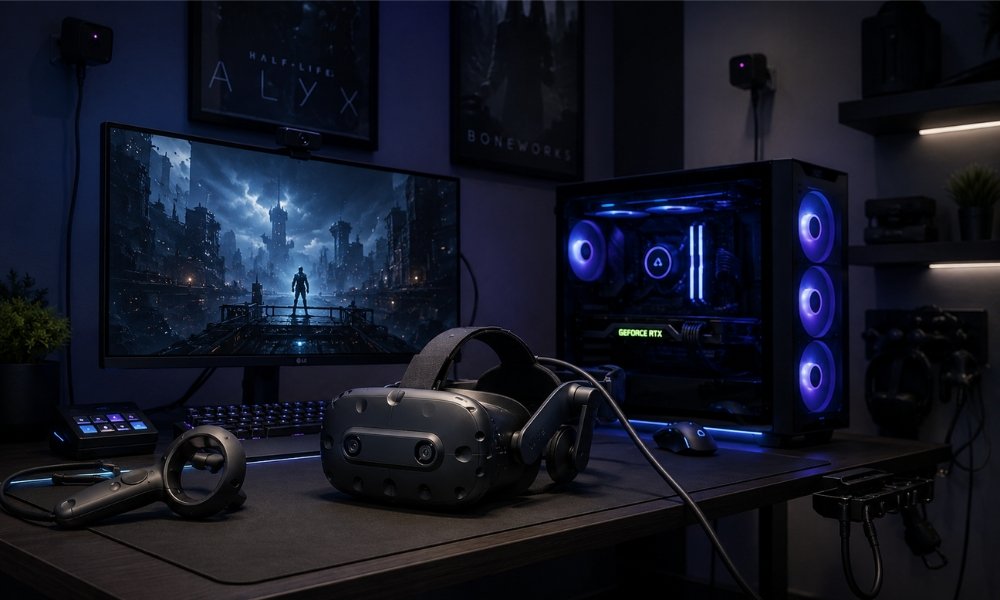
PC VR means the headset relies on a gaming computer to render the virtual world.
The headset works more like a display and tracking device. The PC does the heavy lifting.
This gives PC VR a major performance advantage. A desktop graphics card has more power, more cooling, and more room to handle complex games.
PC VR is best for people who care about:
- Maximum visual clarity
- High-end graphics
- Flight simulators
- Racing simulators
- SteamVR games
- VR mods
- High-resolution displays
- Precise tracking
- Long seated sessions
This is the enthusiast side of VR.
It can look incredible. It can also be expensive, technical, and frustrating.
The Pros of PC VR
Unmatched Graphical Fidelity
PC VR wins on graphics.
A dedicated PC VR headset connected through DisplayPort can receive a cleaner video signal than a streamed wireless headset. This helps with sharpness, latency, and fine details.
That matters in games where you need to see tiny details, such as:
- Cockpit instruments
- Racing apexes
- Distant aircraft
- Road textures
- Small HUD elements
- Fine text
- High-speed movement
This is why flight sim and racing sim players often prefer native PC VR headsets.
Native, Uncompressed DisplayPort Connections
Dedicated PC VR headsets often use DisplayPort. This gives the headset a direct connection to the graphics card.
That means the PC sends the image with far less compression than wireless streaming.
In plain English, DisplayPort PC VR gives you:
- Cleaner image quality
- Lower latency
- Fewer compression artifacts
- Better visual stability
- Stronger performance for sim games
This is why serious PC VR fans care about direct connections.
Sub-Millimeter Tracking
Some dedicated PC VR systems use external tracking base stations, often called lighthouses.
These base stations track movement with high precision. This can be helpful for:
- Competitive VR
- Full-body tracking
- VRChat
- Advanced motion setups
- Room-scale enthusiast play
Inside-out tracking on standalone headsets is easier and more portable, but external tracking can still win on precision.
Massive SteamVR Library
SteamVR is one of PC VR’s biggest strengths.
Buying VR games on Steam also gives you more hardware flexibility. If you later change headset brands, your Steam library can often move with you.
The Meta store is simpler for beginners, but it locks purchases into the Meta platform.
SteamVR gives enthusiasts more long-term freedom.
Essential for High-End Flight and Racing Simulators
If your main goal is Microsoft Flight Simulator, DCS World, iRacing, Assetto Corsa, or serious sim racing, PC VR makes more sense.
These games need powerful hardware and clear displays. A standalone headset can stream them, but compression can make distant details blurrier.
For cockpit-based games, the cable is less of a problem because you are seated.
That is where PC VR shines.
The Cons of PC VR
High Cost
PC VR gets expensive fast.
A dedicated PC VR headset may cost $800 to $1,200 or more. Then you need a VR-ready gaming PC, which can cost $1,500 to $3,000 or more depending on the graphics card.
That puts full PC VR far above the price of a Quest 3S or Quest 3.
Thick Tether Cables
PC VR often means cables.
For seated sim games, this is not a big issue. For active games, it can be annoying.
Cables can:
- Pull on the headset
- Limit movement
- Break immersion
- Create trip risks
- Make room-scale play less natural
Wireless streaming solves some of this, but it adds compression and latency.
Complex Software Troubleshooting
This is the part beginners need to hear.
PC VR is not only about better graphics. It also brings more friction.
You may deal with:
- Driver updates
- SteamVR errors
- OpenXR conflicts
- Black screen issues
- USB detection problems
- Link software problems
- Runtime conflicts
- Random crashes
- Router issues for wireless streaming
- Manual resolution tuning
- Base station calibration
When everything works, PC VR is amazing.
When it breaks, it can turn a fun night into troubleshooting.
Physical Base Station Setup
Some PC VR systems use external base stations. These often need to be mounted in the corners of your room.
That creates extra setup work.
You may need:
- Wall mounts
- Power outlets
- Correct angles
- Calibration time
- Space planning
- Compatible controllers
This is fine for enthusiasts. It is a lot for a beginner.
The Hybrid Compromise: Streaming PC VR to Standalone
This is where the beginner decision gets interesting.
A hybrid standalone headset gives you both options:
- Use the headset by itself for quick standalone games.
- Connect it to a gaming PC later for PC VR.
That is why headsets like the Meta Quest 3 and Quest 3S are so popular for PC VR today.
They are not only standalone devices. They are flexible gateways.
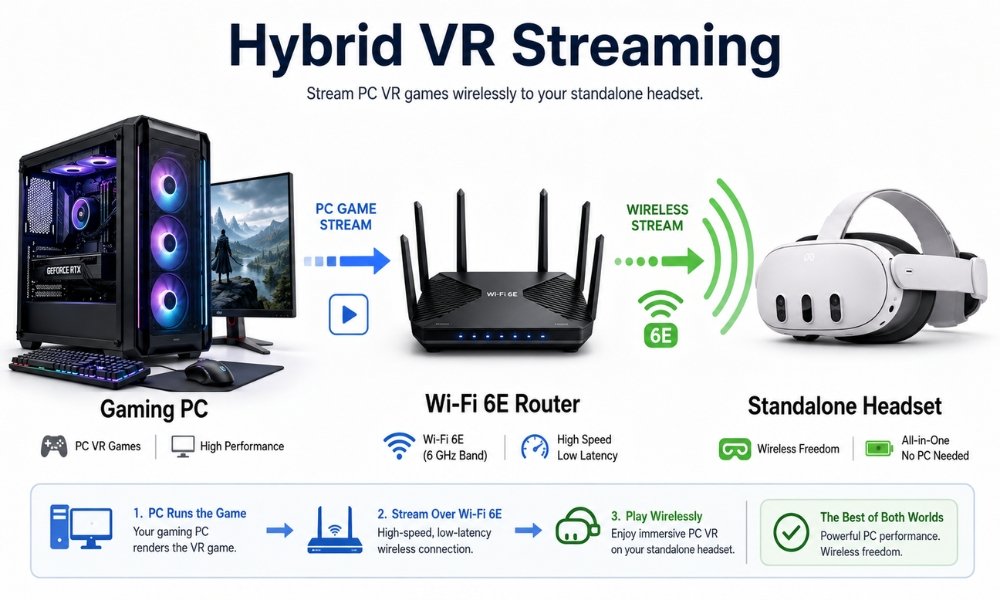
How Hybrid PC VR Works
With hybrid VR, your gaming PC renders the game. Then the video stream is sent to your standalone headset.
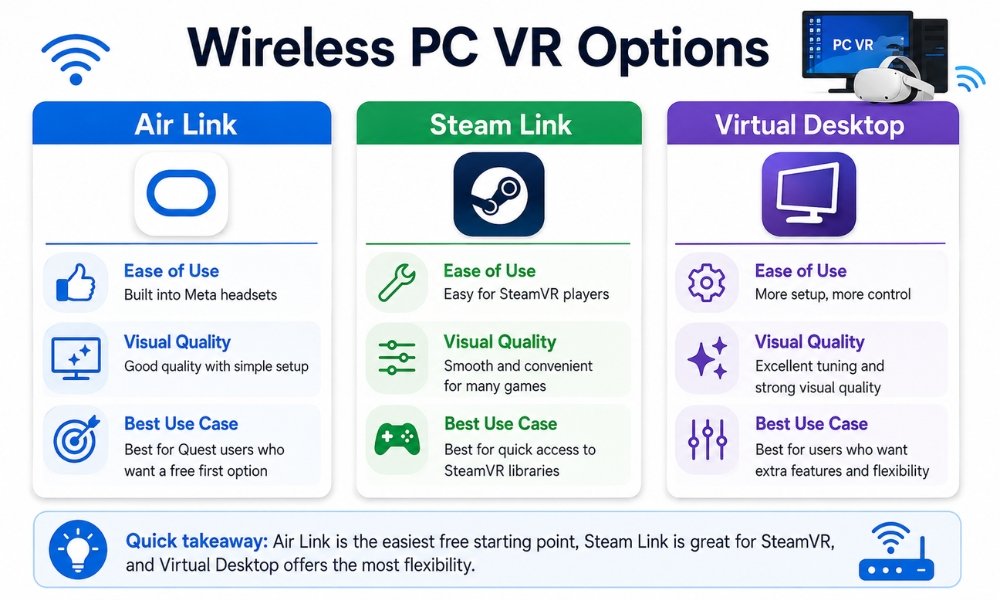
You can do this with:
- Meta Air Link
- Steam Link
- Virtual Desktop
- USB-C Link cable
- Active power injection cables like Kuject
In wireless mode, your headset receives the PC video stream over Wi-Fi.
In wired Link mode, the headset connects with a USB-C cable.
Why Virtual Desktop Is Popular
Virtual Desktop is popular because it gives users more control over streaming quality.
It can help with:
- Visual quality presets
- Bitrate tuning
- Codec options
- Smoother wireless PC VR
- Easier SteamVR launching
- Better user control than some default tools
For many Quest users, Virtual Desktop feels simpler and more reliable than built-in options once it is set up correctly.
Why Wi-Fi 6E Matters
Wireless PC VR needs a strong network.
A weak router can cause:
- Lag
- Stutters
- Compression blocks
- Connection drops
- Blurry visuals
- Input delay
For best results, use:
- Wi-Fi 6E or better
- A dedicated router if possible
- Ethernet from PC to router
- Headset close to router
- Clean 6 GHz connection when available
This does not mean everyone needs to buy a new router on day one. But if you want smooth wireless PC VR, the network matters.
The Trade-Offs of Hybrid Streaming
Hybrid streaming is powerful, but it has limits.
Because the video has to be compressed, sent, and decoded, you may notice:
- Slightly higher latency
- Compression artifacts
- Blurry edges in some scenes
- Color banding in dark areas
- Visual noise in fast movement
- Occasional Wi-Fi issues
For casual PC VR, it can feel excellent.
For serious racing sims or flight sims, a native DisplayPort PC VR headset still looks cleaner.
Why Hybrid Is Still Best for Beginners
Hybrid standalone headsets win for beginners because they lower the risk.
You do not need to buy a full PC VR setup immediately. You can start with a Quest 3S or Quest 3 and learn what kind of VR user you are.
Maybe you only play standalone games.
Maybe you fall in love with fitness apps.
Maybe you later build a PC.
Maybe you decide you want sim racing.
The same headset gives you room to grow.
That is the smart path.
Cost Comparison Breakdown
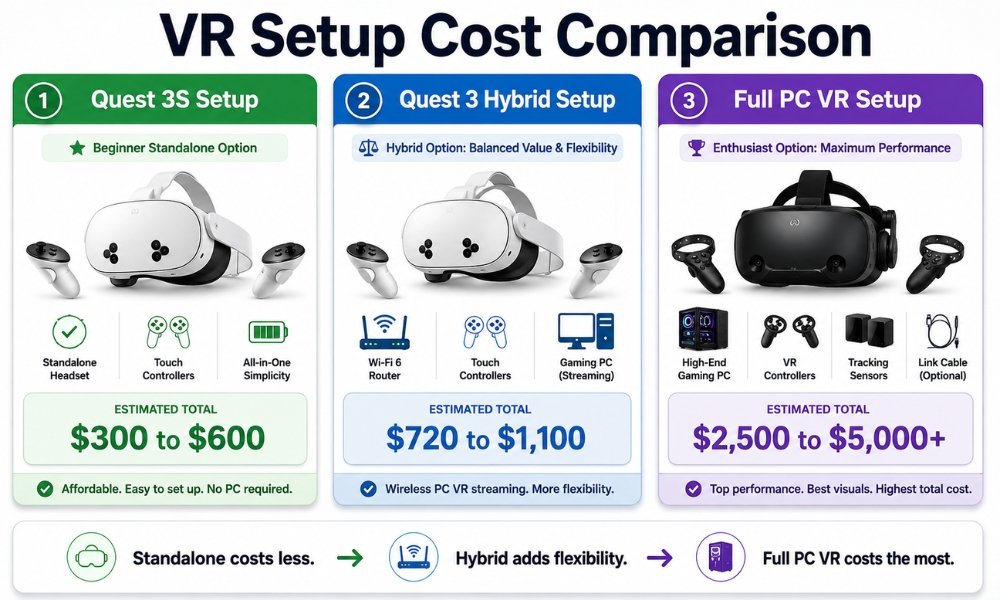
VR pricing can be misleading because the headset price is only part of the story.
A $349 headset can become $450 after accessories. A $1,000 PC VR headset can become a $3,000 setup after adding the PC, controllers, base stations, cables, and upgrades.
Let’s break it down.
Standalone VR Cost
| Item | Estimated Cost |
| Meta Quest 3S | Around $349 |
| Aftermarket strap | $40 to $80 |
| Optional battery strap | $60 to $130 |
| Optional facial interface | $20 to $50 |
| Optional controller grips | $20 to $40 |
| Total realistic beginner setup | Around $300 to $600 |
The Quest 3S is the lowest-risk entry point.
It is not perfect, but it gets you into VR without buying a PC.
Meta Quest 3 Hybrid Cost
| Item | Estimated Cost |
| Meta Quest 3 | Around $599 |
| Aftermarket strap | $40 to $80 |
| Optional battery strap | $60 to $130 |
| Wi-Fi 6E router for PC VR | $120 to $300 |
| Virtual Desktop app | Small one-time app cost |
| Optional Link cable | $20 to $80 |
| Total before gaming PC | Around $720 to $1,100 |
The Quest 3 costs more, but it is the better long-term hybrid headset because of its pancake lenses and clearer optics.
Full PC VR Cost
| Item | Estimated Cost |
| PC VR headset | $800 to $1,200+ |
| VR-ready gaming PC | $1,500 to $3,000+ |
| Base stations if needed | $300 to $600+ |
| Controllers if needed | $250 to $400 |
| Cable and mounting accessories | $50 to $150 |
| Total system cost | $2,500 to $5,000+ |
This is why PC VR is not the best first step for most beginners.
It is powerful, but expensive.
The Hidden Cost Most Beginners Miss
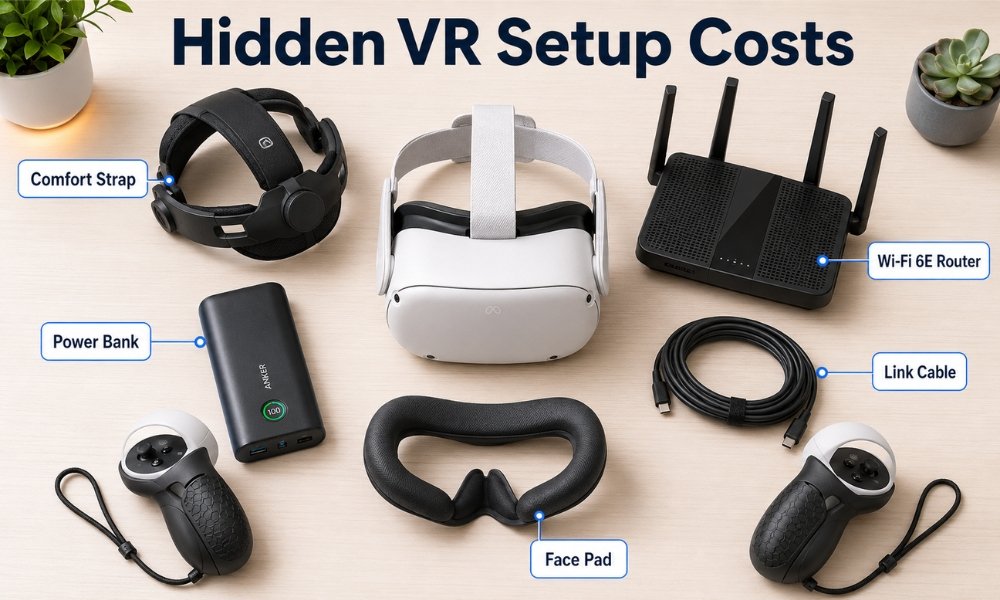
The biggest hidden cost for standalone VR is comfort.
Most people should budget for a better strap right away.
The stock strap is fine for testing the headset. It is not ideal for long sessions.
Recommended comfort upgrades:
- BOBOVR S3 Pro
- Kiwi Design battery strap
- BOBOVR M3 Pro
- AMVR facial interface
- External power bank
- Controller grips
A $40 to $80 strap can be the difference between using VR every week and giving up after a few sessions.
Top Headset Recommendations for 2026
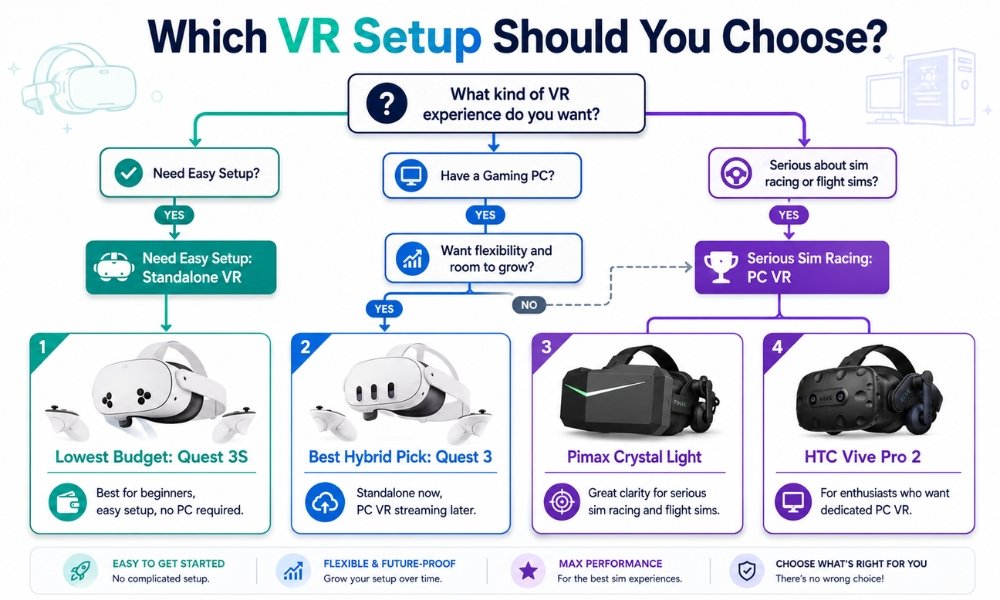
Here are the best picks based on your budget and technical comfort level.
Best for Absolute Beginners: Meta Quest 3S for $349
The Meta Quest 3S is the best entry-level VR headset for beginners who want the lowest-cost path into VR.
It runs standalone games without a PC and supports hybrid PC VR through streaming.
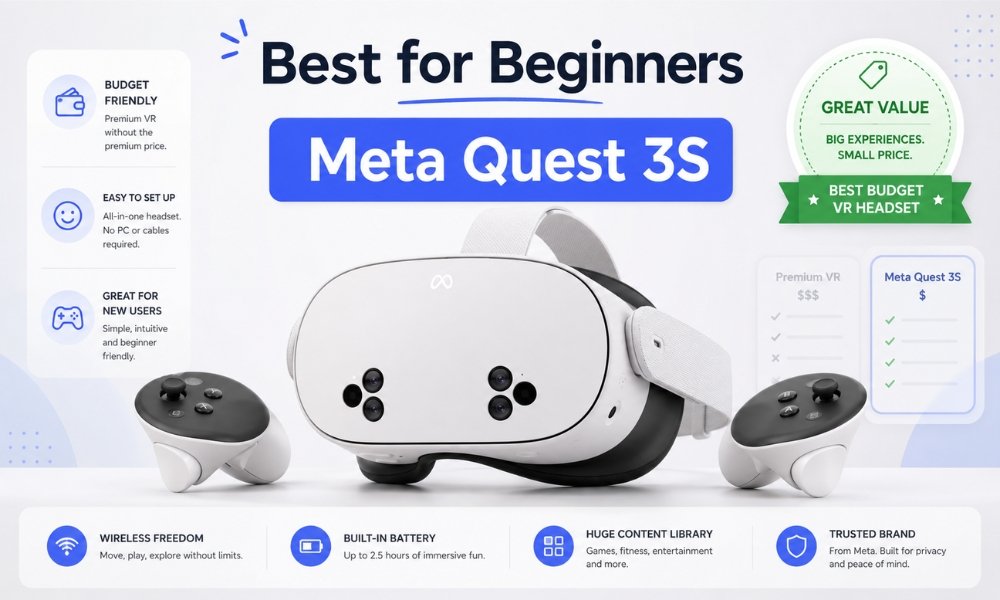
Why It Makes Sense
- Affordable entry price
- No PC required
- Easy setup
- Access to Meta’s game library
- Supports PC VR streaming
- Great for casual users and families
What You Give Up
The Quest 3S uses Fresnel lenses. These have a smaller sweet spot than pancake lenses.
That means your view is clearest in the centre. If the headset shifts, you may notice more blur.
For the price, it is still a strong beginner headset. But if you can afford the Quest 3, the optical upgrade is worth it.
Best For
Choose the Meta Quest 3S if:
- You are buying your first headset
- You want to spend as little as possible
- You do not own a gaming PC
- You want to try VR before committing more money
- You want standalone games first and PC VR later
Best All-Rounder: Meta Quest 3 for $599
The Meta Quest 3 is the best all-rounder and the strongest hybrid headset for most beginners.
It works as a standalone headset and as a wireless PC VR headset. It also has pancake lenses, which give you better clarity than the Quest 3S.
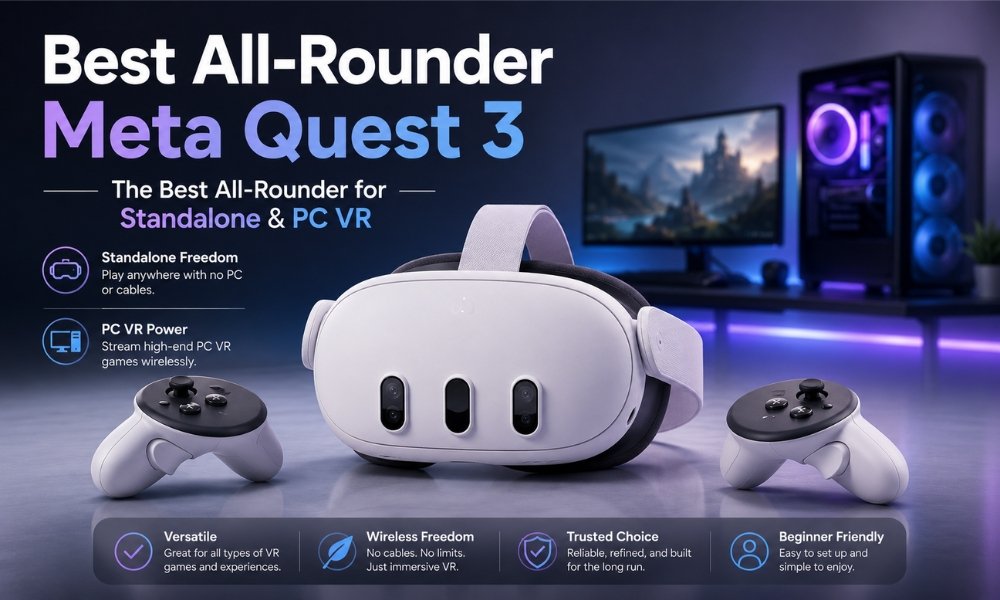
Why It Makes Sense
- Better lenses than Quest 3S
- Strong standalone performance
- Great for wireless PC VR
- Full-colour passthrough
- Strong app library
- Good long-term value
- Better fit for gaming, fitness, and mixed reality
What You Give Up
It costs more.
You also still need a better strap for long sessions.
But if you know you will use VR often, Quest 3 is the better buy.
Best For
Choose the Meta Quest 3 if:
- You want the safest overall buy
- You want standalone and PC VR
- You care about visual clarity
- You want a headset that lasts longer as your interest grows
- You plan to use VR for games, fitness, and media
Best for Sim Enthusiasts: Pimax Crystal Light or HTC Vive Pro 2
If you already know you want flight simulators or racing simulators, you may want dedicated PC VR.
This is where headsets like the Pimax Crystal Light and HTC Vive Pro 2 make sense.
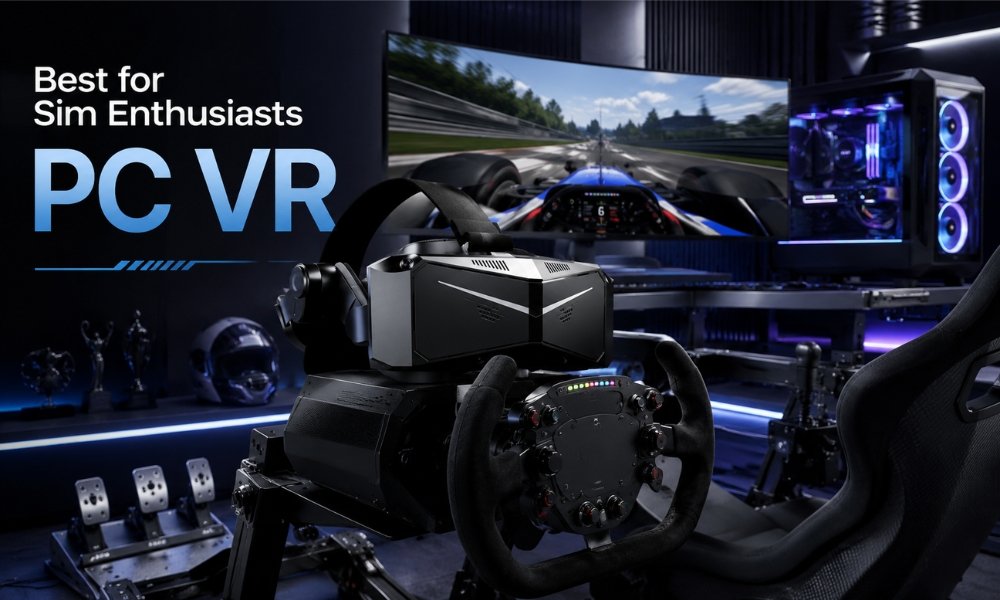
Why Sim Players Need PC VR
Sim racing and flight sims need clarity.
You need to read cockpit gauges, spot distant objects, see road texture, and keep motion smooth. Compression from wireless streaming can soften fine detail.
A native PC VR headset with a direct cable can deliver a cleaner image.
Pimax Crystal Light
The Pimax Crystal Light is a strong pick for PC VR users who want high resolution without going into the most expensive headset category.
It is better suited for:
- Flight sims
- Racing sims
- High-detail PC VR
- Users with strong gaming PCs
HTC Vive Pro 2
The HTC Vive Pro 2 is another PC VR option with a premium headset setup, though it requires a stronger commitment to cables, setup, and PC hardware.
Best For
Choose dedicated PC VR if:
- You already own a strong gaming PC
- You care most about sim racing or flight sims
- You are comfortable troubleshooting
- You want native PC graphics
- You do not mind cables
- You want maximum clarity over convenience
Standalone VR vs PC VR: Quick Comparison Table
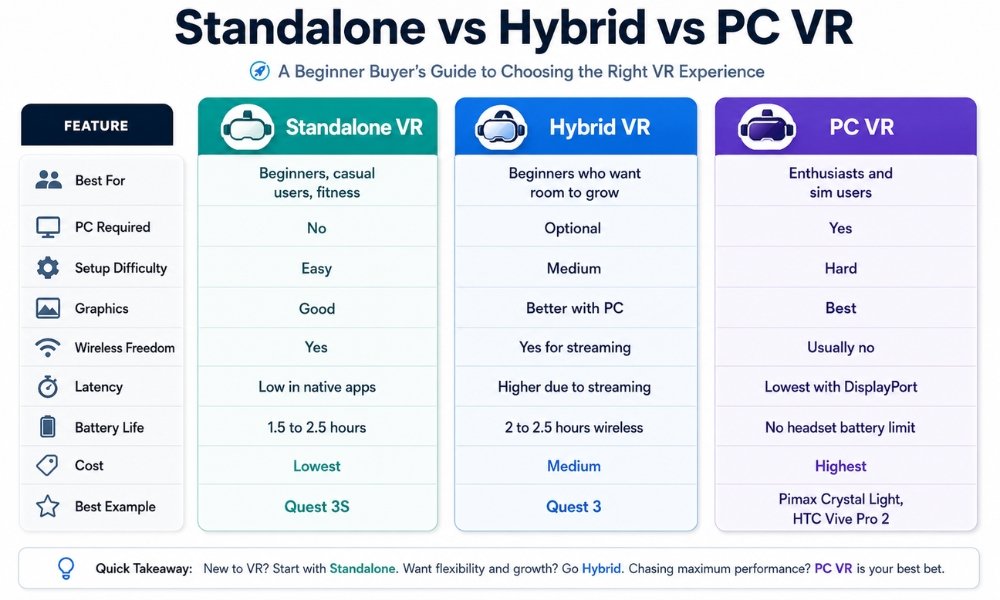
| Feature | Standalone VR | Hybrid Standalone VR | Dedicated PC VR |
| Best For | Beginners, casual users, fitness | Beginners who want room to grow | Enthusiasts and sim users |
| PC Required | No | Optional | Yes |
| Setup Difficulty | Easy | Medium | Hard |
| Graphics | Good | Better with PC | Best |
| Wireless Freedom | Yes | Yes for streaming | Usually no |
| Latency | Low in native apps | Higher due to streaming | Lowest with DisplayPort |
| Battery Life | 1.5 to 2.5 hours | 2 to 2.5 hours wireless | No headset battery limit |
| Cost | Lowest | Medium | Highest |
| Best Example | Quest 3S | Quest 3 | Pimax Crystal Light, HTC Vive Pro 2 |
Frequently Asked Questions
Do I Need a Gaming PC to Use a VR Headset?
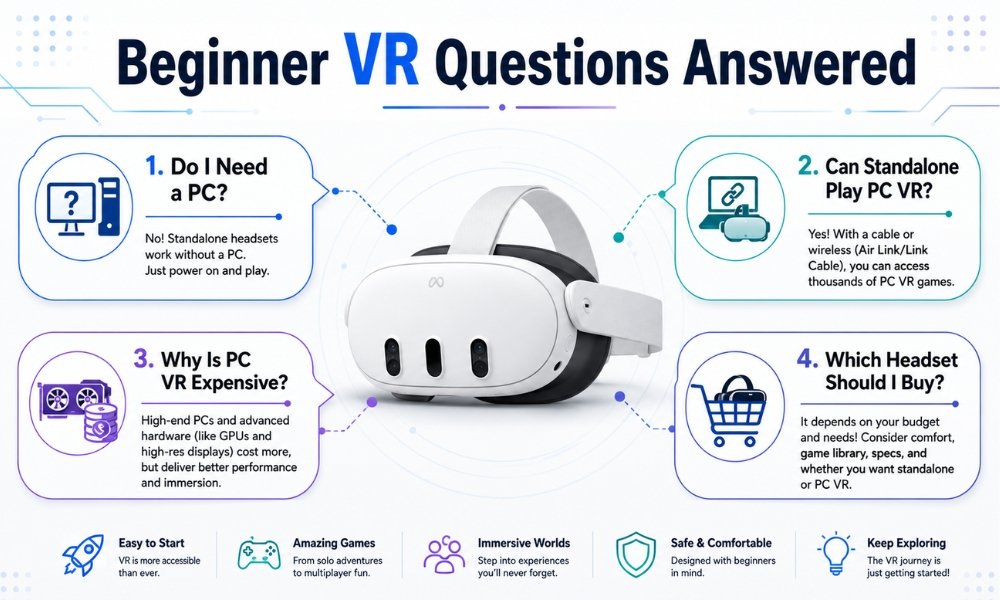
No. You do not need a gaming PC if you buy a standalone VR headset like the Meta Quest 3S or Meta Quest 3.
Standalone headsets run games directly on the device. You only need a gaming PC for high-end PC VR games, SteamVR titles, heavy mods, flight simulators, or racing simulators.
Can a Standalone Headset Play PC VR Games?
Yes. A standalone headset can play PC VR games if it supports hybrid streaming.
The Meta Quest 3S and Meta Quest 3 can connect to a VR-ready PC using Air Link, Steam Link, Virtual Desktop, or a USB-C Link cable.
This lets you play SteamVR games while still using the headset as a standalone device for regular sessions.
Why Is PC VR More Expensive?
PC VR is more expensive because the headset is only part of the system.
You also need:
- A powerful gaming PC
- A strong graphics card
- Possible base stations
- Controllers
- Cables
- Mounting hardware
- Software setup time
That is why a full PC VR setup can cost $1,500 to $3,000 or more.
Does Standalone VR Look as Good as PC VR?
No. Standalone VR usually does not look as good as PC VR.
Standalone headsets use mobile processors, so games often have simpler graphics, fewer effects, and lower texture detail.
PC VR can look better because a desktop GPU can render more complex visuals. But standalone VR is easier, cheaper, and more convenient.
What Is the Best VR Headset for Beginners?
The Meta Quest 3S is the best budget VR headset for beginners. The Meta Quest 3 is the best all-rounder if you can spend more.
Choose Quest 3S for low cost. Choose Quest 3 for better lenses, better clarity, and stronger long-term value.
Is Wireless PC VR Good Enough?
Yes, wireless PC VR is good enough for many players, especially casual SteamVR games, adventure games, and social VR.
For the best experience, use a strong Wi-Fi 6E router, connect your PC to Ethernet, and consider Virtual Desktop.
For serious sim racing and flight sims, native DisplayPort PC VR still looks cleaner.
Should I Buy a Quest 3S or Quest 3?
Buy Quest 3S if budget matters most.
Buy Quest 3 if you want better lenses, clearer visuals, better mixed reality, and stronger hybrid PC VR value.
The Quest 3 is the better headset. The Quest 3S is the better budget entry point.
Which Reality Should You Choose?
The best answer for most beginners is not standalone VR or PC VR.
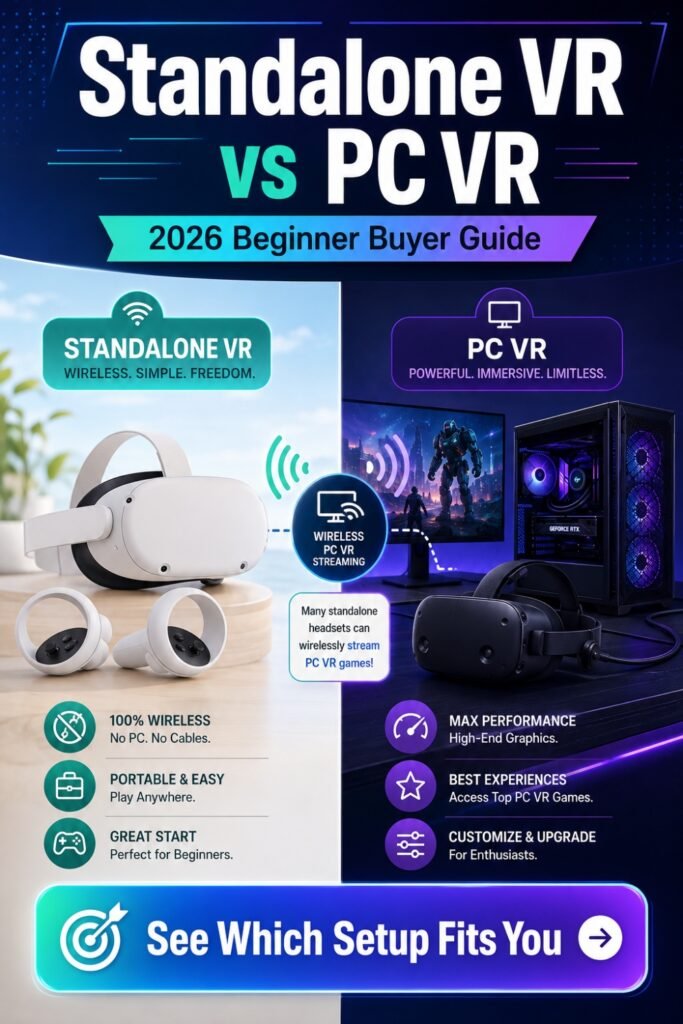
The best answer is hybrid standalone VR.
A headset like the Meta Quest 3S or Meta Quest 3 lets you start without a gaming PC. You can play native VR games, try fitness apps, watch immersive video, and learn the basics without spending thousands.
Then, if you later want high-end PC VR, you can connect the same headset to a gaming PC through Air Link, Steam Link, Virtual Desktop, or a Link cable.
That is the sweet spot.
Choose Meta Quest 3S if you want the lowest-risk entry point.
Choose Meta Quest 3 if you want the best all-rounder and better long-term value.
Choose Pimax Crystal Light or HTC Vive Pro 2 if you already own a powerful PC and care most about sim racing or flight simulators.
For most beginners, the smartest move is clear:
Start with a hybrid standalone headset. Learn VR the easy way. Upgrade into PC VR when you are ready.