VR Buying Guide for Beginners in 2026
VR buying guide for beginners starts with one simple truth.
You do not need to understand complicated specifications to choose the right headset.
Most first-time buyers worry about the same things:
- Will VR make me motion sick?
- Do I need a huge room?
- Is setup difficult?
- Will I waste money on the wrong headset?
- Which headset fits my lifestyle?
Those concerns are normal.
Virtual reality used to feel complicated.
In 2026, VR has become easier, lighter, more wireless, and significantly more beginner-friendly than ever before.
You no longer need external sensors.
You no longer need dozens of cables.
Most headsets work in minutes.
The biggest mistake beginners make is buying based only on hype.
The best VR headset in 2026 is not the most expensive headset.
It is the headset that matches your room size, comfort needs, budget, gaming habits, and long-term goals.
This guide breaks everything down in plain language.
You will learn:
- Which headset fits your budget
- Which VR system is easiest for beginners
- How to avoid motion sickness
- How much room you actually need
- Which accessories matter most
- Which headset gives you the best long-term value
Quick Answer: Which VR Headset Should Beginners Buy?
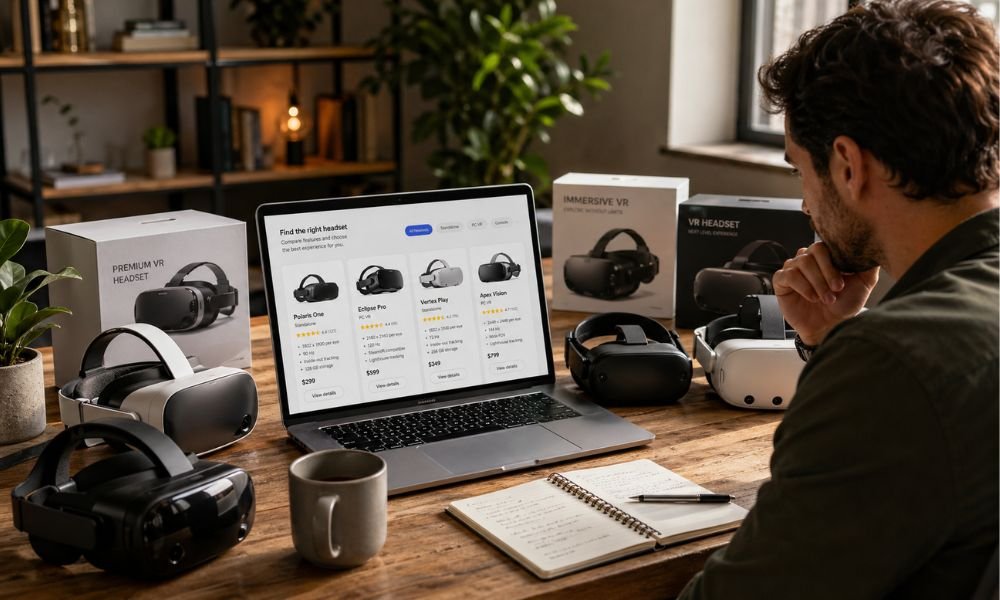
If you want the fastest recommendation, start here.
| Type of Buyer | Best Headset |
| Cheapest Beginner Entry | Meta Quest 3S |
| Best Overall Choice | Meta Quest 3 |
| PS5 Owner | PlayStation VR2 |
| PC Gamer | Valve Steam Frame |
| Comfort Priority | Pico 4 Ultra |
Beginner Buyer Path: Choose Your VR Personality
Before comparing specs, identify what type of VR user you are.
Budget Buyer
You want the cheapest reliable entry.
You care about:
- Price
- Simple setup
- Casual use
- Family sharing
Best Choice:
Meta Quest 3S
Comfort Buyer
You plan to wear VR for long sessions.
You care about:
- Weight balance
- Less eye strain
- Better lenses
- Long-term comfort
Best Choice:
Meta Quest 3 or Pico 4 Ultra
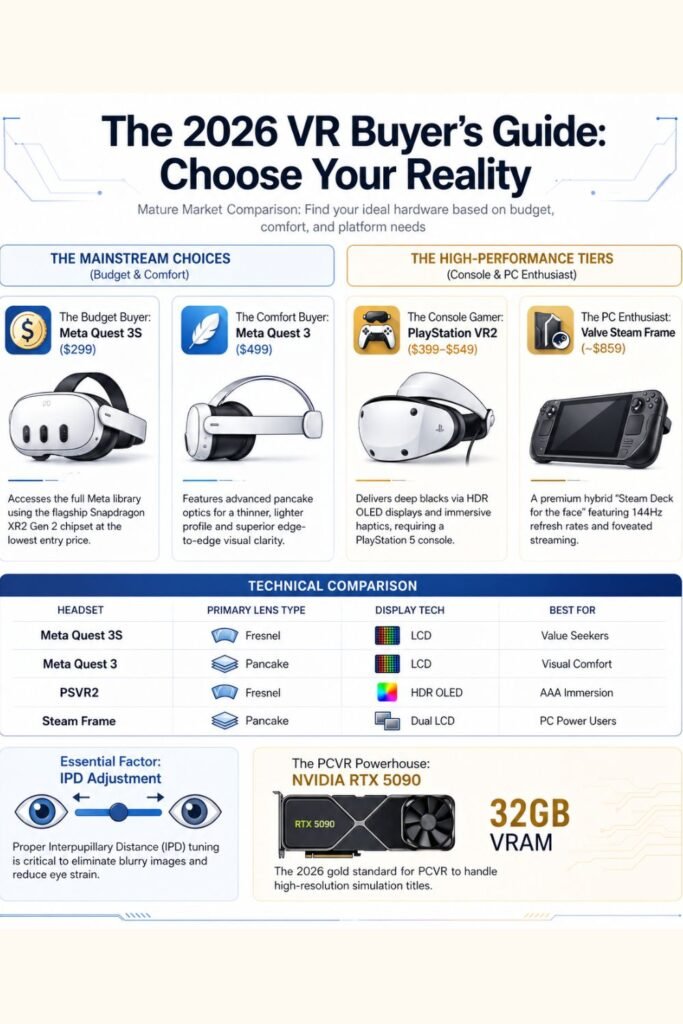
Console Gamer
You already own a PlayStation 5.
You want:
- AAA graphics
- Easy plug-and-play setup
- Horror games
- Racing sims
Best Choice:
PlayStation VR2
PC Gamer
You want the highest-end experience.
You care about:
- Steam library access
- Graphics power
- Modding
- Wireless PCVR
Best Choice:
Valve Steam Frame
What Makes a VR Headset Beginner Friendly?
Many beginners focus only on graphics.
That is not the smartest buying strategy.
Comfort, clarity, and setup simplicity matter more.
These are the five factors that matter most.
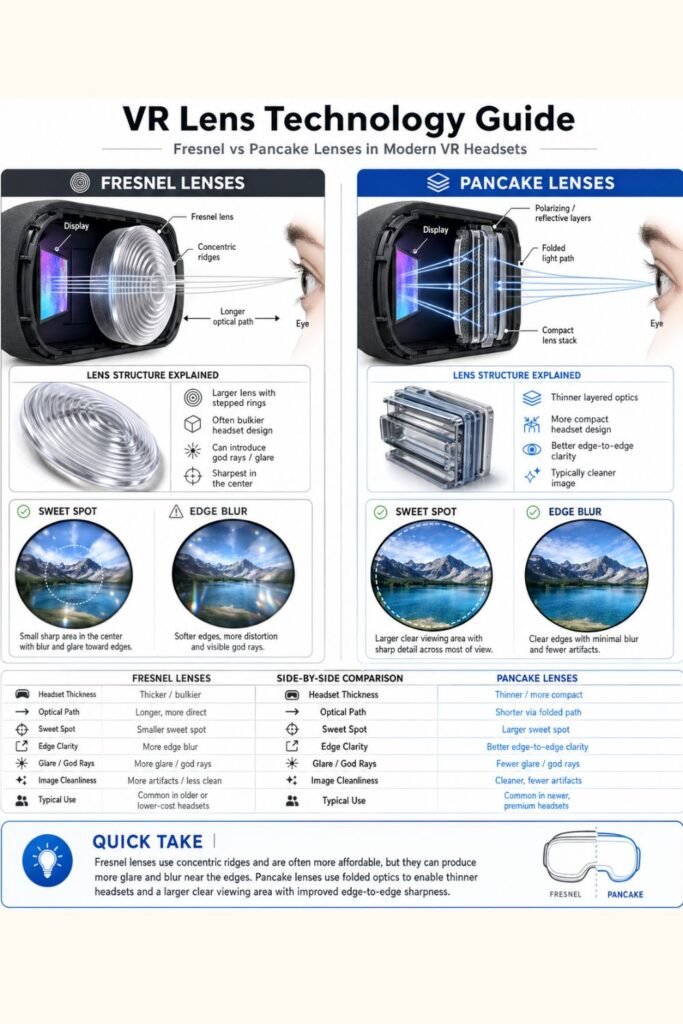
Lens Quality
Lens quality changes everything.
A headset with poor optics creates:
- Eye strain
- Blurry edges
- Headaches
- Reduced immersion
Fresnel Lenses
Older lens design.
Pros:
- Lower cost
- Affordable entry-level headsets
Cons:
- Smaller visual sweet spot
- Blur near edges
- Light streaking called “god rays”
Pancake Lenses
Modern premium optics.
Pros:
- Edge-to-edge clarity
- Thinner headset design
- Less eye fatigue
- Better readability
Cons:
- Higher cost
For beginners, pancake lenses often feel more natural.
IPD Adjustment
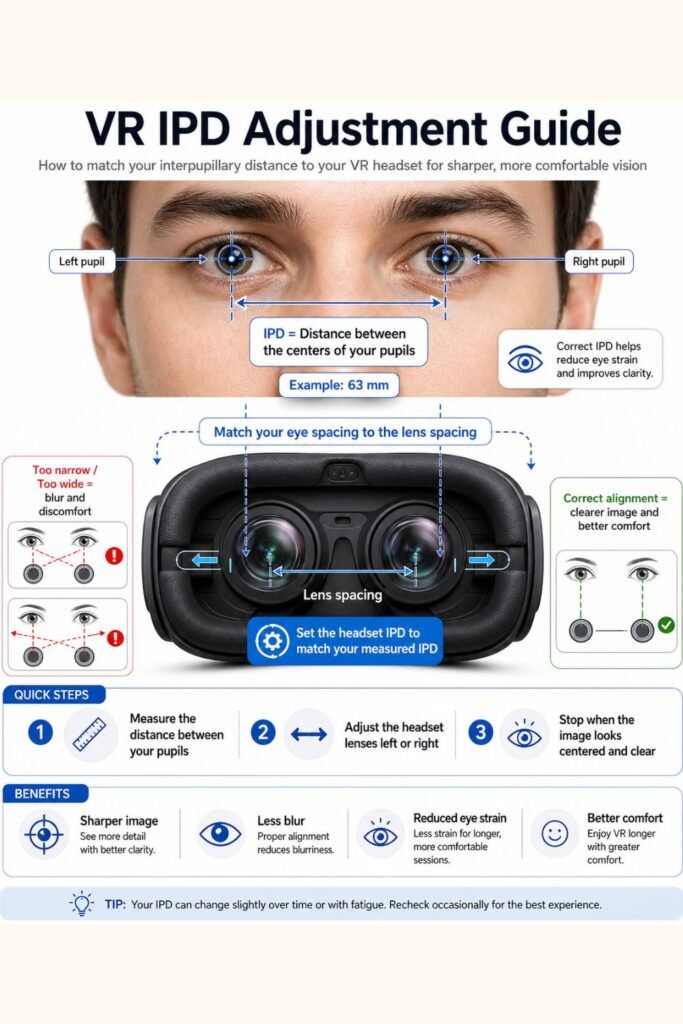
IPD means Inter-Pupillary Distance.
This is the distance between your pupils.
If your headset lenses do not align correctly, you may experience:
- Blurry image
- Eye fatigue
- Headaches
- Difficulty focusing
Continuous IPD adjustment gives you better precision.
Meta Quest 3, PSVR2, and Steam Frame offer stronger IPD flexibility than Quest 3S. fileciteturn4file0
Weight Distribution
Comfort is not only about weight.
Weight balance matters more.
A headset may weigh less but feel worse.
Front-heavy headsets create pressure on:
- Cheeks
- Forehead
- Nose bridge
Halo-style designs often feel lighter during long sessions.
Motion Sickness Prevention
Motion sickness is the biggest beginner fear.
Modern VR has improved.
Stable frame rates and strong optics reduce discomfort.
Beginners should prioritize:
- Smooth frame rates
- Teleport movement options
- Comfortable-rated games
Content Library
Hardware matters.
But software decides whether your headset remains useful.
The larger the library, the longer your headset stays valuable.
Meta currently offers the largest standalone VR library for beginners.
The Best Beginner VR Headsets in 2026
Meta Quest 3S
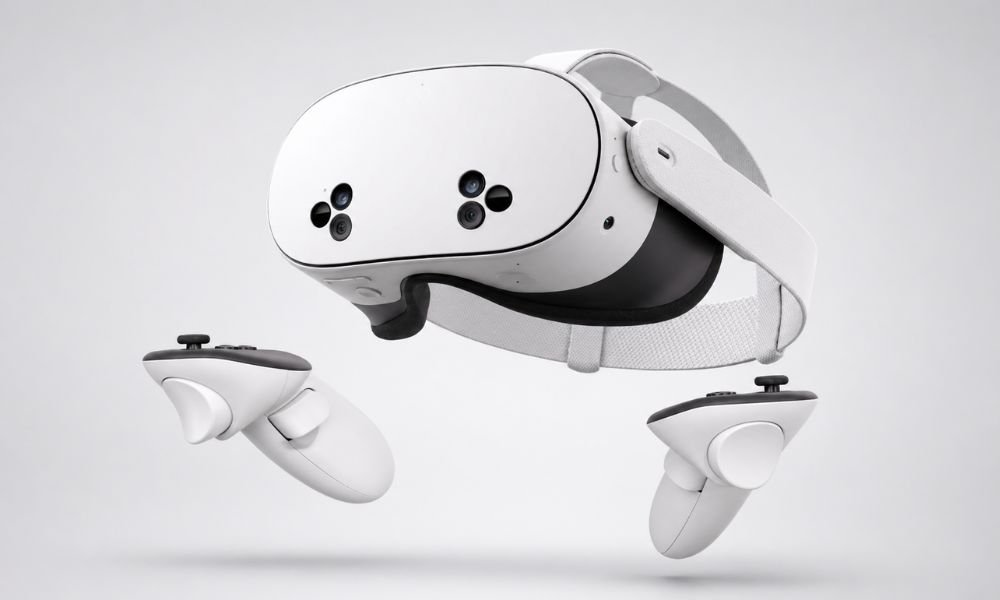
Best Budget VR Headset
Price: Around $299
Lens Type: Fresnel
Best For: Casual users, families, small spaces
Meta Quest 3S remains the easiest budget recommendation.
It gives beginners access to modern VR without requiring a PC or console.
Why It Works
- Standalone wireless design
- Same processor as Quest 3
- Massive app ecosystem
- Mixed reality passthrough
Real Beginner Experience
Quest 3S works best for:
- Fitness apps
- Short gaming sessions
- Family households
- New VR users
Who Should Avoid It
Skip Quest 3S if you:
- Wear glasses often
- Notice blurry edges easily
- Plan to read lots of text in VR
Real Ownership Cost
Budget does not stop at purchase.
Expected beginner upgrades:
- Better strap: $40–$70
- Lens inserts: $60
- Carrying case: $25
Total realistic cost:
Around $420
Meta Quest 3
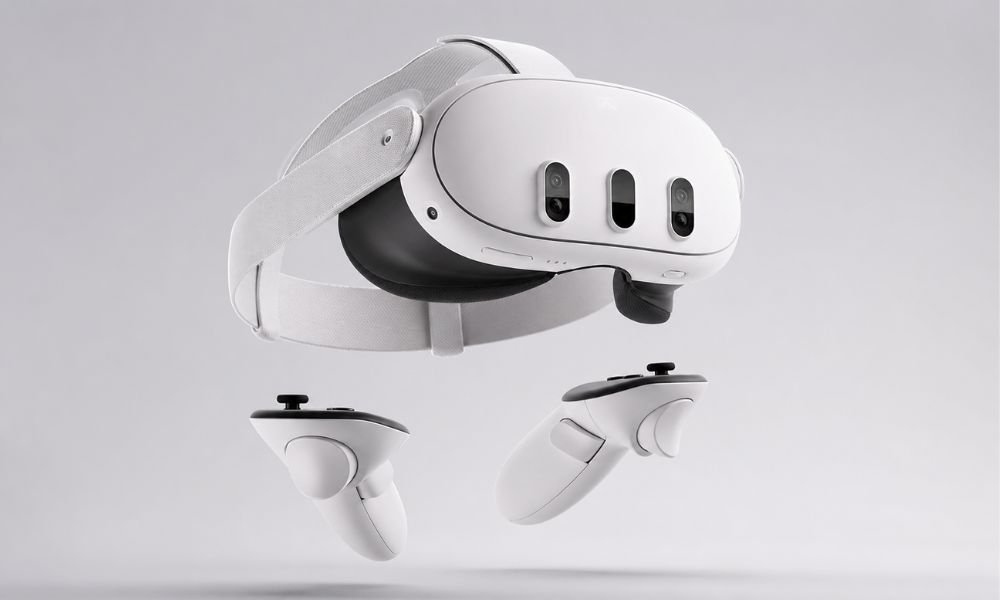
Best Overall Beginner VR Headset
Price: Around $499
Lens Type: Pancake
Best For: Long-term buyers
Quest 3 remains the best overall beginner headset.
It balances:
- Comfort
- Clarity
- Mixed reality
- Ease of use
- Game availability
Why Beginners Love It
Pancake lenses create a larger sweet spot.
This means your eyes can move naturally without constant head repositioning.
Why It Feels Better
Quest 3 creates less eye fatigue than Fresnel-based devices.
Text remains sharper.
Movies look cleaner.
Menus feel easier to read.
Who Should Avoid It
Skip Quest 3 if:
- You want the cheapest option
- You only plan to use VR casually
Real Ownership Cost
Quest 3 often becomes a premium beginner setup.
Common upgrades:
- Halo strap: $60–$100
- Battery pack: $60
- Lens inserts: $60
Total realistic cost:
Around $650
PlayStation VR2
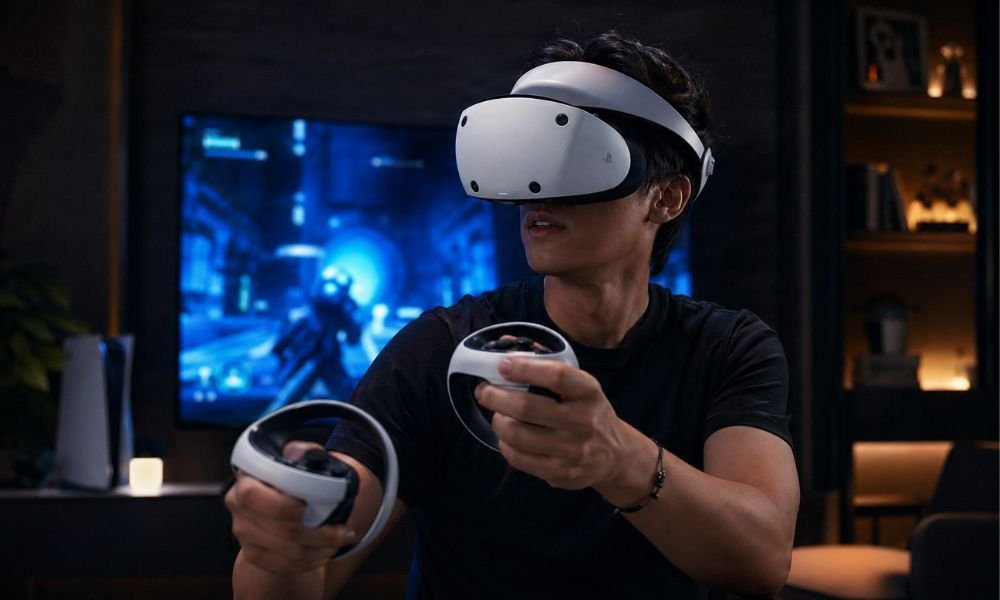
Best VR Headset for PS5 Owners
Price: $399–$549
Lens Type: Fresnel
Best For: Console players
PSVR2 delivers some of the strongest immersion available.
Its OLED screens create deep blacks.
Dark games feel dramatically more realistic.
Why It Stands Out
- OLED contrast
- Eye tracking
- Headset haptics
- Plug-and-play console setup
Who Should Avoid It
Skip PSVR2 if:
- You dislike cables
- You do not own a PlayStation 5
- You want a massive standalone app store
Ownership Reality
Requires:
- PS5 console
- Wired play area
This makes total cost higher than expected.
Valve Steam Frame
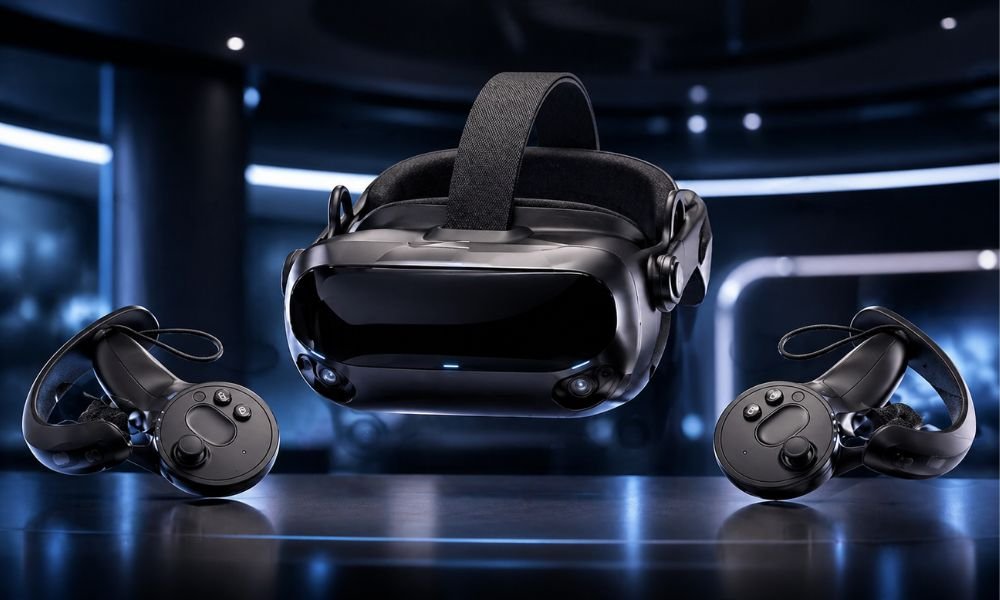
Best VR Headset for PC Enthusiasts
Price: Estimated $800+
Lens Type: Advanced LCD / Hybrid System
Best For: Steam ecosystem users
Valve Steam Frame bridges standalone and PCVR.
It is designed for users who want:
- Steam library access
- Wireless streaming
- Higher-end gaming
- Longer-term flexibility
Why It Is Unique
Steam Frame uses:
- SteamOS
- Wi-Fi 7 streaming
- Eye-tracked optimization
- Hybrid gaming modes
Who Should Avoid It
Skip Steam Frame if:
- You are a casual beginner
- You do not own a gaming PC
- Budget matters most
Beginner Pain Point Fixes
“I Don’t Have a Huge Room”
You do not need one.
Seated VR
Requires:
Around 3 × 3 feet.
Perfect for:
- Puzzle games
- Driving simulators
- Movie watching
Roomscale VR
Requires:
At least 6.5 × 6.5 feet.
Best for:
- Fitness games
- Action titles
- Social VR
Leave a safety buffer around walls.
“VR Looks Blurry”
This usually means your IPD is wrong.
Correct IPD alignment improves:
- Focus
- Comfort
- Reduced headaches
Measure your IPD before buying.
Average adults sit around 63mm.
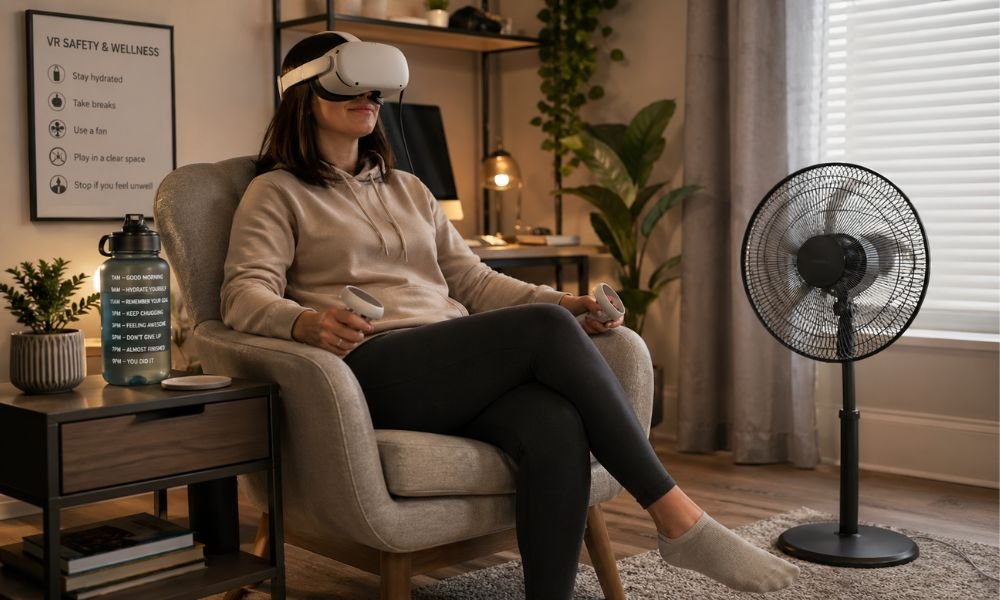
“I’m Afraid of Motion Sickness”
Motion sickness happens when your eyes and balance system disagree.
The fix is gradual adaptation.
Golden Beginner Rules
- Start with 15-minute sessions
- Use teleport movement
- Play stationary games first
- Use a floor fan
- Stop immediately if nausea begins
How to Build a Beginner-Friendly VR Room
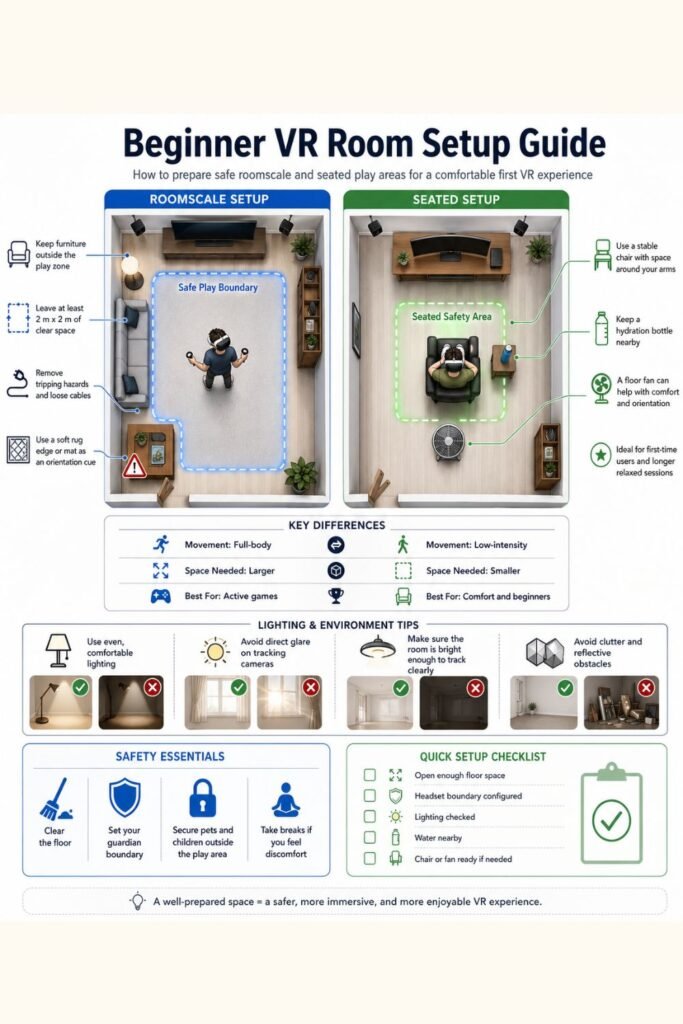
Lighting Matters
Inside-out tracking needs visible room details.
Avoid:
- Pitch-black rooms
- Direct sunlight
- Strong glare
Protect Your Lenses
Never expose lenses to direct sunlight.
Sunlight burns displays quickly.
Store headsets inside:
- Drawer
- Case
- Shelf away from windows
Use a VR Floor Mat
A textured mat helps orientation.
You instantly know when you leave center position.
Essential Accessories
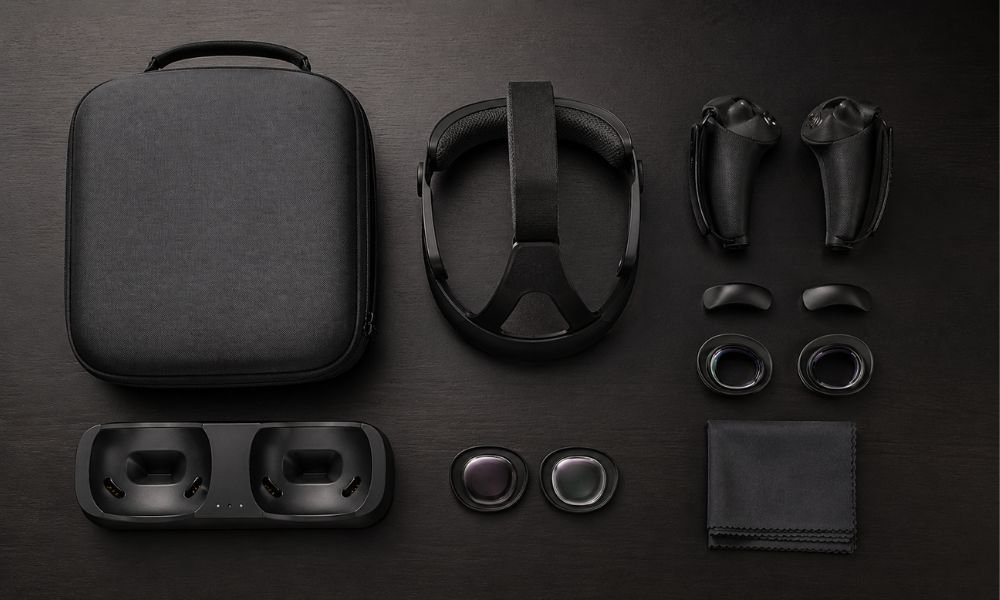
Recommended beginner upgrades:
| Accessory | Why It Matters |
| Halo Strap | Better comfort |
| Battery Pack | Longer playtime |
| Lens Inserts | Better vision |
| Charging Dock | Easy storage |
| Grip Covers | Better controller control |
Best Beginner VR Games
These games rarely trigger motion sickness.
Beat Saber
Rhythm-based gameplay.
Easy to learn.
Stationary movement.
Walkabout Mini Golf
One of the safest beginner experiences.
Relaxing.
Social.
Low nausea risk.
Moss
Third-person perspective.
Very comfortable.
Excellent beginner storytelling.
Eleven Table Tennis
Realistic movement.
Easy brain adaptation.
Highly immersive.
FAQ
What Is the Best VR Headset for Beginners?
Meta Quest 3 remains the best overall beginner headset because it balances comfort, clarity, wireless freedom, and software support.
Is VR Worth Buying in 2026?
Yes.
VR hardware matured significantly.
Wireless performance improved.
Motion sickness became easier to manage.
Do I Need a Gaming PC?
No.
Quest 3 and Quest 3S work independently.
Can I Wear Glasses in VR?
Yes.
Prescription lens inserts often provide the best experience.
Final Recommendation
If you want the safest beginner recommendation, buy Quest 3.
If you want the cheapest entry, buy Quest 3S.
If you already own a PS5, buy PSVR2.
If you are serious about PCVR, buy Steam Frame.
The best VR headset is not the one with the biggest specifications.
It is the one you will comfortably use every week.